
Benji Devs
Members
-
Joined
-
Last visited
Everything posted by Benji Devs
-
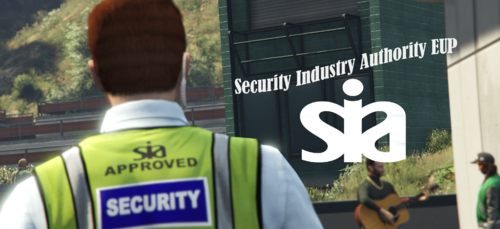 Thank you for installing my SIA EUP. This is meant to be a realistic version of the SIA (Security Industry Authority), the UK private security regulators. IMAGES - https://imgur.com/a/22BEBwo Currently Includes High Visibility vest in Yellow or Black. Realistic SIA DS waist ID. All EUP is for male and female peds. Requirements: EUP 9.3 or above How to install: 1) Drag and Drop contents of High Vis and Radio and Pass files into your servers custom clothing files. 2) Done. vMenu clothing numbers: Male: High-Vis - Bodyarmor / Accessory 2 #6 (might have to cycle through textures) Radio and with SIA DS Badge - Shirt / Accessory #21 (Should be first texture) Neck ID - Bodyarmor / Accessory 2 #22 Security Polo - Shirt Overlay / Jacket #19 (Should be first texture) Raincoat - Shirt Overlay / Jacket #188 (First two textures) Tac Vest - Bodyarmor / Accessory 2 #19 (First few textures) Baseball cap - Hats #11 & 12 Female: High-Vis - Bodyarmor / Accessory 2 #20 (might have to cycle through textures) Radio and with SIA DS Badge - Shirt / Accessory #21 (Should be first texture) Neck ID - Bodyarmor / Accessory 2 #21 Security Polo - Shirt Overlay / Jacket #46 (Should be first texture) Raincoat - Shirt Overlay / Jacket #190 (First two textures) Tac Vest - Bodyarmor / Accessory 2 #23 (First few textures) Baseball cap - Hats #11 & 12 I don't plan to add more reskinned EUP to this pack for now. I am currently finished with this pack for now however may add more in the future. This is only a small pack due to private security in the UK not needing a select uniform. So it's just a nice little addition to your security clothing. - If you have any issues with that pack please comment in the post comment section and I will attempt to sort it out. - If you want to use it in singleplayer, you will have to sort it out yourself however it is fairly easy with a quick YouTube search. THANK YOU FOR VIEWING THIS FILE, I DO PLAN ON UPDATING IN THE FUTURE AROUND MY STUDIES.
 -
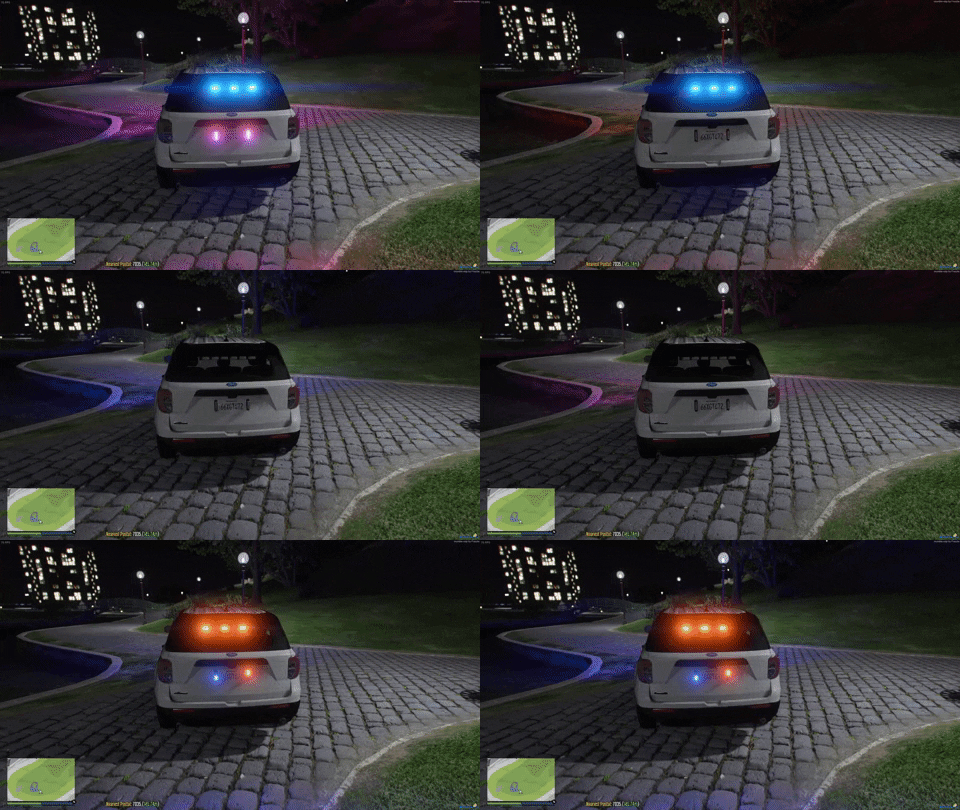 Includes an LAPD based livery on it aswell, sorry for lack of Images however it doesnt like my others due to file size so they are going to be linked below aswell. SCREENSHOTS - https://imgur.com/a/SlOyToI Drag and Drop the "slick2020fpiu" into your fivem server directory (Or sub-directory) and thats it! If the lights dont work be sure to change the Light IDs in the following: <sirenSettings value="31457" /> - Carvariations <id value="31457"/> - Carcols The values need to be the same for the vehicle and can not be the same as other vehicles. - Template is included in the ytd. - Minimal Lighting I know this is not the the best car ever, but its my first go at making a car and hope to go in the future, the livery is just an LAPD based livery (not very well) I plan on updating this at somepoint when I make Side Lighting (As of right now I just cant make it work haha) My next plan after this car is a 2020 Ford Transit van with a Public Works Varient and Police Varient. CREDITS:John Woodhouse - Graphics Pack Beta Access @BlueGhost - Model (2020 FPIU) KURWA - Visor Bar @0taku - Ions (Plate Lights) Fox Dev - Back Lighting Dan with da Van - Watchguard PX2 Dashcam @Sniper67 - Rambar If your item is in the vehicle and you are not credited contact me through comments. UPDATE: STOPPED DEVELOPMENT OF VEHICLES FOR NOW DUE TO EDUCATIONAL REASONS