AtomusImpact
Members
-
Joined
-
Last visited
Everything posted by AtomusImpact
-
-
 2018 Dodge Charger Patrols lights are very dim, with Better Radiance installed. All other vehicles lights are fine.
- 266 comments
- 15 reviews
-
-

- 1
-
-
I've discovered the issue. I was wondering what I changed recently, and I remebered I messed around with the vehicle.meta file. Changing the emergency vehicle engine sounds. So I decided to revert the vehicle.meta file back. That fixed it. Thanks for your help!
-
-
-
RagePluginHook.zip
-
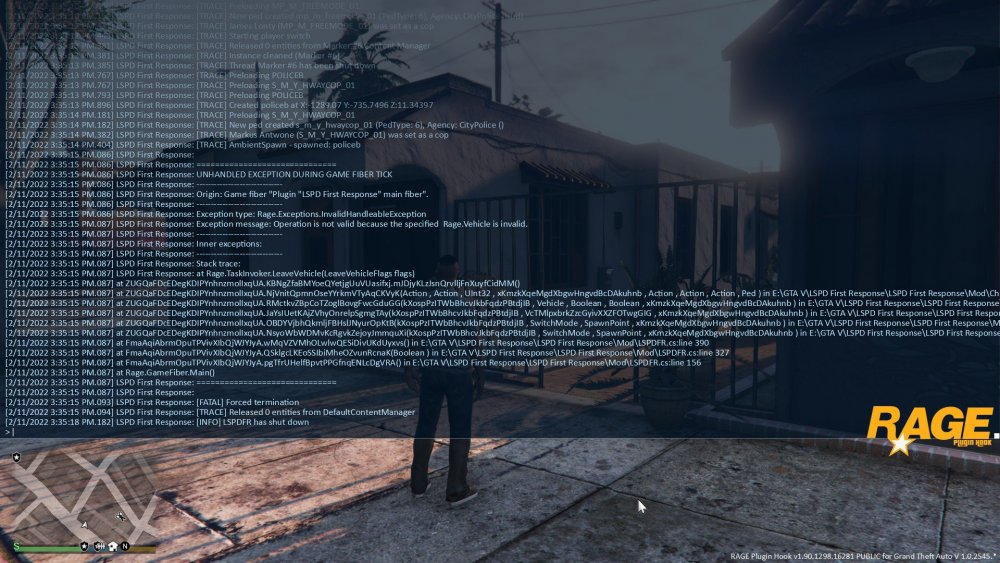
RPH didn't crash though, LSPDFR did. Im new to this, so Idk how this works.
-
I have it where LSPDFR automatically startups when I start GTA5. Whenever I do start up GTA5 LSPDFR crashes and I get this report. Anyone know what the issue is?