RegentWheat
Members
-
Joined
-
Last visited
Everything posted by RegentWheat
-
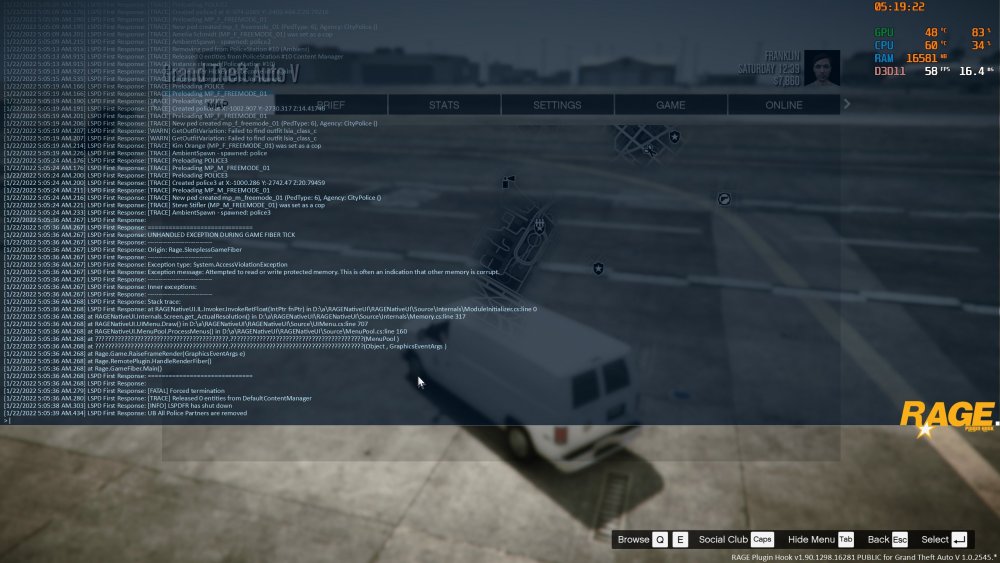
Alright, I believe that I've resolved the issue now...for myself anyways. The RageNativeUI.dll which comes with UB and the other BejoIjo Plugins seem to be outdated. I downloaded the latest one being "Rage Native UI v1.8.2" from another source, replaced it, and it's all good now.
-
Alright, I believe that I've resolved the issue now...for myself anyways. The RageNativeUI.dll which comes with UB and the other BejoIjo Plugins seem to be outdated. I downloaded the latest one being "Rage Native UI v1.8.2" from another source, replaced it, and it's all good now.
-
I have the same issue. As soon as I press "B" to open UB the LSPDFR Plugin crashes.
-
Hi everyone, I keep running into this error every time I press "B" when On Duty. I have to note that it is also the key to open up the UltimateBackup Menu. I've been looking over similar issues from different users however I've not managed to come across anyone with the same "Origin" and "Exception type", which I'm hoping someone with far wider knowledge could help me out on. I'll also add that that I have reinstalled the latest versions of LSPDFR 0.4.9 (Build 8037), EUP (v9.4/2.4 beta), as well as UltimateBackup (v1.8.7.0). Big thanks for any sort of help.