


ThomasGoodman1945
Members
-
Joined
-
Last visited
Everything posted by ThomasGoodman1945
-
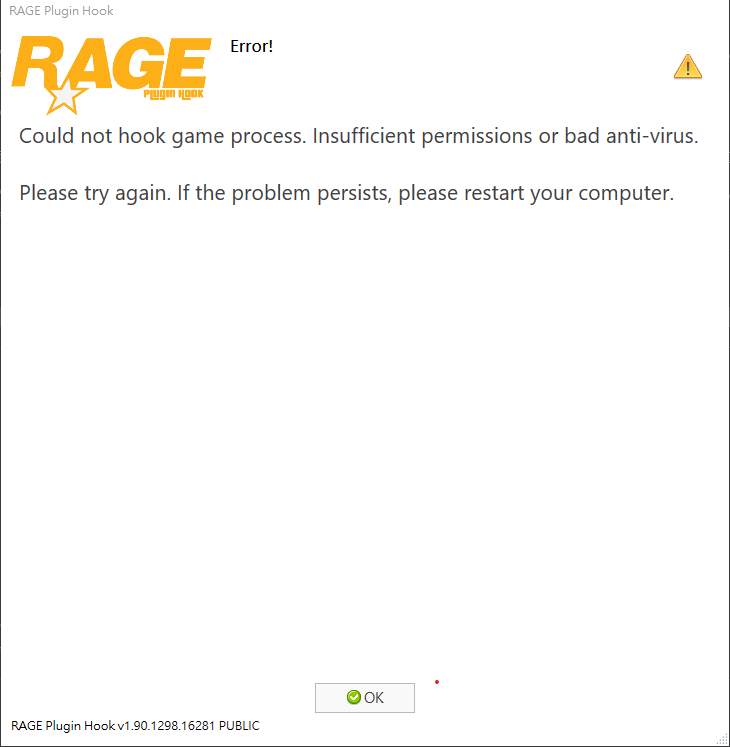
OK When loading, "Unable to fix the anti-game process for trial operation. Insufficient permissions or bad virus software. If it still exists, please restart." It's how the computer itself, and it is useless to start by following the prompts. When loading, "Unable to fix the anti-game process for trial operation. Insufficient permissions or bad virus software. If it still exists, please restart." It's how the computer itself, and it is useless to start by following the prompts. When loading, "Unable to fix the anti-game process for trial operation. Insufficient permissions or bad virus software. If it still exists, please restart." It's how the computer itself, and it is useless to start by following the prompts.
-
加载时显示“無法掛鉤遊戲進程。 權限不足或防病毒軟件不良。 請再試一次。 如果問題仍然存在,請重新啟動計算機。”是怎么回事,按照提示重心启动计算机也没有。
