


DBUCK
Members
-
Joined
-
Last visited
Everything posted by DBUCK
-
-
-
I got luck! Found this script:
-
Wish there is a same setting for singleplayer as well, I don't play on fivem much.
-
 😀
😀 -
Sorry? If you can offer some details would be better.
-
Oh, I did missed that one and I have uploaded a fixed version, but it's still pending. You can actually modify the code just simply open it through Notebook, and you can find this one on line 4. start steam://rungameid/271590 And relace the steam://rungameid/271590 with PlayGTAV.exe And then it's all done.😀
-
Every time.
-
Glad that can help you!😀
-
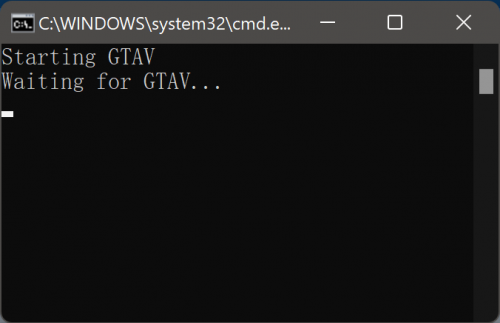
THE BATCH SCRIPT IS ONLY FOR THOSE WHO HAVE INSTALLED ENB AND RPH AT THE SAME TIME. IF YOU ONLY INSTALLED RPH/ENB THEN YOU DON'T NEED THIS BATCH SCRIPT. [OVERVIEW] Normally, you can start LSPD:FR by clicking the RPH, but after installing enb, it will actually crash. This script is to start RPH after the game is on so as to avoid crashes. [INSTALLATION] 1. Place it to the [DRIVE]:\SteamLibrary\steamapps\common\Grand Theft Auto V 2. Double click it to run, and...enjoy your game! PS:You can create a shortcut for it and place it on the Desktop so that you can play LSPD:FR like your other games naturally. [EXTRA]: If you wish to start it through the taskbar, here's the way to do it. 1. Rename the "NREC.bat" to "NREC.bat.exe". 2. Right-click the "NREC.bat.exe" and click "Pin to taskbar"(If you are using windows 11 you need to click "Show more options" before clicking "Pin to taskbar") 3. Then rename the "NREC.bat.exe" back to "NREC.bat". 4. Hold down the Windows Key and then press R. 5. Copy and paste "%userprofile%\AppData\Roaming\Microsoft\Internet Explorer\Quick Launch\User Pinned\TaskBar" to the input box. (There should you see the shortcut named "NREC.bat".) 6. Right-click the shortcut and then click "Properties". 7. Same as step 3, rename the "NREC.bat.exe" back to "NREC.bat" in the Target input box. 8. Click the shortcut and it should run the batch properly. 9. You can rename the shortcut whatever you like and change the icon for it. (YOU NEED TO RELOGIN TO WINDOWS TO REFRESH THE ICON)
-
Thanks for your reply! My graphics card is RX590 which has 8G of VRAM. and CPU is I7 4790K.(Kinda old but works fine) Additionally, as I mentioned after setting the "Extended Texture Budget“ in FiveM ones, the same issue was fixed there, so i guess that's probably not an issue caused by my spec? Setting the first line to "False" in LSPD:FR‘s config does help, but still, texture loss will happen after an hour.
-
So here it is, when i play lspdfr or fivem for like about dozens of minutes, i wlll have texture loss issue like the picture below. But after some searching, i found a setting says "Extended texture budget" , and i set it to the highest and it seems that the bug is fixed in fivem. But I can't find the same setting in singleplayer mode, so it seems that it is only offered in fivem. So, is there a script or mod that have can adjust "Extended Texture Budget" in single player mode? Any help would be very much appreciated, Thanks -------------------------------------------------------------------------------------------------------------------------------------------------------------------- UPDATE: At last it seems that the loss is due to my VRAM too low. After set the texture quality to low in setting, everything seems fine.




