




TheLastKnight2
Members
-
Joined
-
Last visited
Everything posted by TheLastKnight2
-
might aswell try everything in the book
-
try and verify your game files.
-
all uniforms are taken out of the agency.xml file i believe, no matter what plugin you use
-
 ill be working on a brand new Callout pack within the weeks coming 🙂
 -
remove GrammarPolice and then try again
-
make your RPH timeout threshold to 60000 you have it set to 30000
-
did you do the automatic LSPDFR install or the manual install?
-
wrong log file, the correct log will be within your GTA 5 main directory named RagePluginHook.log please send that over
-
I don’t get what your asking
-
where are you trying to download this file from? If here then its perfectly fine for me
-
please make sure to revert that file to the default position
-
Please make sure your PluginTimeoutThreshold is 60000 it is currently 10000 for you
-
did you do the manual or automatic install for lspdfr?
-
Hello!, i do apologise dearly for the long responce time but yes, i will be making other callout packs when i get my new pc tomorow! so lookout for them if you are interested!
-
reinstall GrammarPolice
-
do you have any visual packs installed?
-
hmm i would have to try it to find out
-
I dont believe it crashes your game right now, i have not tried to be honest with you but im still thinking of wether i do this or not
-
ELS: ELS Stands for Emergency Light System and in game you can go thru all of the different siren codes so Code 1, Code 2 and Code 3 normally you would just turn your lights on and your sirens would atomatically come on but with this it makes it more realistic and you can either have your light and sirens on or you can just have your lights on. Sorry if i did not explain this well or missed anything out!
-
So, some of you may know me and some of you may not know me but i was the developer that developed these two callouts: Dangerous Callouts: Appreciate how many people downloaded it 💞 UK Callouts: Appreciate how many people downloaded it 💝 I could not continue these projects as i had school back then etc and it was just way too much for me to handle everything including support for the community that uses my plugins etc. But now i am in college and i only go to college 3 days a week and i am wondering if i should start this project back up? if this does start back up then i will most likely be giving support on my discord server that i will make and not thru the lspdfr website but this is just a idea but may not come into the light i may give support thru the lspdfr website aswell it depends. I appreciate all of your comments and all of your suggestions i try to put all of them into consideration while i do these callout packs all of my callouts i will do WILL BE FREE so if anyone is claiming that they are paid or you have to pay for them then please head to the discord server and report them to me and i will deal it. All of my callout packs and single callouts will be added to my discord in the correct channel with the file to download it and the link to LSPDFR to download it. If you are interested in helping me if i do decide that i will come back to making callouts then please shoot me a dm on discord at TheLastKnight#6228 i will also be looking for developers that will be able to help me with the callouts etc and maybe even teach me a couple things along the way so then i can be knowledgeable on stuff! i appreciate all of you that are reading this! please give me your honest opinion even if you think it may be hurtful etc! Thank you for reading! - TheLastKnight2
-
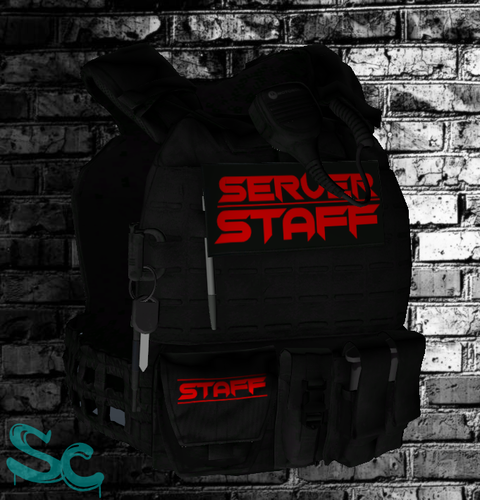 👎 Basically insulted me when i tried to install his vests, even tho he was the one lying that he was in a meeting to not give out support And his vest dosent even work take a big F for Fail and a big L also
 -
well send the log?
-
make sure your GPU is up to date and your graphics are turned down a bit then
-
send your log please youc an find it in your gta 5 main directory
-
send your log you can find it in your gta 5 main directory




