Pepe Escobar jr
Members
-
Joined
-
Last visited
Everything posted by Pepe Escobar jr
-
I'm just waiting for the Developers of LSPDFR to come out with a fix probably in the next update I was just letting anybody know who's having the same problem I wish there was a way to fix it but obviously that's not going to happen to another update it's looking like wait and see I have stopped using bejoijo's plugins for now even if you don't die if you play for more than an hour the game will crash due to the conflict with LSPDFR and stop the ped
-
yes
-
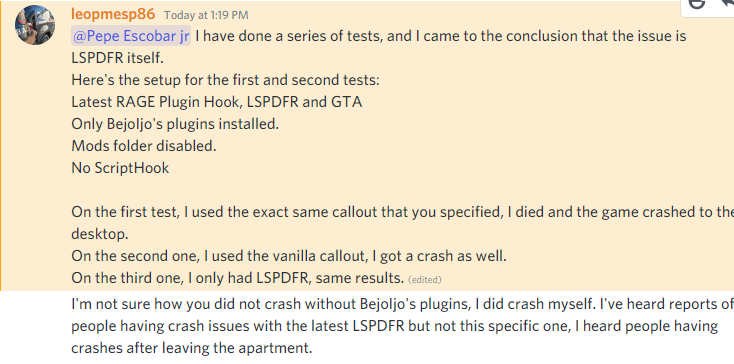
hello I've been having issues with LSPDFR while using Stop the pad by bejoijo I contacted support through them they determined that the issue is with lspdfr I have included a screenshot of the response that I got from the support team and also my RPH crash report and just so we can be clear I took the steps of starting a fresh game no mods folder only mods that are running is LSPDFR and stop the pad RagePluginHook.log