NIGHTRANGER141
Members
-
Joined
-
Last visited
Everything posted by NIGHTRANGER141
-
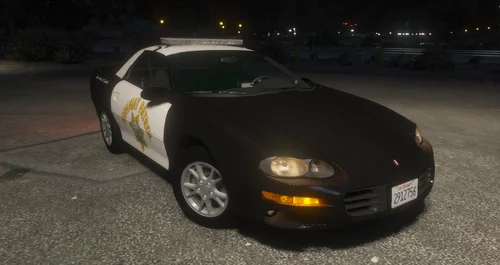 Looks Great Ma Man. Been wanting a CHP Camero for ages. You think you'd ever try and make the new CHP Camero?
 -
For some reason with one of my callout packs or possibly one of my old ones by game has got a street that is just filled with Trees and lampposts and other stuff and they can’t be deleted. I’ve checked my scene manager and it doesn’t say anything tried cleaning world etc but these props/objects won’t go. Anyone got a mod or plugin that can let me delete the props
-
Never mind I though problem it was one of my map addons causing the problem due to there being too many extra items/props in area making my game crash
-
Every time I start my rage I load in and all my plugins etc load fine and LSPDFR works fine. I can patrol anywhere I.e all of city, route 13, route 15, Grapeseed and Paleto, but as soon as I enter inside of Sandy specifically as soon as I pass 24/7 in Sandy the game memory error pulls up and crashes my game. If anyone knows a possible way to fix this issue please respond to this. When my game crashes it’s normally always when I’m responding to a call and it’s in Sandy but sometimes it happens when I’m just patrolling.
-
RagePluginHook_30052024_175640.log recently decided I wanna get back into lspdfr and I have gone through tutorial using YT's that I've used before and have posted on the recent update and as soon as I get in the game it either says Lspdfr.dll has crashed or it just crashes my game when I start the plugin through F4 menu.