


Skyden
Members
-
Joined
-
Last visited
Everything posted by Skyden
-
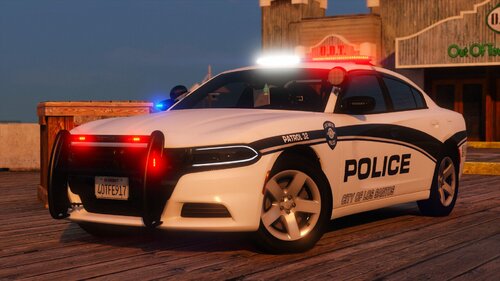 Hi, love tha car pack! I have one issue with new charger tho - the normal headlights are too powerful, almost no diffrence between normal and the bigger range ones. Any idea what may cause this?
 -
-
 Hi! Any idea why my SWAT backup has no helmets, just googles? Everything else is working fine its just this one issue. I am using eup 9.7
- 369 comments
- 17 reviews
-
hey i have it on false since day 1 of installing lcpdfr 🙂 cars are not even close to hard limit and having preload on false didn't help at all, only dropping down texture settings in game which mades me think that it is engine related anyway for me it is solved and im clueless why i am showed as author, when original topic was made by ruger392🤣
-
Hey, writing just to confirm - i am playing with basically everything maxed out just textures set to medium, and it works! Playing for like 5th hour now and didnt experience basically any texture pop up.
-
Hey, im experiencing same issue for last several days - my cars dont exceed even 15mb on their weight but i get texture pop ups anyway. The fix that for now is working for me is to turn down textures to medium - i know, it might be painful at some places but at least there are no pop ups. It is not hardware related because i have rtx 2070 super gpu that is way above recommended.
-
-
-
 Yeah, just this callout - everything else from your pack works perfectly:) RagePluginHook.log
 -
Hey, im having the issue with Person Carrying A Weapon callout, it automatically goes Code 4 - disregard after i accept it, any idea why? 🙂




