



xJDMxLIMIT
Members
-
Joined
-
Last visited
Everything posted by xJDMxLIMIT
-

-
-
-

-
This album will consist of my WIP on my local departments vehicles
-

-

-

-
 As if the large, bold and highlighted text in the description wasn't enough 🙄
- 1,081 comments
- 166 reviews
-
-

- 1
-
-
.thumb.png.cb930dd9b410e00dcfa81bb2cfa7b15c.png) W troud
W troud -
 MAKE A MACH-E PLEASE ❤️
 -
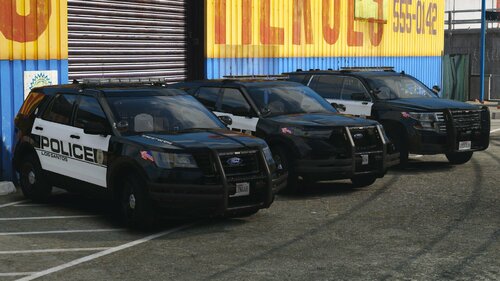 You have to be running your game in DTX11 I cannot stress that enough. Otherwise you’ll run into issues like this, where the textures are messed up.
 -
Looks like your game isn’t loading up LODs properly. I recommend either raising your texture budget or in the lspdfr.ini file change the “preload models” line to false. it should fix the issue
-
-
It’s a mistake on labeling yes, but isn’t too big of an issue to really do anything about it.
-
-
Yep, you're more than welcome to 👍
-
For the time being my uploads won’t be converted to DLC addon, I’ve tried numerous times and can’t get it to work without crashing on start.
-
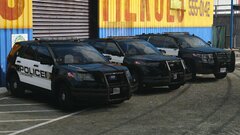
Hello peeps! After a little bit of work i got a quick release for y'all. This is my Code3 Mini Pack These vehicles are ELS/Replace - Vehicles - 2016 Ford Interceptor Utility 2020 Ford Interceptor Utility2018 Tahoe PPV -Features- ELS Lighting Various Lighting Stages Realistic Interior HOW TO INSTALLNavigate to GTAV - mods - Update - x64 - dlcpacks - patchday - dlc.rpf - x64 - levels - gta5 - vehicles.rpfDrag and Drop the YTD and YFT Files from the folders of the cars you want to installFor the XML files place them in GTAV - ELS - pack_defaultAnd your done. go ahead and load up your game! If you have any issues feel free to join the Rocket Mods Discordhttps://discord.gg/vrPzJGmj As always.... DO NOT rip or republish my work (Don't be one of those people) DO NOT Unlock ANY of my models You are ALLOWED to EDIT the YTD files of the vehicles BUT CANNOT use the textures included on other vehicles WITHOUT my permission. and if able give me credit if this car is used in yt vid or stream(Helps spread the word)
-

-

-

-
-

-






.thumb.png.cb930dd9b410e00dcfa81bb2cfa7b15c.png)


