


SammTheFox
Members
-
Joined
-
Last visited
Everything posted by SammTheFox
-
-
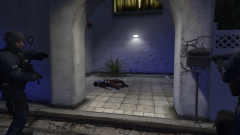
From the album: Los Santos Area UK Metro Police
Los Santos Metropolitan Police authorities confirmed one subject has been shot. -
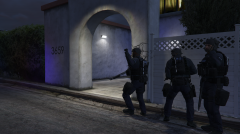
From the album: Los Santos Area UK Metro Police
Los Santos Metropolitan Armed Police units raid a Suspected Drug Lab -
From the album: Los Santos Area UK Metro Police
-
From the album: Los Santos Area UK Metro Police
-
 Hey, I need to use an older deprecated 8.1 version for a mod, is there anywhere I can find that?
- 2,349 comments
- 238 reviews
-
Hey, @AkimEG. That's the scripthookv .NET console. By default, they're both bound to the same key (F4). Are you sure Ragepluginhook is installed and active?
-
I use better EMS, and it may cause issues with grammar police. BetterEMS is a plugin by albo, and albo no longer personally maintains their mods. While I have good experience with betterEMS, I have noticed it can cause crashes if you wander too far away from an active EMS response.
-
Sorry for the untimely reply, @xxboii. Please locate your Grand Theft Auto V directory. From there, look for a file named ragepluginhook.log. Once you find this, please send it to this thread. This log file will allow people to pinpoint what is causing the crashes.
-
Hey there, @FlareMC14. Can you send the rph.log file in your GTAV directory?
-
Hey there, sorry about the late timing of the reply, these issues can be frustrating. I recommend trying: Launching ragepluginhook.exe as administrator via right clicking it Right clicking gtav.exe and selecting properties->security->edit->full control I hope this solves your issue, please let me know whether it works!
-
Try renaming your mods folder to "_mods" and launching the game. If you don't experience crashes, the error lies within your mods folder. If doing this does not fix it, please let me know.
-
Unfortunately, I have this happen a lot to me. In all honesty, I'm unsure if this is a bug, or just an inherent instability with EUP menu trying to modify peds rapidly. For this reason, I've avoided cycling through pages quickly, and sometimes even avoided the wardrobe feature altogether. I don't believe a fix for this exists.
-
Hey, @VitorLSPDFR, try installing Heap Limit Adjuster. Ensure that you have an ASI loader installed if you don't already! Let me know if this doesn't fix the crashes.
-
Hey there, @DonutPatrol99, can you send a list of any plugins, mods (installed via LML or OPENIV), and scripts (scripthookv.NET and scripthookv) that are installed? EDIT: Nevermind the above, I missed some details. Try the following Verify the integrity of your GTA V game files. Give GTA V full permissions via right clicking GTAV.EXE->properties->security->edit->full control I'm not completely sure about this fix, but if all else fails, attempt a reinstall of LSPDFR (I'd advise against a manual reinstall, as Windows Defender seems to be falsely confusing the latest build of LSPDFR for the uwasson malware for some people). Please let me know whether these steps work or not!
-
.png.3e3f9d20ca293d443f68997ba486c8d1.png)
From the album: Los Santos Motor Patrols
-
Follow Officer Skies on her motorcycle patrol of Los Santos.
-
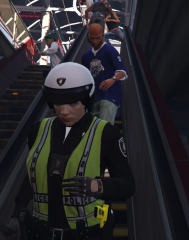
From the album: Los Santos Motor Patrols
-
.png.168b156e4035da6feb041fd6e9bde8a0.png)
From the album: Los Santos Motor Patrols
-
Improved Pursuit AI - It's rather new, but I have taken a liking to it already. In my experience, most pursuit AI enhancers have a heavy performance toll, but this one doesn't take frames away for me. Ultimate backup (W/SAUB if using EUP) - This mod brings a whole new world of possibilities for backup, from performing felony stops to having your backup stick around until they're dismissed. ELS - ELS allows you to have 4 stage sirens controlled by number keys 1-4, and emergency lights to be activated independently from sirens. Make sure you install vehicles that are compatible with ELS (ELS compatible packs I use: LSPD, BCSO, SAHP)! If you aren't comfortable with installing vehicles, I highly recommend DLS instead. EUP (W/EUP Menu & EUPSR) - These mods completely overhaul uniforms, and allow you to expand beyond the default departments, even into fire and medical. Note: To select outfits, you'll need EUP menu, and you'll need SAUB or a different ultimate backup EUP configuration for your fellow cops to wear these outfits if using ultimate backup. Better EMS - If you've called for medical before, you'll probably notice how terrible they are. Once they magically warp into the next block over, they mindlessly plow through traffic, only to perform half-assed CPR and call it a day. Better EMS incorporates medical response time, and reworks survival chances. Deadly Weapons (Debatable) - I can't really determine whether this mod is right for you, since it really depends on your playstyle. Deadly weapons makes guns highly lethal, to a realistic, and sometimes frustrating point. I recommend giving it a try to see if you'd like it. Note: In the deadlyweapons.ini file, you can modify settings, such as disabling the gunshot activated panic button. Basic Parking Enforcement - Basic parking enforcement is great for slower parking ticket RP. GTA tends to spawn cars in strange locations, so this is a great tool for that. I do advise changing the menu key in the INI file to something else, as it's Q by default (the key that makes you duck to cover). These are only a few of the mods I use on a daily basis. I recommend that you install some callout packs, as LSPDFR only has 3 out of box.
-
I've done a clean install, and ensured that all files were cleared out beforehand. To be safe, I deleted my save data in Documents/Rockstar/GTAV/Profiles. After this, I launched GTAV normally, and got a stable savegame. After this, I installed LSPDFR manually. After this, I went to the properties menu for RPH, and the security tab, providing it full control permissions. I then launched RPH as an admin, and it launched properly.
-
Launching through RPH results in RPH closing and GTAV not opening once "validating hooks" has finished. EDIT: At this point, I'm going to do a full re-install of my game again, and clear all files this time. I'll send an update to this thread once I've reinstalled everything. EDIT 2: I've gotten a clean install, and installed all of my mods. I've resolved the crashing issue, but none of my ASI plugins are loading, and RPH stops loading partway through the loading process when launched.
-
I've uninstalled LSPDFR and installed the manual version. When I launch GTAV through steam, it still crashes after a few seconds at a black screen.
-
Thanks for the reply. I forgot to note, this isn't a totally clean install, as I didn't clear out spare files when I uninstalled it. If it's any help, here's a screenshot of my GTAV directory: EDIT: Since scripthookv hasn't been updated, I've uninstalled it in favor of OpenIV's ASI Loader function.
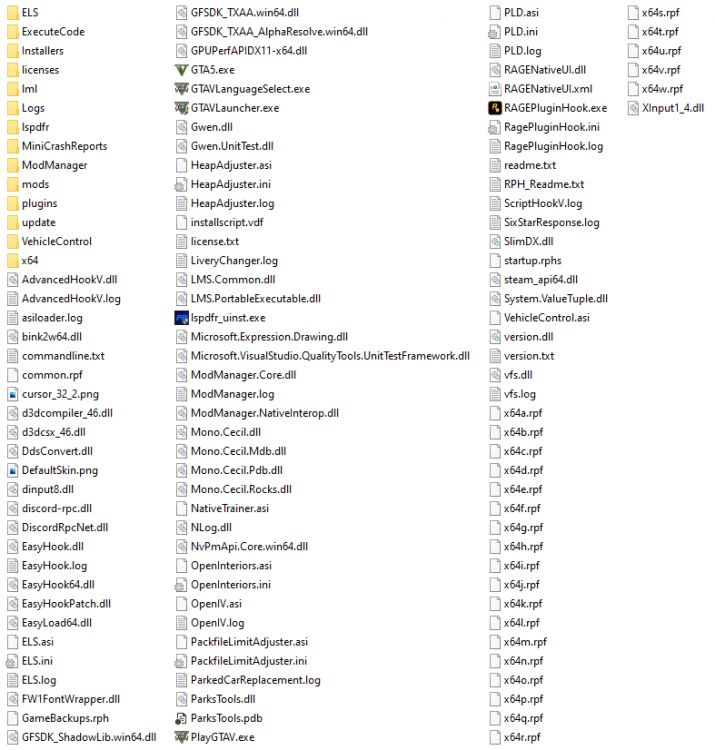
-
Doing a fresh install on the latest RPH. EDIT: I've launched it through steam on the vanilla game, and it now crashes upon launch.

.png.3e3f9d20ca293d443f68997ba486c8d1.png)
.png.168b156e4035da6feb041fd6e9bde8a0.png)
