



JordanIT21
Members
-
Joined
-
Last visited
Everything posted by JordanIT21
-
 Happy you like it! 🙂
 -
Thanks for the information! Hope you like it!
-
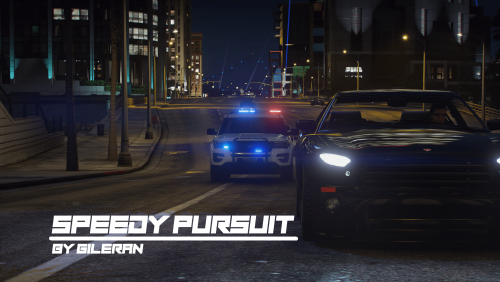
SpeedyPursuit Callout-Pack for LSPDFR C - © 2022 Gilerans Plugins Team. All rights reserved. Version 2.0 Goldwater (2/13/2022) Hi there! SpeedyPursuit is officially retired as of 2022-12-18. There will sadly be no more updates or bug fixes, with that said A new callout may be lurking in the dark. 🙂 If you choose to continue with the installation please bear in mind that some callouts may no longer work. Callouts: Knife attack. CarJacker Domestic Violence Traffic Alert Mugging. Driver Under the Influence (DUI). Pursuit. Customer Refusing to leave. Armored Getaway (v1.1 - hard) Radio Take over LS (v1.0 - hard & Deadly) High Speed Chase With A Stolen Car From Rockford Hills. Stolen Car at Premium Deluxe Motorsport. Dead Body found. Trespasser. Installation files: initialize settings txt RageNativeUI.dll (no longer up to date) Requirements: StopThePed (Click me) UltimateBackup (Click me) Recommendation: San Andreas Ultimate CompuLite Charges (Click me) ======================================== Notice SpeedyPursuit has been retired.
-
Yes, I am within the 30-meter limit but I also tried outside the limit and the plugin will spawn the ped exactly where I told it to but it doesn't matter where I am located 30+ or 30- it will still disregard the callout.
-
Hello as stated in the title i got a problem with my callout. The callout is recognized and all that it pops up in lspdfr but when pressing *Y* to accept it just does a code 4 - Diregared and I just can't wrap my mind around it? what did I do wrong? Soure code:
-
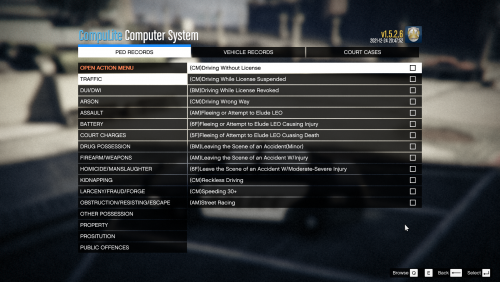 San Andreas Ultimate (CompuLite Charges) C - © 2022 Gilerans Plugins Team. All rights reserved. San Andreas Ultimate builds upon the original charges & citations from Bejoijo's CompuLite, which covers over 200+ crimes, fines, and citations. We cover everything from a simple possession charge to Cyber threats and plane hijackings! Don't worry our xml file our made to run with LSPD, LSSD, BCSO, SASP/SAHP, and other Law Enforcement Agencies in the State of San Andreas. Consider joining our new discord community server for news and early access to new callouts & plugins. https://discord.gg/h9NbshfsbC Please check you CompuLite version before downloading! This works with CompuLite (v1.5.2.7)
- 18 comments
- 1 review
-
-

-

- 3
-
-
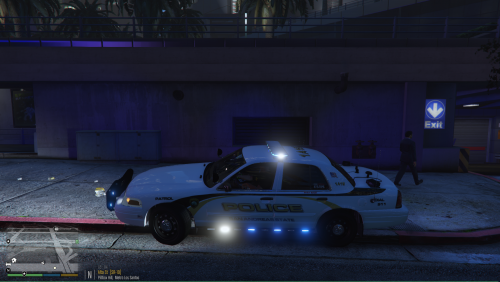 Hi, This is Gilerans Visual settings! This was made to improve on the standard ELS lights and also make them brighter both in daylight and at night. You have multiple visualsettings.dat to choose from - - Soft - Bright (recommended) - Super Bright Installation: Use OpenIV and navigate to: Grand Theft Auto V\mods\update\update.rpf\common\data replace the old visualsettings.dat after that launch the game and play!

