


Mytical49
Members
-
Joined
-
Last visited
Everything posted by Mytical49
-
And the Ragepluginhook.log please
-
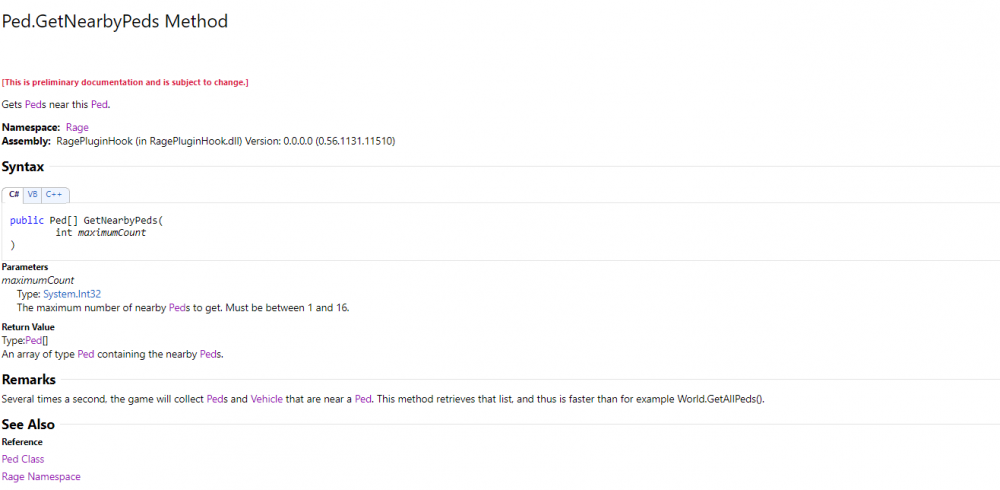
Hi, This should work if I understood your question correctly.
-
Hi, it's already out, please update LSPDFR and update GTA
-
okay thank you
-
Hi, I would like to know if it is possible to unregister a callout, what I want to do is that at the end of a callout I unregister one,(context: there is a callout where the officer falls on the crime scene then another where the suspect is arrested), I also thought of modifying a bool variable and putting something like this at the beginning of the callout: if(checkCallout == true) { End(); } in the BeforeCalloutDisplayed(); I was thinking about where can I keep and modify the variable, i think about the ini file but in my memory we can't modify the ini file after it was loaded at the start
-
@LMS Do you have an idea ?
-
Hi , can you post the Ragepluginhook.log please
-
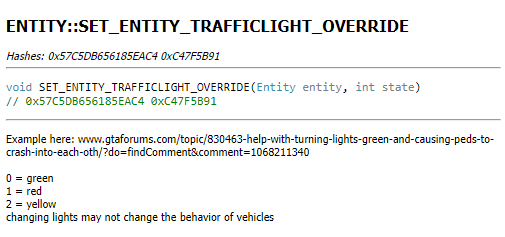
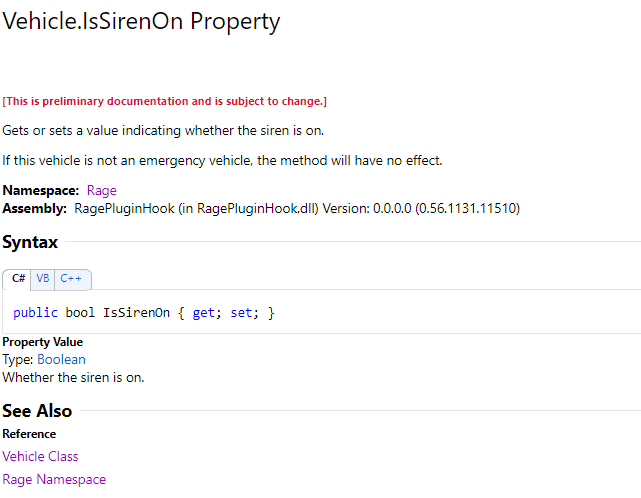
Hi, look at this: https://gtaforums.com/topic/830463-help-with-turning-lights-green-and-causing-peds-to-crash-into-each-oth/#comment-1068211340 I found this too :
-
Hi, i can advice you these: https://fr.gta5-mods.com/scripts/forced-first-person-aim https://www.bejoijo.com/post/compulite https://www.bejoijo.com/post/stop-the-ped https://fr.gta5-mods.com/weapons/noreticle https://fr.gta5-mods.com/scripts/disarm
-
Hi, so i'am working on my callout but the callout crash with this error: Error while processing callout: GangFight: Operation is not valid because the specified Rage.Ped is invalid. at Rage.Entity.get_IsDead() I can't post the Ragepluginhook.log because it's 14Mo but here is the part: I can tell you the callout crash when it reach a certain ped in this part of the code :
-
Hi, can you post the Ragepluginhook.log locate in the gta root please
-
Check your files with steam
-
I won't be able to help you with LML, wait for an answer in the other topic you created
-
Nice GPU 👍 Check if you have the app Geforce Experience and if not download it :https://www.nvidia.com/fr-fr/geforce/geforce-experience/ In the app go to Driver or Pilot and check if there is any update
-
The graphics driver is a program that controls how your graphic components work with the rest of your computer: your software, like SketchUp, your monitor, and so on. What graphic card do you use ?
-
Yes I thought it caused the error but I understood later that not (sorry I am still at my beginnings)

-
Oh sorry, i thought Traffic Policer was working well
-
I won't be able to help you more than that but but check your files with steam and update your graphic drivers
-
I saw that you started a new topic, in any case you have a problem with LML since only manually installing plugins works
-
Are they fully supported the callouts ?
-
Try to run GTA without lspdfr
-
What plugin do you use ?
-
It's the file named "Ragepluginhook.log" in the GTA root
-
Some plugin are loaded but I don't know if you use them with LML, can you list all plugins used with and without LML please
-
You can also learn C# here : http://rbwhitaker.wikidot.com/c-sharp-tutorials To learn better you can practice by imagining small programs according to what you have just learned


