


.png.54ecd2cecbdbad94930ad7746eb96dac.png.e081ea7d323261a5381466b0ae81b9de.png)

q57
Members
-
Joined
-
Last visited
Everything posted by q57
-
try this: Launch RPH.exe, then before it loads GTA 5 press the setting icon, then in settings set plugin threshold to 10000 and go to plugins and untick LSPDFR loading at startup, once you load into the game (if you do) go into RPH console (default f4) and type loadplugin lspd first response.dll if that doesnt work, then rename your mods folder to _mods and retry a
-
Please send a screenshot of your GTA5 directory Also rename your mods folder to _mods and retry in RPH
-
trainers can also screw up gta core because they actively inject into gtav.exe
-
do you have ELS? cause if so remove it, its fucking up your game Exception code: 0xc0000005 (EXCEPTION_ACCESS_VIOLATION) This code points to ELS, and i know it, ive dealt with it before, either disable ELS for ai, or remove it completely
-
This crash has nothing to do with mods or rage/LSPDFR, this crash is either caused by a fault in GTAV core itself or your computer, reinstall GTAV and try again You can also verify the integrity of your game files in steam library. (it has no crashreport or rph.log crash info, which points to this)
-
Error 0x80000003, a breakpoint has been reached. THIS IS NOT A LCPDFR/RAGE ERROR, BUT AN ACTIVE PROBLEM WITH YOUR COMPUTER This error can point to memory corruption or leak in your computer Here is 3 fixes 1. Run chkdsk /r in command prompt 2. Run sfc /scannow in command prompt 3. (LAST RESORT) run your computer in clean boot state, to do this search in your search tab "system configuration", click the application and it will open up a prompt, go to services at the top and click "hide all microsoft services" at the bottom, after you do this, click the "disable all" option at the bottom, once youve done this click apply and exit out, then it will ask you to restart, you need to restart if none of these work you should either contact RockStar support, Microsoft Support, or contact someone developing rage, like LMS ive searched up this error and done my research, this is the top answers
-
are you still looking for help?
-
dls? wdym dls? wait you s- OH, this is GTA 4 support, not GTA 5 support and for your issue, we need ALL of the log
-
thats uh, try reinstalling LSPDFR
-
recreate the crash and send the Crashreport here.
-
I pretty much clear the cache every day, and im using the las vegas server, which is closest to me
-
attempted homicide? i mean most serial killers keep a body part or jewlery from each person they kill
-
blah blah blah it crashes immediantally when i open gta 5 here is rph crash report:
-
uhhh, probably homicide?
-
please send me your ragepluginhook.log or crashreport if you have it.
-
do you have scripthookV? els wont work without SHV
-
whenever i try downloading a file, whether it be my own files or someone elses, when it says your download will start in 0 seconds, it either takes an extra 5 seconds or it doesnt download at all and it needs a refresh to the page and when i press the "if your download does not start click here" it doesnt do anything at all.
-
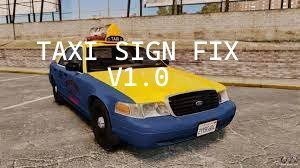 Do you hate the stupid taxi sign that is brighter than the sun? then download this and install it! no more blindingly bright taxis who screw up your game lighting! i also recommend changing car.defaultlight in visualsetting.dat a smidge down for this. this mod fixes the lighting on the taxi signs (only install if you have radianceV or some other mod like that) tested with radianceV and ENB this is the final version (for now)
- 2 comments
- 2 reviews
-
-

- 3
-
-
it did say in the file RagenativeUI 1.6. but mk ,usually it helps for some odd reason, whenever i install mods it crashes, then i restart my pc and it works, just giving advice from experience
-
that means that you have a file in your mods folder that is corrupted or that is broken and cant load properly which is causing a game crash. though youll have to find that yourself as we dont know what mods you have.
-
this is likely just a bug, if it isnt game breaking just ignore it
-
ragenativeUI is crashing it, though i cant figure out why, heres the thing thats crashing it for people that want it: Rage.SleeplessGameFiber Attempted to read or write protected memory. This is often an indication that other memory is corrupt.
-
your ragenativeUI is like 10 versions outdated LOL also you probably should restart your computer after adding mods to gta 5 install the latest ragenativeUI here: https://github.com/alexguirre/RAGENativeUI/releases
-
mans, your lspdfr is outdated
-
https://www.gta5-mods.com/scripts/police-station-armory credit to alexguirre. its an rph plugin that gives you police loadouts with accessories, flashlights etc, you can also make your own loadout from its settings. you could also just use a trainer but whatever

