Mads Designs
Members
-
Joined
-
Last visited
Everything posted by Mads Designs
-
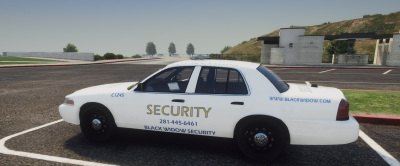 This livery is created for the security pack by Sniper67 Instulation: In the Download check out my discord for more livery's and exclusive ones. https://discord.gg/mPhYrqTNHw Needed Stuff security pack by Sniper67 https://www.lcpdfr.com/downloads/gta5mods/vehiclemodels/35524-non-els-security-pack-fivem-ready/ TOS Don't not reupload this livery on any other website without permissions from mads desgins Credits sniper67 vehicle rockstar games the game
 -
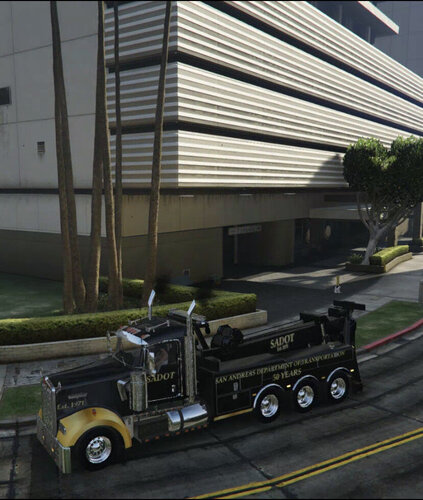 This livery is created for had wrecker by bagged customs. hope you like it. Istulation 1) first open the ytd of the hdwrecker 2) put the new livery into the ytd file 3) close the ytd file. 4) your done! Needed stuff https://www.patreon.com/posts/2000-kenworth-34867968?utm_medium=clipboard_copy&utm_source=copy_to_clipboard&utm_campaign=postshare If you need help join my discord. and to find more cool liverys https://discord.gg/mPhYrqTNHw credits. bagged customs for vehicle rockstar game for the game
 -
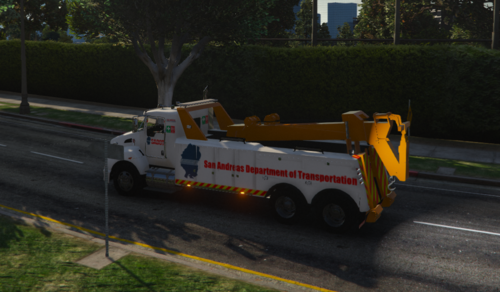 This is a livery created for the Kenworth t660 by isgmods. insulation 1) open openiv. then head to the ytd file of the kenworth t660 GTAV\mods\update\x64\dlcpacks\isgkenworth\dlc.rpf\X64\vehicle.rpf 2)activate edit mode. open the isgtow.ytd file 3) click import and select the isgtowsgin3 out of the download. 4) click save 5) all done. Have fun needed stuff kenworth t440 https://www.gta5-mods.com/vehicles/kenworth-t440 make sure to check out my discord for more livery's and support https://discord.gg/mPhYrqTNHws credits isgmods for the vehicle rockstar games for the game Openiv for the editing of the gta files please do not re-publish this mod on any websites
 -
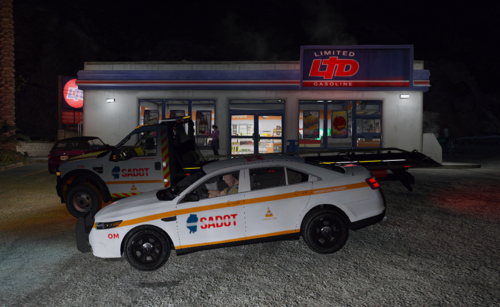 This livery pack has two vehicles. a operations manger car and tow truck livery. credits go to CapJoanDesigns for the cars Instulation: Drop the tau sign 1 into the taurus ytd file drop the zeakorbed sign 1 into the tow ytd file. then you are done!! Needed stuff the vehicles https://forum.cfx.re/t/release-sa-dot-pack-santrans-non-els/688390 Make sure to check out my discord to support me or if you need any help https://discord.io/MadsLiveries credits CapJoanDesigns
 -
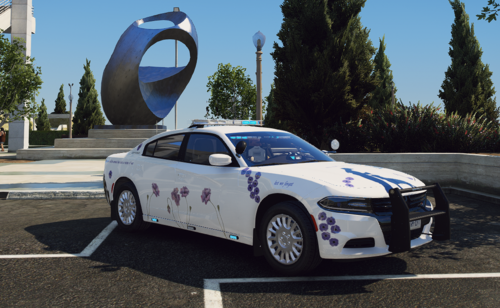 this livery was created to remember all the animals that died in the war. the car is a k9 unit made by troopercorentin. i hope you like it Instulation 1) open openiv. then head to the ytd file of the Charger 2)activate edit mode. open the iytd file 3) click import and select the chgr_sign_1 out of the download. 4) click save 5) all done. Have fun needed stuff Vehicle model https://www.gta5-mods.com/vehicles/2018-k-9-police-charger-fivem-ready-red-blue-blue-blue plese join my discord to support me and to get any help if needed https://discord.gg/mPhYrqTNHw Also you can pay your respects to this animals that died in the war by donating here https://thewarhorsememorial.org/how-to-donate/ Credits TrooperCorentin for the car file
 -
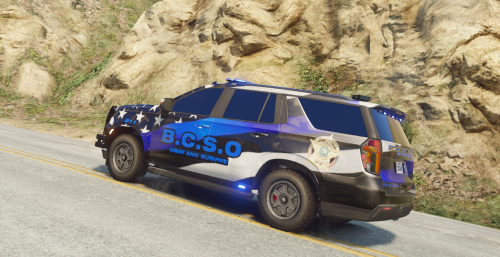 This is a livery created for the tahoe by TKPhantom needed stuff Vehicle base model make sure to check out my discord for more livery's and support https://discord.gg/mPhYrqTNHws credits TKPhantom for the vehicle rockstar games for the game Openiv for the editing of the gta files please do not re-publish this mod on any websites