Revan479
Members
-
Joined
-
Last visited
Everything posted by Revan479
-
so i followed some youtube videos about installing the custom model police vehicles. they are in-game, they look nice and work just fine, (i play with an xbox controller at times). when i went to light up a npc they didnt stop, in fact the sirens did not want to work at all. the B button on the controller is what i had to use for the sirens but had to hold the button but still, no one wanted to stop and acted as if i was just playing pretend. not sure what to do and im not going to dig further into the files as i have NO idea where to go. please help me whenever yall have the time. Thank you.
-
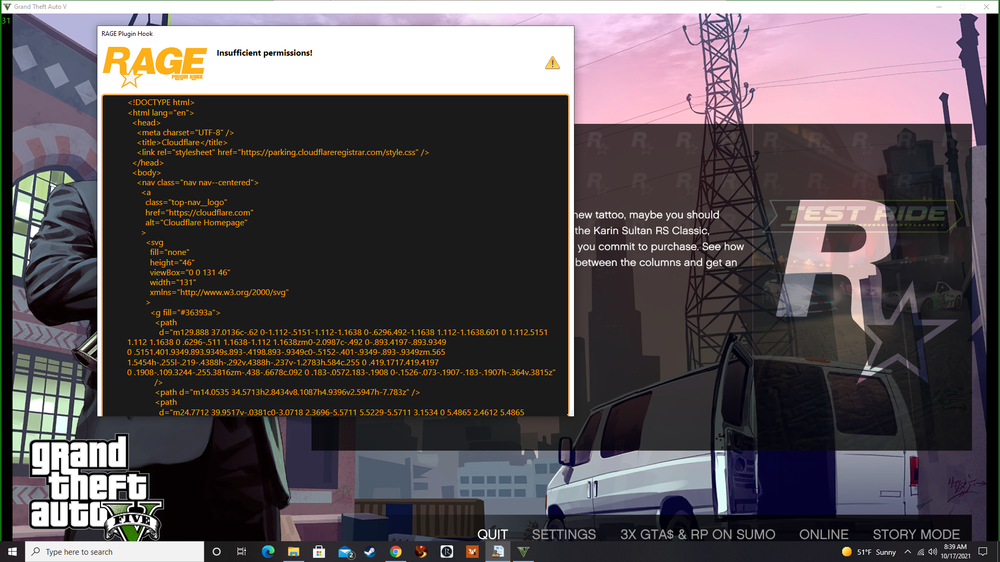
I'm clueless as to what's going on, if its me or if i am an idiot. please help me as i had error messages pop up before but now all i get is this. run as admin = X uninstalled and reinstalled = X restarted my pc = X X = no good O = good.