


Marty
Members
-
Joined
-
Last visited
Everything posted by Marty
-
-
-
-
-
I haven't seen a new subway train for gtaiv and ive really gotten into roleplaying as a subway train, so i figured that ill edit this train and make it look modern, so i looked at afew subway trains and decided to make it look like the New Toronto Rocket Interior, Shown Below. Heres my most recent Screenie. As for exterior i dont have alot of options because every car is the same because they are dupes, so i think im going to make a custom exterior this is a beta version what u see above will most likely change like that horrible vrock image and the whole in the ceiling at the top! Special Thanks goes out to Scyattica for help in zmodeler2
-
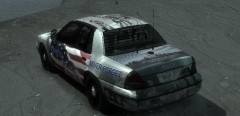
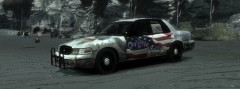 This Police unit isn't just to remember 911 it is based on an actual police vehicle Found Here and this isn't a model, nore is it being released we just thought it was a nicely made texture and posted it here, and im sorry you feel this way but i thought this was a very nice police vehicle.
 -
-
-
From the album: 911 Tribute Skin By Maze426
Front Side View -
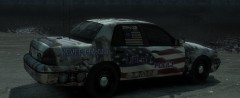
From the album: 911 Tribute Skin By Maze426
Rear Side View -
well then what is the community's name? im sure people would like more information before thinking of joining!

