


hihi345
Members
-
Joined
-
Last visited
Everything posted by hihi345
-
At random times my simple native trainer will freeze on one item. But if i keep pressing Num5 it will say it Spawned whatever it was on even though it doesnt. Any ideas?
-
Problemis the eroor described in the link but i do run it as Administrator and get the same thing. And no ihave not virus scanned
-
Had the same problem but i run as admin and get the same error. This was not because of LCPDFR i was installing some weapons mods but then all my folders disappeared and so i went to a backup i had made and replaced them all. I then found out they were hidden.
-
Thanks Nickie no save games there NVMNickie had to turn on hidden folders... Deleted saves and it worked. Must have been something corrupt with the saves.Thanks to all those helped
-
Reinstalled again and this time i removed the GTA Iv Directory.... Same thingis their anything else i need to move? Also when i loaded up after reinstall it didnt say starting a new game it loaded the mission i was on Reinstalled again and this time i removed the GTA Iv Directory.... Same thingis their anything else i need to move? Also when i loaded up after reinstall it didnt say starting a new game it loaded the mission i was on
-
Question how do i reinstall first time i did it i did it through control panel Also i removed the Scripthooks and tried it like that Nickie B should i reinstall you sound like you know what to do
-
No Error Message and i have an Hp Pavillion Dv6 most recent modle standard options if that helps. little busy so dont have tim to look up Actual Spoecs ALright will run Errors are: GTA IV Not Detected!Dont know why. Als o when i rin the game from the Launcher.exe i can get into the start screen. But when i run it from the GTAIV regular launcher i get a Fatal error Disregard that about the Fatal Error Official Report V BEGIN *SIGNED* LCPD First Response Issue Report Diagnostics Tool Version: 0.4.3 Operating system: Windows7 HomePremium (6.1.1.0 Build: 7601) Service Pack:Service Pack 1 System RAM (GB): 3.9 CPU cores: 4 NET Framework 4.0 installed: True Visual C++ 2010 Redistributable installed: True GTA IV - Installed: False GTA IV - Install folder: GTA IV - Version: GTA IV - Asi loader installed: False GTA IV - Asi loader: GTA IV - Asi loader valid: False GTA IV - C++ ScriptHook installed: False GTA IV - C++ ScriptHook valid: False GTA IV - C++ ScriptHook version: GTA IV - ScriptHookDotNet installed: False GTA IV - ScriptHookDotNet valid: False End of *SIGNED* LCPD First Response Issue Report Digital signature: b1YTshpVOR5nw8mMglZnyg== All the Script hooks are missing because i removed them and tried to see if thaty would work Ran a Steam Verify Game Integrity... 2 files failed and will be reaquired going to try again Ok did geta Fatal Error GTA IV FATAL ERROR: DFA did not initialize properly. Please make sure you are using LaunchGTAIV.exe to launch the game.
-
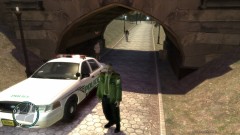 SHould make this texture for the F-150
 -
Same isssue just posted a Thread.
-
So i recently watched a video on how to improve FPS in GTA IV. I defraged the Directory and everything seemed fine. Went into the game and Press start. It played the song with the artwork then startedto load up. Next thing i know the window just Disappeared without an Error message. Ive reinstalled but that didnt seem to work. Any help will be wonderful Thanks.
