


Ka11da
Members
-
Joined
-
Last visited
Everything posted by Ka11da
-
thanks now it work just fine
-
Still doesn't work
-
There you go
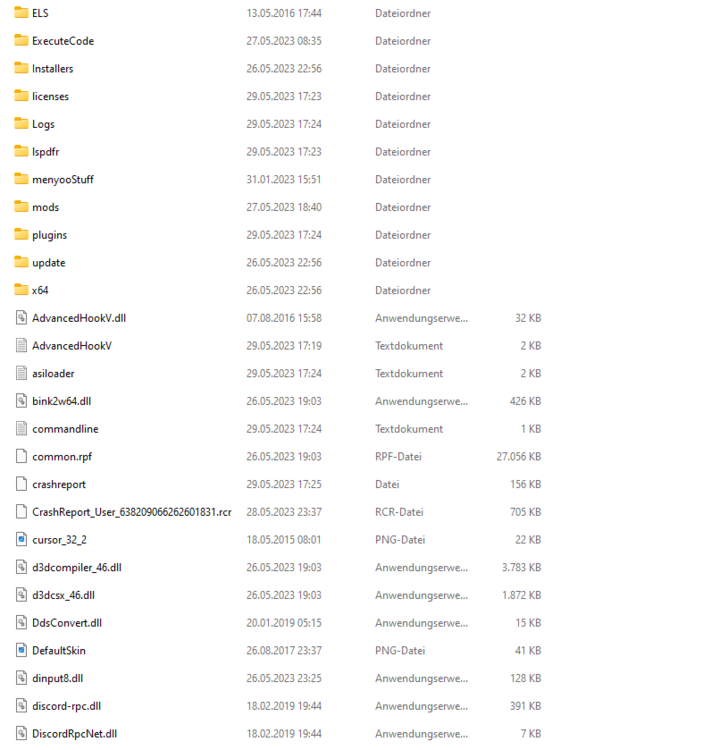
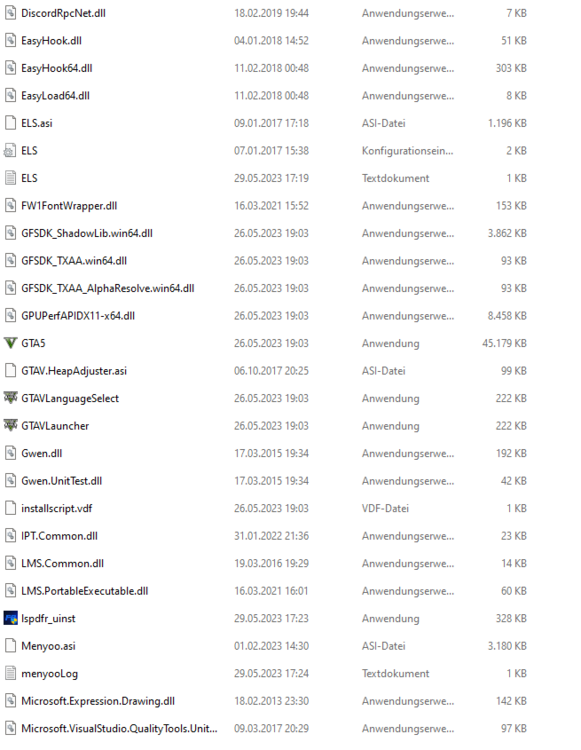
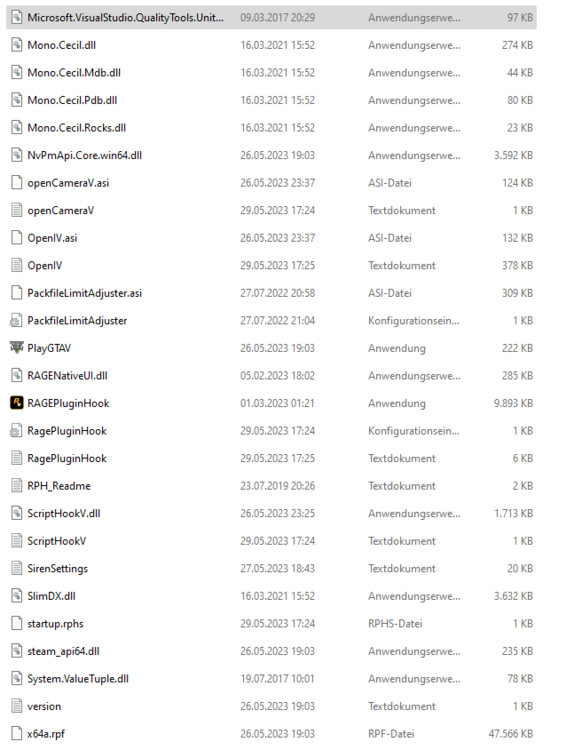
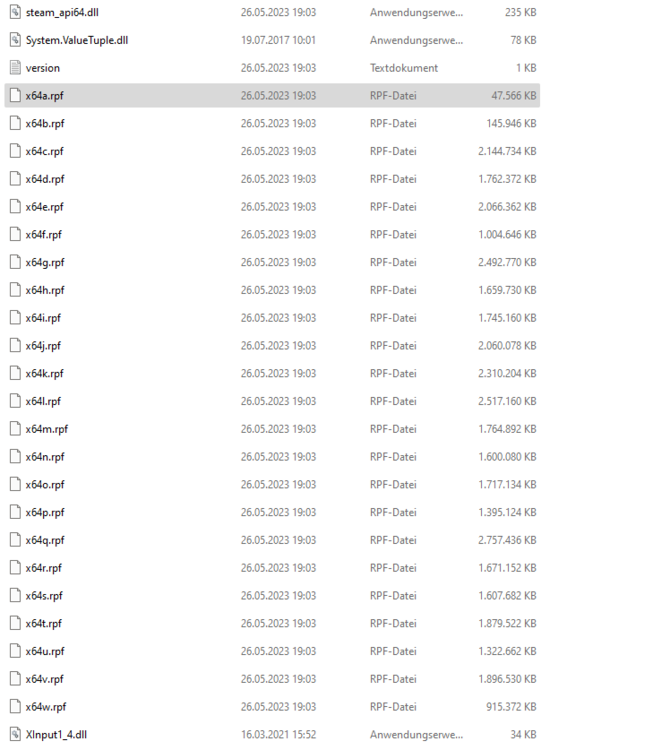
-
tried the same with my plugin folder still doesn't work
-
I tried it a few times still doesn't work
-
RPH always crashes in the loading screen Can anyone help me? Crash log.txt
-
everything works fine now i thank you alot
-
ok ty im gonna try it out
-
how do i reset my lspdfr xml's i know where they are but how i reset them
-
here you go RagePluginHook.log
-
deleted it so i can launch the game again So i tried to launch the games a few times and keeps crashing when i load in
-
Nope i dont have it anyways here is the log ELS.log
-
but i had a scripts folder earlier here you got it ELS.log
-
-
here you go RagePluginHook.log
-
So, when i try to load in gta 5 Rage Plugin Hook is crashing at the end of the loading screen i also deleted some callouts that are useless but nothing changed also i installed a graphics mod (Visual V) and another visual mod for the lights (Radiance V)


