


Il WARDXG lI
Members
-
Joined
-
Last visited
Everything posted by Il WARDXG lI
-
Found a non-lore friendly Sheriff pack I really like and would like to have it in my regular patrols, is there any way to make AI police drive them? Or at least have them spawn through ultimate backup?
-
I uninstalled the dlcs and now it works with them uninstalled. Idk, this stuff is so weird to me lmao. Thanks for the help.
-
I think I forgot to make a backup/save the vanilla files, should I just delete the two packs and verify?
-
Closed out of my game while on a patrol to install a couple new mods, everything was working fine but I loaded by game back up, made sure the mods were working and everything, tried to go on another patrol and it said "EUP Menu Error one or more DLCs are not present" etc. I reinstalled the EUPMenu.dll multiple times but nothing. I checked to see if the DLCs had uninstalled themselves but they are still in my dlclist.xml. Below is my dlc list and the message that came up in game, gunrunning is highlighted and apartment is at line 32. Any help would be greatly appreciated.
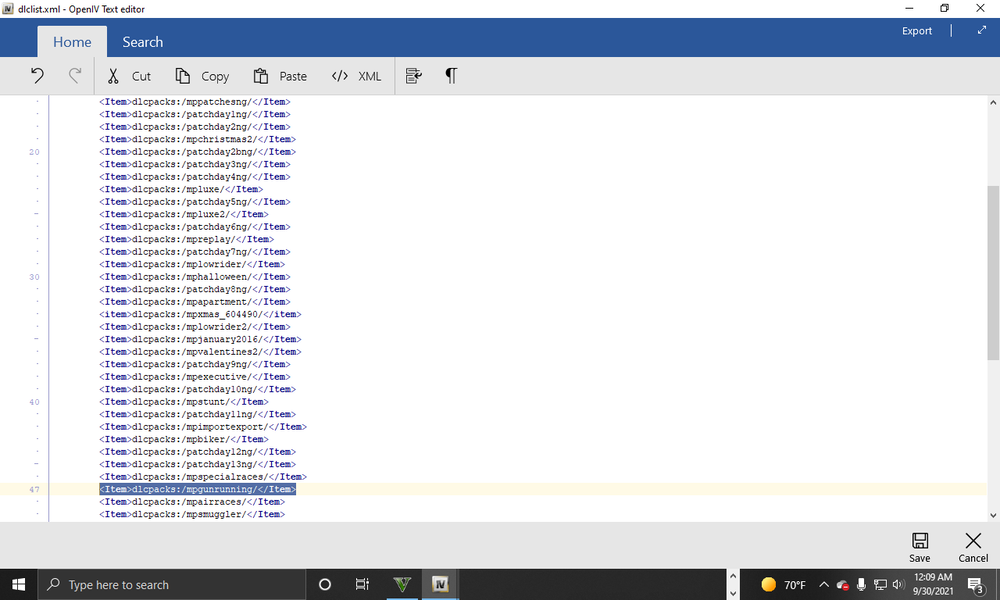
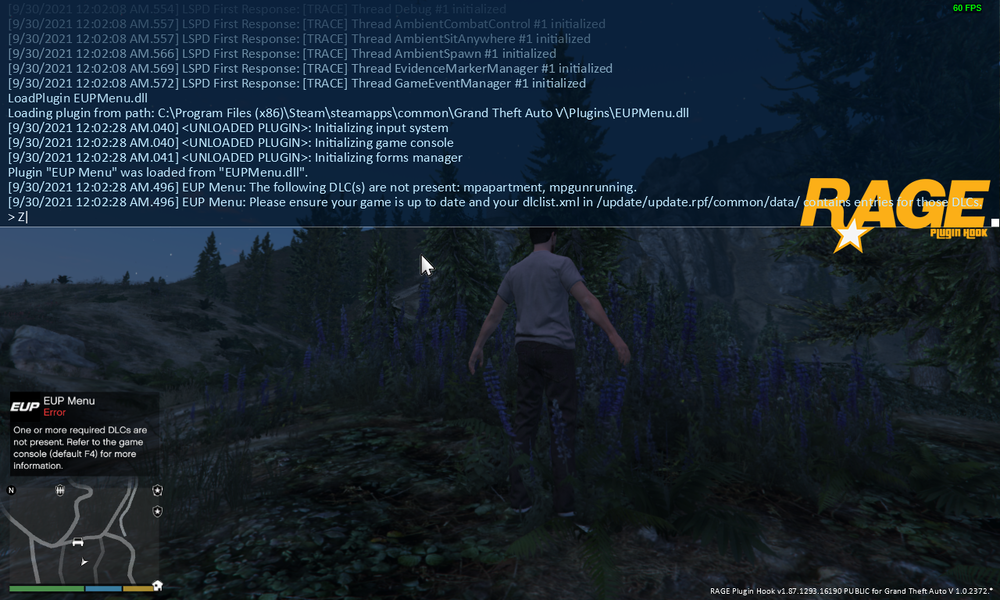
-
I posted something similar yesterday about certain files not changing but now none of my files are changing. I was able to install a siren pack but I tried to replace some ped textures and car textures but they aren’t changing. I used the same directory in Open IV I always have for cars (mods>x64>dlcpacks>patchday20>dlc.rpf>x64>levels>gta5>vehicles.rpf) but once again, not changing at all. Any help would be appreciated./mods like always/mods like alwaysI installed lsMirRelativEgal’s BCSO charger replace pack and after deleting and replacing it with several different files/models and even deleting the entire file off my computer I can’t get it to change, any help would be appreciated.


