


Autvene
Members
-
Joined
-
Last visited
Everything posted by Autvene
-
Yes! It didn't crash this time, so I guess ScriptHookVDot.Net was out of date?
-
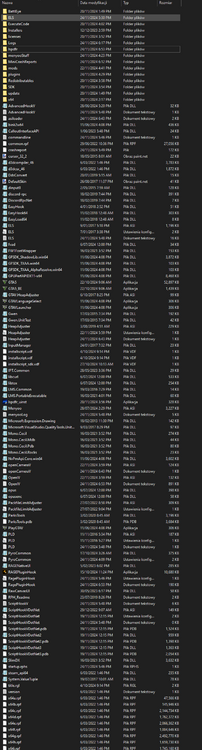
Sorry, I didn't know that. Here's the main directory:
-
When the game is about to load, it immediately crashes, leaving me with a black screen that disappears after a while with RPHCrashReport popping up. I've tried fixing it myself by doing the basics, I've disabled mods and plugins folders (renaming them to _mods, _plugins), disabled load on startup, sadly to no avail. Attaching RPHCrashReport:RPHCrashReport.txt (Edit*) Attaching RPH.log:RagePluginHook.log
-
Here you go. Files attached below:RagePluginHook.log
-
I just launched the game, reloaded all plugins, I drove around for like 3 mins and poof it goes. Crash report attached below: Crash Report.txt
-
After some fresh reinstall of Gta and new clean copy, I added some mods etc. After launching in the game (without plugins load on startup) When I enter the game I reload all plugins. During the reload all plugins command after some time error pops up that shows "LSPD First Response has crashed" and it gets stuck on infinite "Loading LSPDFR" Circle thingy. I have no idea how Lspdfr neither Rage work so I don't know what to do, I tried to re-install the LSPDFR Itself to no avail. I would appreciate a help. Files attached below: RagePluginHook.log

-
I missclicked the channels I'm sorry about it. I'll close this when I'll get on my pc**
-
After some fresh reinstall of Gta and new clean copy, I added some mods etc. After launching in the game (without plugins load on startup) When I enter the game I reload all plugins. During the reload all plugins command after some time error pops up that shows "LSPD First Response has crashed" and it gets stuck on infinite "Loading LSPDFR" Circle thingy. I have no idea how Lspdfr neither Rage work so I don't know what to do, I tried to re-install the LSPDFR Itself to no avail. I would appreciate a help. Files attached below: RagePluginHook.log
-
There it is here.
-
Hello, today i have some problems with lspdfr every 15-20 minutes it crashes, i think its something about plugins but i'm not sure how to locate the crash could someone help me in this situation? RPH Log:
-
Installed 200+ cars replace pack, New gun sounds [OIV] EUP pack, And some LSPDFR Car pack (also OIV)
-
Jesus christ that worked, thank you. But i have question what should i do to get my mods folder and plugins folder back? Some additional callouts, and eup would be cool to have in game.
-
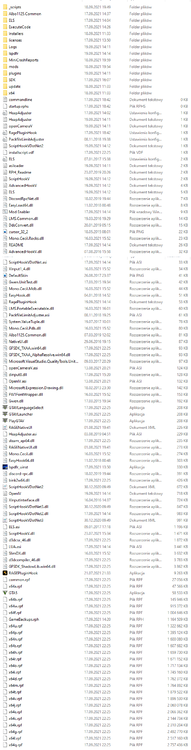
Here i couldn't make this screenshot better.
-
Renamed it, but it didn't help, loaded into the game, reloaded all plugins, Force duty, then after 2 mins crashed me to desktop. rph log:
-
I played about 30-40 mins and it crashed again. Again, RPH Crash log
-
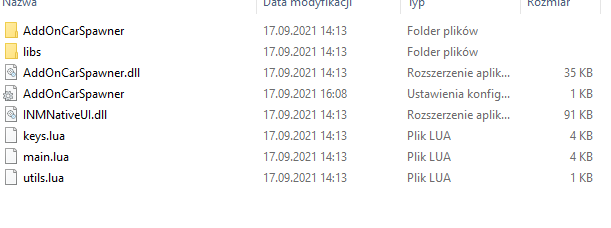
This is the screenshot of my scripts , I have no idea what could be issue. Should i delete scripts folder, and check if it crashes?
-
I did both, and it was running smoothly, then after lauching once again, after about 5-10 minutes it crashed again, This is RPH Crash log.
-
Greetings, Somelike across 2 days i had alot of problems with RPH, Loading went perfectly fine, but after joining into the game after about 3-4 minutes, i will get an message with "Game Crash Detected" I have no idea what do to, i already tried: -Making new fresh installation, -Re-installing the game None of them even worked, i'm linking my RPH Crash report.


