
BMBOY5421
Members
-
Joined
-
Last visited
Everything posted by BMBOY5421
-
 Two questions for you. 1. Did you add "<Item>dlcpacks:\custom_maps\</Item>" in dlclist.xml using OpenIV to: mods\update.rpf\common\data\ 2. Are your other Ymaps loading?
 -
Did it just not load? I would just like to confirm, you added the "PB.ymap.xml" to: \mods\update\x64\dlcpacks\custom_maps\dlc.rpf\x64\levels\gta5\_citye\maps\custom_maps.rpf\
-
Update 1.1 now includes the Ymap👌
-
Thanks Rob! I will take a look into it for sure! Still learning all this stuff as I go.
-
-
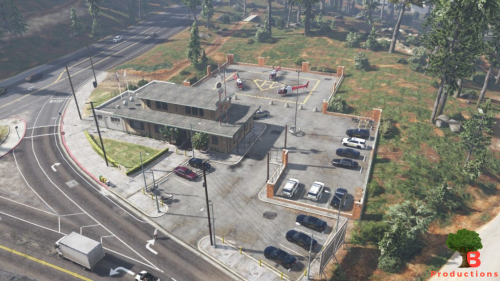
Paleto Bay Sheriff's Building Update: This mod includes some Peds, Vehicles & Environment changes. -Wanted to share it with the rest of you! -Third creation so still figuring this all out! -Very simple so it shouldn't crash your game -Loads quickly -No FPS drop -Simply drop the file "PB" in your directory and you should be all set to go! -IN-GAME: Open Map Editor by pressing F7, click load map, XML, then write: PB hit enter -"PB.png" Will show you the location of the building. -YMap Included (Does not save Peds or Cars) *The instructions are also included inside the file!* Hope everyone enjoys! Please let me know if you have any issues, if I can't figure it out, I will direct you to the LSPDFR Discord. ---------------------------------------------------------------------------------- REQUIREMENTS: Map Editor, from Guadmaz, link here: https://www.gta5-mods.com/scripts/map-editor Object Spawn Unlocker, from GTAMultiplayer Team https://www.gta5-mods.com/scripts/object-spawn-unlocker ---------------------------------------------------------------------------------- DISCLAIMER: In the rare case that my file/mod breaks your game, I may NOT be held responsible for it. The author (me) can not be charged, sued, or fined if your game breaks, lags, or has bugs.
-
-
-
-
-
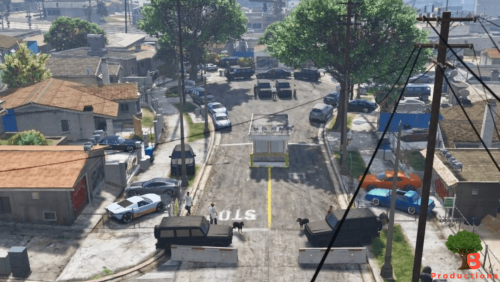
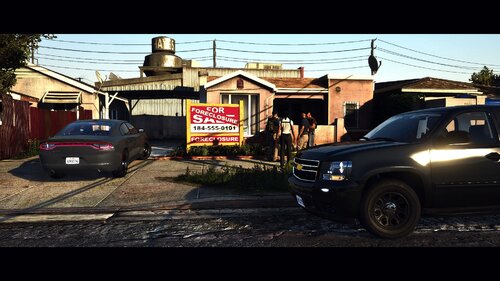
Another day in the neighborhood! Street that includes some Peds, Vehicles & Environment changes. -Davis/Grove street locked down! -Wanted to share it with the rest of you! -Second creation so be kind! Very Simple so it shouldn't crash your game The instructions are inside the file! Hope everyone enjoys Please let me know if you have any issues, if I can't figure it out, I will direct you to the LSPDFR Discord.
-
-
-
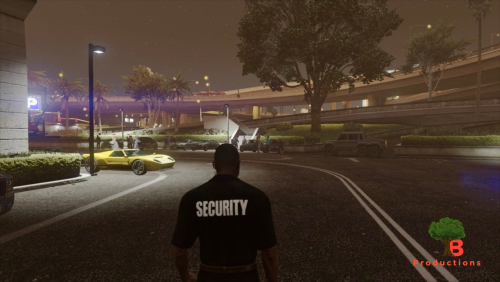 -Simple Car Meet I created for RP. -Wanted to share it with the rest of you! -First creation so be kind! -Very Simple so it shouldn't crash your game -Instructions inside the file! -Hope everyone enjoys -Please let me know if you have any issues, if i can't figure it out, I will direct you to my Discord.
 -
-
Hey @Charlie686, I checked and it does. I did notice a two spaces in the previous file, so i tried it corrected it but still no luck BMW.txt
-
-
Hi @Charlie686, Thank you for getting back to me! I have done that and still no luck. Can you take a look at the ".meta" and see if you can spot any issues. Thank you in advance! TheOnesInQuestion.txt
-
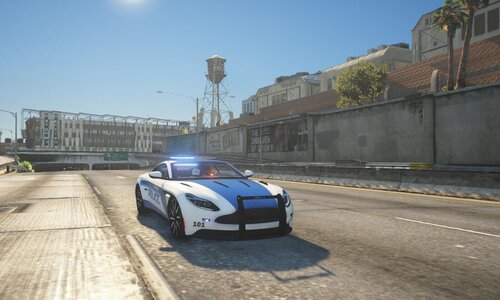
Cars have ELS, when i turn on the lights, it wont pull the car over. 😕 Any recommendations?
-
-
-
 Why am I the dummy. You the one releasing stuff that doesn't work correctly "Dummy".....
 -
Can you fix this blue light? If I'm correct, it should be in the headlight.
-
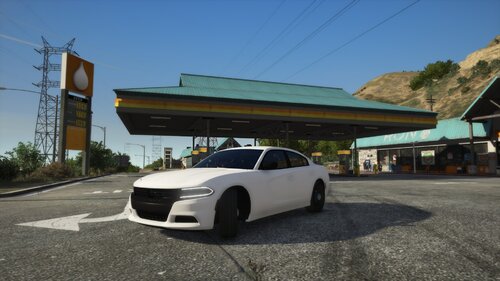 Hey @Chris Lopes, I did try to mess around with it and none of these worked 😕 LAYOUT_LOW LAYOUT_STANDARD LAYOUT_STD_LOWROOF LAYOUT_STD_HABANERO LAYOUT_STD_HIGHWINDOW LAYOUT_STD_EXITFIXUP LAYOUT_STD_RIPLEY LAYOUT_STD_STRATUM LAYOUT_STD_STRETCH LAYOUT_STD_ZTYPE
- 17 comments
- 2 reviews
-