


Darius12331
Members
-
Joined
-
Last visited
Everything posted by Darius12331
-
I dont know really if it was any outdated plugin, bc I used the log reader from the 686 bot and his response was that lore callouts was the only outdated plugin, after this I installed the newest version and still crashed. Conclusion for any other user that is experiencing this issue: just reinstall the game and all the plugins, you will waste your time trying to fix it. Thanks for all the help guys!
-
UPDATE *fix*:I reinstalled the game, lspdfr and all the other plugins, and it works just fine now. Did not find any other solution in 3 days.
-
The game just freeze and then I get the windows crash message(close the program or wait for the program to responde, this is the only "error" message I get).
-
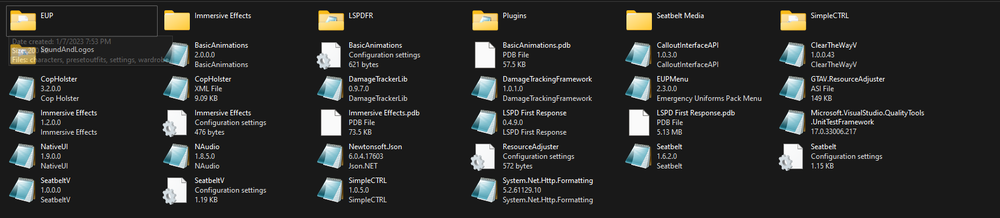
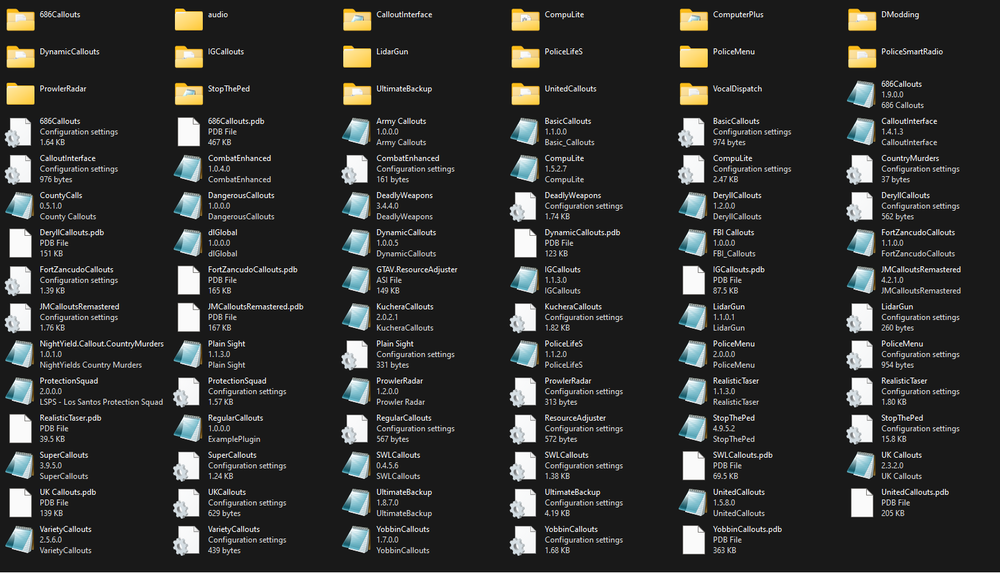
I attached the plugins I have installed at this moment.
-
I'll make a fresh install of gta and lspdfr and i'll come back with an answear. Thanks for now!
-
Yes, I do have it installed too.
-
It is installed and up to date.
-
Update: Game crashes right after exiting the police station. I did not find a fix yet.
-
So I load the game, I go to the PD, get on-duty, exit the PD and suddenly the game is frozen and I hear the crash sound from RPH, but no error message. Any idea how to solve this? RagePluginHook.log


