


candyland
Members
-
Joined
-
Last visited
Everything posted by candyland
-
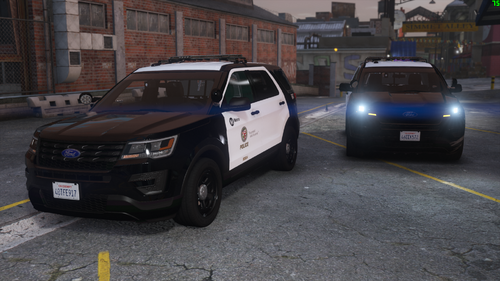 Is there any way I can make this for police4 instead of police3 I went through and changed everything I could find in the files in the dlc.rpf from Police3 to Police4, but now it isn't even in the garage. 😞 I thought I was being clever too 😄. Car looks great btw. Thanks.
- 68 comments
- 6 reviews
-
-

- 1
-
-
So I made an unfortunate mistake of just getting really frustrated and deleting my entire GTA V directory without saving logfiles or crash reports, or even validating my steam files. I just wanted to come here and ask if anybody has experience the slow degradation of their modified game files. It started with simple things, like invisible peds and duplicating officers, and then certain keys stopped working until I reloaded plugins, ex: traffic stops pressing E would not make the ped pullover faster, or make them pick a new spot, sometimes pressing F to exit my vehicle would end the traffic stop, and then pressing E would randomly start working half way through a traffic stop when it hadn't been working before causing all sorts of frustration. It all went to hell when police stations were on the map but could not be entered pressing E. If I reloaded plugins it would work, but then there was a 50/50 chance of being stuck loading when pressing go on duty, and then once I got on duty, if I scrolled past LSSD in the garage my ped would stand there with no vehicle and I would be unable to scroll further or do anything other than restart the game. All this happened without me making any changes to INI or setting in-game or changing anything at all. Just a slow death which culminated in me wanting to give up on modding entirely. I tried removing mods and reinstalling LSPDFR, disabling my mods folder, deleting plugins. I completely forgot to check integrity of game files.... I guess what I am trying to get at here is, why did my game slowly get more and more corrupted until it died without me making any changes. TLDR; My game slowly got worse and worse until becoming basically unplayable without restarting the game every 10-15 minutes. Everything worked flawlessly when I had finished installing all the mods I wanted, I changed nothing once I had everything working correctly, but things slowly got worse and worse, until I started deleting folders and reinstalling things culminating in me deleting my entire GTA V directory in stupid frustration. Question. WHY IS THE WORLD SO CRUEL?!?!?!?
-
Hey there, I am just here to ask the community as a whole if there is any way of creating some sort of a command line or patchfile to make AI units respond code 2 properly (no sirens) with ELS. I am aware that ELS itself is dead and no longer getting updates, but would it be impossible for me or someone to create some sort of patchfile or codeline for ELS to make AI unable to use Siren during code 2? I am aware that there are ways to make AI not use lights at all and all that. I just really want to be able to have my units properly respond code 2. I would just use non ELS models except none of the good models/skins are non ELS. Finally if it really is impossible to fix this in any way. Does anybody know of any good non ELS Police vehicle packs for all departments? Thank you for your time.
-
Just checking if there is a fix for this now in 2021. I really hate that my units show up with sirens on for Code 2 calls.
-
Well. As I was about to send you guys the logfile I noticed that the XML files were not loading in. I had not placed them in the folder. Looks like 7 hours had paid off. I gave up and asked for help right before the finish line. I literally just got ELS to even load as I was writing this out, and then I forgot to place the XML files in. I have been trying to get this working for so long now. Of course I missed the tinniest detail. Although, that being said, this post at the very least does have a good list of things to try if you cannot get your mod working.
-
I have read every single post I could find on google for this issue.I want to start with what I have installed, and what I have tried so far. I will include the logfile at the end of this post as well. I am running the Steam version of GTA V I have OpenIV installed Scripthook V installed Rageplugin installed LSPDFR ELS and this car mod from this website: https://www.lcpdfr.com/downloads/gta5mods/vehiclemodels/35719-los-santos-police-department-upgrade-pack/ Issue: ELS ctrl+P menu is not working. The ELS cars are not working, their lightbars are not turning on and I have default GTA V Siren sound. Pressing J only turns siren on and off. When I press scroll lock, I get a beep and a message bottom left stating "warning-ELS key lock active" So, now for things I have tried. I tried all of this on 4-5 fresh installs of GTA 5 Reinstalled OpenIV uninstalled then reinstalled ASI Loader and OpenIV.ASI. Restarted the computer Scroll lock ingame made sure my .net framework is up to date Validated Steam files Redownloaded mod and copy pasted over again. Placed ELS files in Plugins folder Restarted my PC over 30 times rinse and repeat all steps with different variations. I have spent over 7 hours trying to get this mod to work. I am completely at a loss. It started with the mod not even loading at all, now that it is loading I cannot get the light bar to turn on and have no variations in the siren. Only the tail lights are cycling and the menu wont open. Please help me I am begging you!
