


.png.712141e09f0ad93103e19bb3cf221375.png)

tyreesespuffz
-
Joined
-
Last visited
Everything posted by tyreesespuffz
-
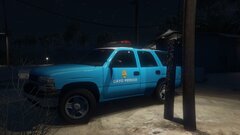
From the album: Cayo Perico: Your Tiny Island's Finest
-
Cayo Perico Essential services to all citizens. C70 Fire Engine: Medic4523 2000's Chevy Tahoe: Kanyile E450 Ambulance: Medic4523 Skins are based off of: Bevarnow
-
Cayo Perico PD relaxing next to a lightpole
-
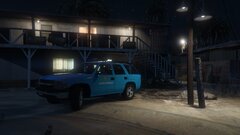 Cayo Perico PD relaxing next to the Volunteer Fire Department
-
 Perfect landscape picture
-
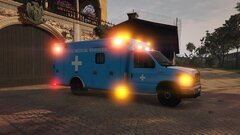 Cayo Perico Medical Services onscene of a medical call
-
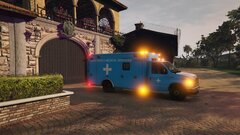 Cayo Perico Medical Services onscene of a medical call
-
 Cayo Perico Medical Services Comunity shot
-
 Cayo Perico Medical Services Comunity shot
-
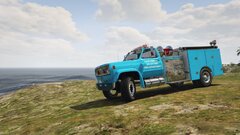 Cayo Perico Volunteer Fire Department community shot
-
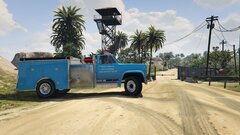 Cayo Perico Volunteer Fire Department community shot
-
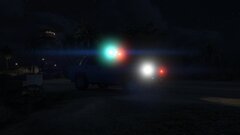 Cayo Perico PD responding to a late night call
-
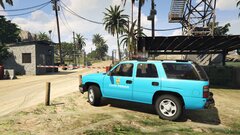 Cayo Perico PD protecting the northern gates
-
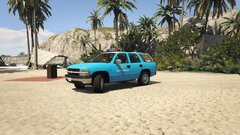 Cayo Perico PD protecting beach attendees
-
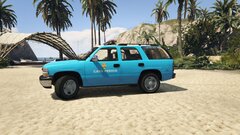 Cayo Perico PD protecting beach attendees
-
-
From the album: Cayo Perico: Your Tiny Island's Finest
-
From the album: Cayo Perico: Your Tiny Island's Finest
-
From the album: Cayo Perico: Your Tiny Island's Finest
-
From the album: Cayo Perico: Your Tiny Island's Finest
-
From the album: Cayo Perico: Your Tiny Island's Finest
-
From the album: Cayo Perico: Your Tiny Island's Finest
-
From the album: Cayo Perico: Your Tiny Island's Finest
-
From the album: Cayo Perico: Your Tiny Island's Finest
-
From the album: Cayo Perico: Your Tiny Island's Finest
-
From the album: Cayo Perico: Your Tiny Island's Finest
-
From the album: Cayo Perico: Your Tiny Island's Finest
-
From the album: Cayo Perico: Your Tiny Island's Finest
-
Hello! My game crashes while loading, This is happening because of the updated game config v2699. Although when i use the base one, the game loads as normal, but my performance is significantly dropped. I'm already on minimum settings. This performance drop has something to do with GTA V, Not LSPDFR. I haven't experienced this performance drop before. Any suggestions? The RPH log is the one were it crashes while loading. Update: My game will no longer launch with either game configs RagePluginHook.log
-
This seems to be a issue with LSPDFR, and scripts. If you have a scripts folder, rename it _scripts. This folder is different from your mods folder. Launch the game with the renamed script folder, and see if it launches. Otherwise if you don't, in the main game directory, there is a LSPDFR uninstall, GO through with that and BACKUP your PLUGINS folder!!! Then freshly install LSPDFR. Let me know if that fixes your issue!
-
I know you can change the load out in the LSPDFR Files, when selecting a load-out. But if your using STP (StopThePed) The realistic weapon system will default to a different weapon. To change in the LSPDFR Files: This is through Steam install and not Epic Games Launcher 1. Open game directly and follow this path; lspdfr/data/ 2. Select Inventory. To properly edit the code, I recommend notepad++ 3. Back up the file! Make a copy and store it somewhere safe! 4. Once open, There are all your duty load outs. If you want to add either the combat pistol or the pistol. Copy this line of code into which ever load out you choose. <Weapon chance="45">WEAPON_COMBATPISTOL</Weapon> <Weapon chance="45">WEAPON_PISTOL</Weapon> 5. Make sure you do the correct load out, as NPCs also use this file. 6. Make sure to save the file, and launch the game to see if the issue is fixed! Hope this helps!
-
Make sure you back up any folders that are in your game (i.e Mods) and if you own the game through steam, verify the integrity of the the game files. It will replace and remove things outside and inside the mods folder. How to verify game integrity: 1. Open Steam and select GTA 5 2. Left click on the game in the game list to the left 3. Click Properties, then select Local Files 4. Click Verify integrity of game files 5. Wait for steam to verify 6. Attempt to launch the game through rage plugin Hopefully this helps and makes sense!
-
I have no definitive answer, Ive followed other threads and YouTube videos but they dont work for me. Everything is a fresh install and NOTHING is from the previous update V2612 EXCEPT the game config which is required. If you look at my Texture Loss album, I lose textures every patrol I do, Even on less intense calls and only require one unit. My game doesn't crash at all. Recently Ive also noticed that as of today, 6/7, I'm receiving frame loss as well. I haven't installed anything today. Any help would be appreciated! (Attached is Rage Log: RagePluginHook.log) (going through the log shows that my back config and plugins are broken, and several other things. I'm going to try to fix the ones that stick out)
-
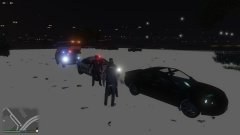
From the album: Texture Loss
Even with lower graphic settings :( -
-
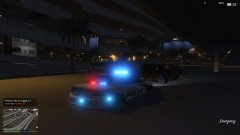
From the album: Texture Loss
-
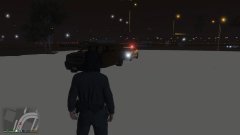
From the album: Texture Loss
-
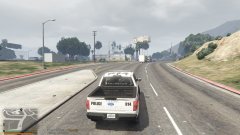
From the album: Texture Loss
-
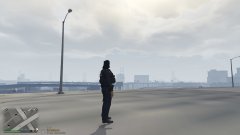
From the album: Texture Loss


