Sergeant Rain
Members
-
Joined
-
Last visited
Everything posted by Sergeant Rain
-
Hey! I think I may have an idea on how to solve it. I don't need a fix myself anymore since I just used an addon pack. But go onto your vehicles.meta and navigate to the vehicle you are having issues with. Under <flags> add "FLAG_HAS_LIVERY". Again, i am not 100% sure will fix it since i haven't tested it but i saw it after the fact and thought it may have something to do with it. Hope it helps!
-
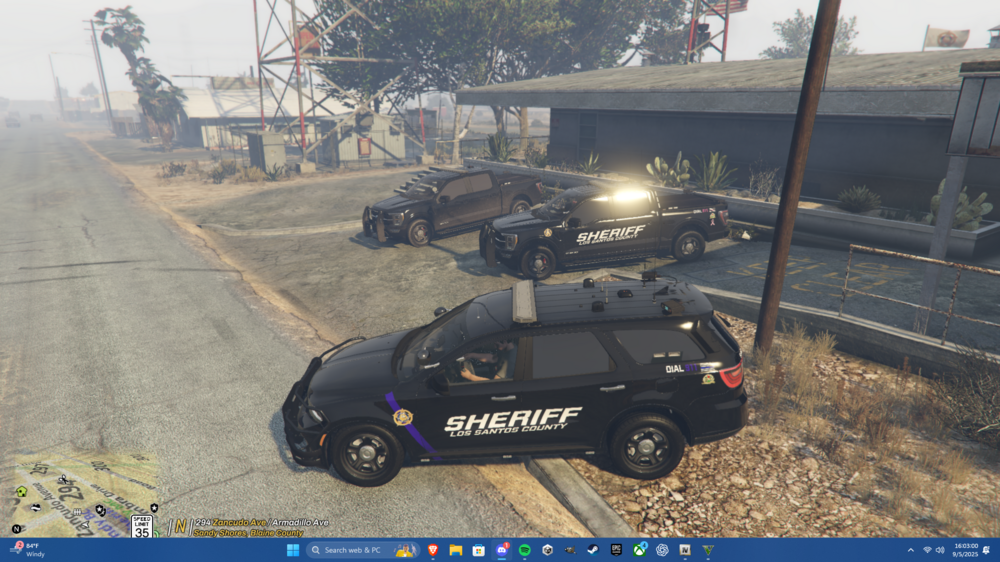
Hello fellow officers! I am attempting to replace the new GTA5 online vehicles with custom ones. At the moment I am doing polcaracara replaced with a sheriff f-150. I installed the models just fine and I also read Cyan's post about removing the textures from those models in the agency.xml. The issue arises when I spawn the vehicle in-game. Attached are 2 images, of how the texture is supposed to look like when LSPDFR spawns them in through ambient events and spawns and the second is how it looks like when I spawn them in through the trainer. You can see that when LSPDFR spawns them in its good and the livery displays more or less as its supposed to however when I spawn them in the entire texture is black and I cannot remove that to see the texture underneath. I already went to the carvariations.meta for the Polcaracara and made all the color values 0 but all that did was give it a very dark unremovable tint so I am asking you guys for help. Any and all would be dearly appreciated because I have been working at this all week now and I just cannot get it to work 😞 P.S. The LSPDFR f150 is also missing the blue stripe (as you can see on the durango in the last picture) so it is not 100% either