


Potionek
Members
-
Joined
-
Last visited
Everything posted by Potionek
-
So, after updating RPH and LSPDFR, I tried to launch the game but nothing happened; the Task Manager showed the GTA V process, but it was listed as running only in the background. I deleted various files—like dinput and RPH—but eventually, I deleted the entire "mods" folder (which only contained NVE), and the game started working. Is it possible that NVE was causing this issue after the GTA and ScriptHook updates?
-
@Lennyy I unistalled all of mentioned plugins, and everything works fine. Thank you so much, have a good day.
-
Hello, can someone help me? I can play normally for like 10-30 minutes and then my game freezes and there is an messeage in left bottom row "lspdfr has crashed"
-
Can I somehow stop the crashing?
-
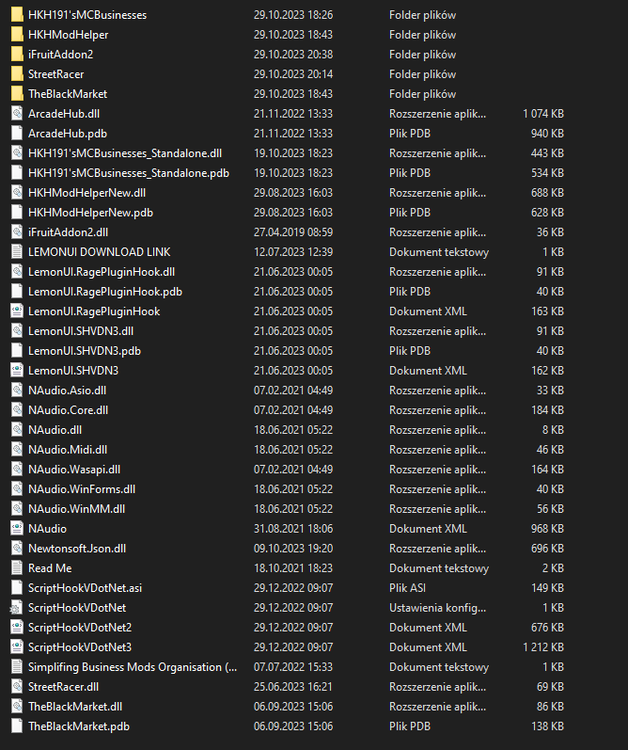
Hi, recently I decided to download some mods to become a "gangster" in GTA. I downloaded Los Santos Red mod, and some other mods: StreetRacer, TheBlackMarket and MC Business. Below i uploaded my scripts folder directory crashreport.txt RagePluginHook.log
-
Thanks for your help, I appreciate it. My problem was the FBI2 file in the pack_default folder
-
-
Hello yesterday, I downloaded lspdfr with all the necessary plugins such as: ELS, EUP and others. However, today I started seeing numerous scripthook errors, today I had an error with code id 33 which said: An exception error occured while executing els.asi. I also had the same error, but instead of els it was menyoo.asi. I downloaded the latest versions of scripthook v and menyoo but nothing helped. My gta version is 1.0.3028.0. Can anyone help?
-
i solved my problem, i just dont install lspdfr compatibility from addons nveWhen I launch the game with rockstar games, everything works normally, but if I launch the game with rph, the game crashes on the loading screen, it happened when I installed nve. I give my logs at the bottom@Rich thxWhen I leave the garage on a patrol and I want to test the computer for example + I crash lspdfr
