Skip to content
View in the app

A better way to browse. Learn more.

LCPDFR.com

A full-screen app on your home screen with push notifications, badges and more.

To install this app on iOS and iPadOS
  1. Tap the Share icon in Safari
  2. Scroll the menu and tap Add to Home Screen.
  3. Tap Add in the top-right corner.
To install this app on Android
  1. Tap the 3-dot menu (⋮) in the top-right corner of the browser.
  2. Tap Add to Home screen or Install app.
  3. Confirm by tapping Install.

Vana

Members
  • Joined

  • Last visited

Everything posted by Vana

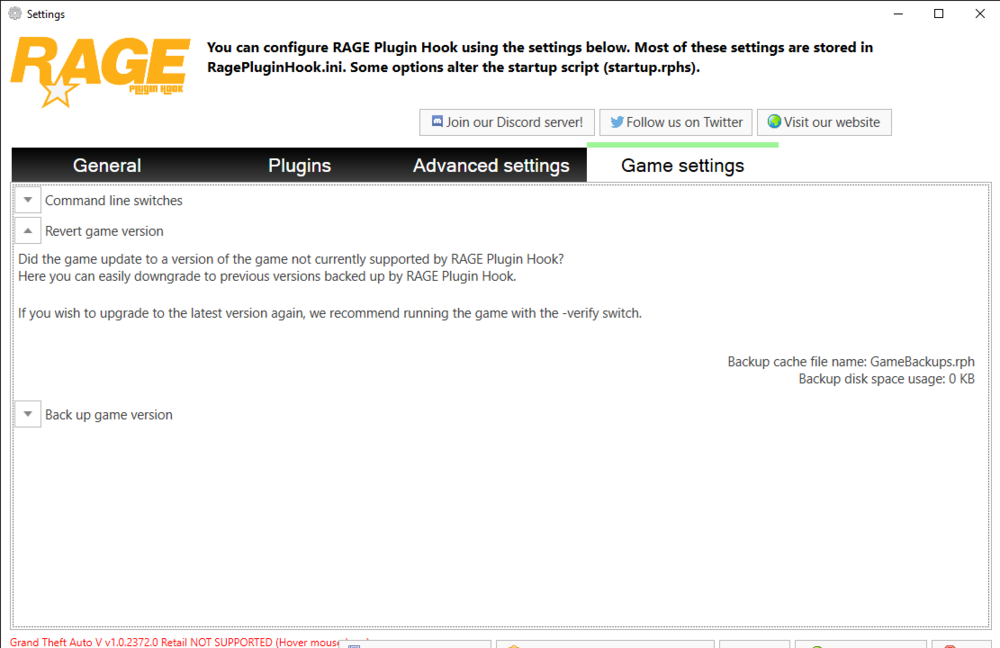
  1. You can get here after it says the version isn't supported you can x out of that and it should take you here, and you can backup your game version, that is if you made a backup.
  2. I checked, and I put them all in the same place, and I just now double-checked and they all seem to be placed correctly.
  3. I installed ELS and a car pack about a week ago, and ever since I've tried a plethora of fixes and nothing has worked. Can someone please help, I'd love to use the 12 other vehicles i have. (and have fun with them)


Account

Navigation

Search

Search

Configure browser push notifications

Chrome (Android)
  1. Tap the lock icon next to the address bar.
  2. Tap Permissions → Notifications.
  3. Adjust your preference.
Chrome (Desktop)
  1. Click the padlock icon in the address bar.
  2. Select Site settings.
  3. Find Notifications and adjust your preference.