


crimsonking
Members
-
Joined
-
Last visited
Everything posted by crimsonking
-
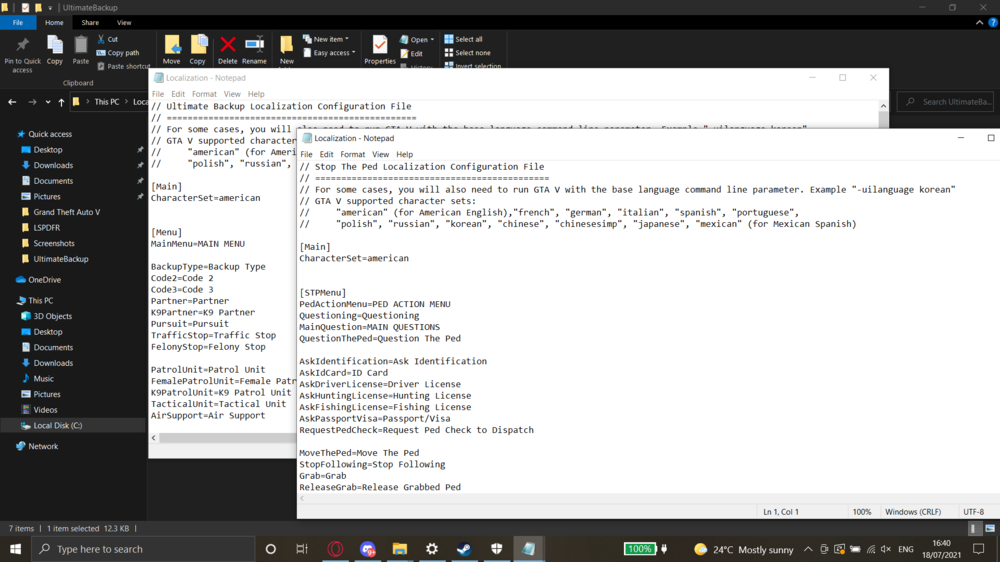
SOLVED I just had to put the UltimateBackup localisation file inside the UltimateBackup folder at \Grand Theft Auto V\plugins\LSPDFR\UltimateBackup Created a StopThePed folder and put the Localisation file in there. Thanks @thota
-
I have them both in my \Grand Theft Auto V\plugins\LSPDFR the UltimateBackup Localisation.ini is in the Ultimate Backup file, as shown in the screenshot
-
I downloaded it and put the UI into my main directory, but it still crashes when going on-duty 18_07_21_1549.txt
-
Hi thota, thanks for the help. Just one quick question, where do I put the RageNativeUI folder in my directory?
-
Hello. This may seem like a common bug, but I haven't found a solution for mine on the forums. LSPDFR crashes when going on-duty through the station and through ForceDuty. Here's the report. Please, help. 18_07_21_1518.txt
