Skip to content
View in the app

A better way to browse. Learn more.

LCPDFR.com

A full-screen app on your home screen with push notifications, badges and more.

To install this app on iOS and iPadOS
  1. Tap the Share icon in Safari
  2. Scroll the menu and tap Add to Home Screen.
  3. Tap Add in the top-right corner.
To install this app on Android
  1. Tap the 3-dot menu (⋮) in the top-right corner of the browser.
  2. Tap Add to Home screen or Install app.
  3. Confirm by tapping Install.

Scizki

Members
  • Joined

  • Last visited

Everything posted by Scizki

  1. I did that, but when I reload all plugins it works until it loads everything then it terminates all plugins. Maybe tell me everything instead of making solve a puzzle each time you send a message Thota you still alive? bro someone please AUAUAUAUAUUAUAUAUUAUUUAUAAAAAUAUUAUAUAUA bro I just wanna shoot people
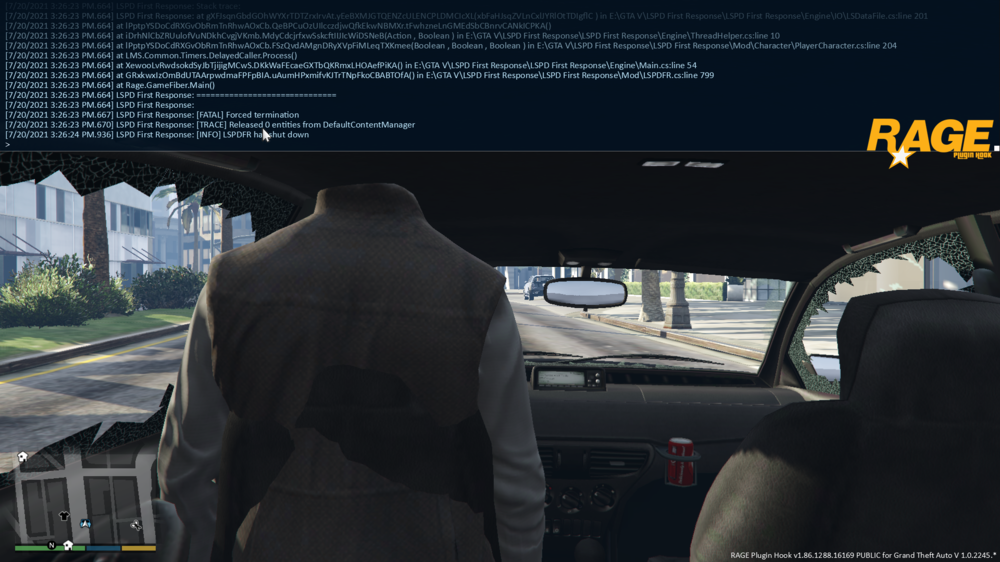
  2. The Rage plugin thing keeps telling me that it has something to do with my game, but when I run it normally it's completely fine. I tried running it while in game already, but it crashed right before it started running mods. Tried multiple times.
Account

Navigation

Search

Search

Configure browser push notifications

Chrome (Android)
  1. Tap the lock icon next to the address bar.
  2. Tap Permissions → Notifications.
  3. Adjust your preference.
Chrome (Desktop)
  1. Click the padlock icon in the address bar.
  2. Select Site settings.
  3. Find Notifications and adjust your preference.