



frr35h
Members
-
Joined
-
Last visited
Everything posted by frr35h
-
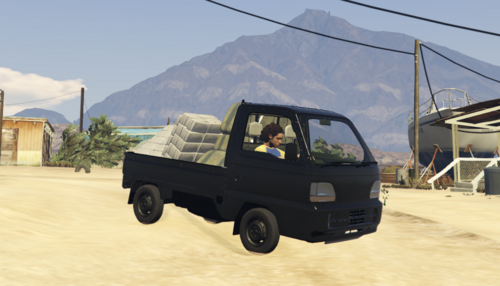 Green B*stard vibes. haha
 -
.thumb.png.980ddbc69f2406e2d63b48c7fdf79f35.png) crashes my game before I can even get into the game. Crashes on loading.
crashes my game before I can even get into the game. Crashes on loading. -
You're welcome
-
So my original problem was solved thanks to a member of the discord. Turns out LML was causing a conflict. Disabled it and it loaded the game no problems. Updated LSPDFR, RPH and SHV and updated my config files to the latest and game works fine now.
-
Ok so update instaleld, tried to load it with just the new SHV installed and the game fails to launch again.
-
You will need to downgrade RPH as well as Script Hook V and LSPDFR if you downgrade GTA V Back on topic, I am downloading the latest update, again. I'll try to see if I can get it to work properly this time, I suspect it had something to do with my packlimit ajuster but we'll see. Charlie, I joined your discord and asked a question regarding random crashes on there also. Think you can help out?
-
I'm on the Epic version. You need to have backed up the game prior.
-
Using RPH, when I first installed it I backed up my game as it told me to. I just reverted my game then I reinstalled the last version of LSPDFR that I kept saved, and tha reinstalled LSPDFR and RPH. Then I installed the last version of SHV. The game works just as it did pre-patch, random game crashes and all 🤣
-
I'm gonna try, I'm nervous as i think it's gonna screw up again, but I'll back up my mods folder or atleast disable it first and see if that works Yeah but only via a downgrade, I kinda wanted to try out the new cars
-
So I managed to revert to the previous version and realised some how my folder structure for my mods folder was messed up and I also reinstalled the modded gameconfig. Xml. That sorted the game back to working as it did pre-update, but now I'm. Not sure if I'm game enough to try and update again. I'd there a process to updating GTA, RPH, lspdfr and SHV?
-
I've just downgraded everything again, GTAV, LSPDFR, RPH, SHV and now the game loads to menu but when I click story mode, crash to desktop. I'm stumped
-
So I've recently Installed the latest update and since then the game just won't load. I tried everything, even redownloaded the update several times, no luck. When I revert the game back it loads fine, but obviously I can't use RPH or LSPDFR and Mods when I do that. The Rockstar Launcher window shows up (Black window with the logo) then it just disapears, no warnings or anything. Any ideas? I just also updated my Geforce Experience Drivers, didn't make a difference. FYI, I'm trying to launch without RPH to check if the game runs without mods first and it's not launching at all.
-
Glad I'm not the only one who experienced this. I can't even revert for some reason.
-
Hey all, I know there are tonnes of these posts about crashing and I can appreciate there are various solutions to them, but I've had no luck with sorting mine out. I've had gameplay lasting an hour plus at times, and then I'll open a new session and be lucky to get 5 minutes before a crash. Sometimes it's during a call out, sometimes it's during a normal patrol. It's very unpredictable and I can't make heads or tails of the logs. I've tried uninstalling mods, and plugins etc. but nothing. I do have the "Modding DLC Pack V" by Albo1125 which I've heard some of his mods can cause crashes but unsure if this is such a mod as it's realistically just a folder for addons. I've attached the most recent log. If anyone can help it would be appreciated! RagePluginHook.log

.thumb.png.980ddbc69f2406e2d63b48c7fdf79f35.png)

