


ThatTonybo
Members
-
Joined
-
Last visited
Everything posted by ThatTonybo
-
-
 How do you rebind the "Z" key for availability? In my game (and with PLD installed), Z is bound to zoom the map.
- 117 comments
- 19 reviews
-
Kind of why I posted here? Seems to be a LSPDFR bug. Might fix it temporarily, but don't I then lose that feature?
-
No, reread my post, it's not related to callouts at all, it's the pursuit resuming that is bugged.
-
I was in a pursuit with a ped in Sandy Shores area for expired insurance. Ended up losing him, as air support crashed. Anyways, later down the road at Grapeseed I found him again and that time he was arrested and taken away, vehicle towed. Went fine. But the bug here is that whenever I open my game, or go on duty, within 1-5 minutes he appears again and I join the pursuit. No matter how many times I arrest or kill him, he comes back every time. Same ped, same vehicle, same issues. What can I do?
-
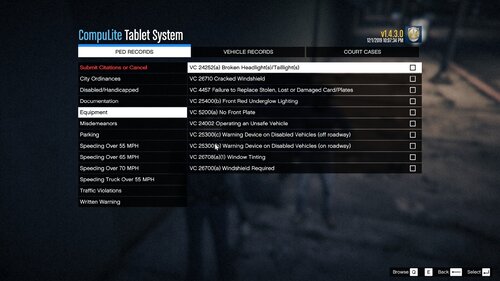 Is there something we can submit for when they have outstanding warrants? Doesn't seem like there's an arrest report option for it
- 29 comments
- 3 reviews


