Skip to content
View in the app

A better way to browse. Learn more.

LCPDFR.com

A full-screen app on your home screen with push notifications, badges and more.

To install this app on iOS and iPadOS
  1. Tap the Share icon in Safari
  2. Scroll the menu and tap Add to Home Screen.
  3. Tap Add in the top-right corner.
To install this app on Android
  1. Tap the 3-dot menu (⋮) in the top-right corner of the browser.
  2. Tap Add to Home screen or Install app.
  3. Confirm by tapping Install.

kosmakkk

Members
  • Joined

  • Last visited

Everything posted by kosmakkk

  1. i uninstalled this retro emergency pack and now its working so i guess that was the issue
  2. okay, i think the retro emergency vehicles pack is outdated or something because it causes a lspdfr crash
  3. when i choose "go on duty" lspdfr crashes after a few seconds, i play with the same plugins all the time except that everything was working before. I tried unloading plugins one at a time and all at once but none of these methods work.
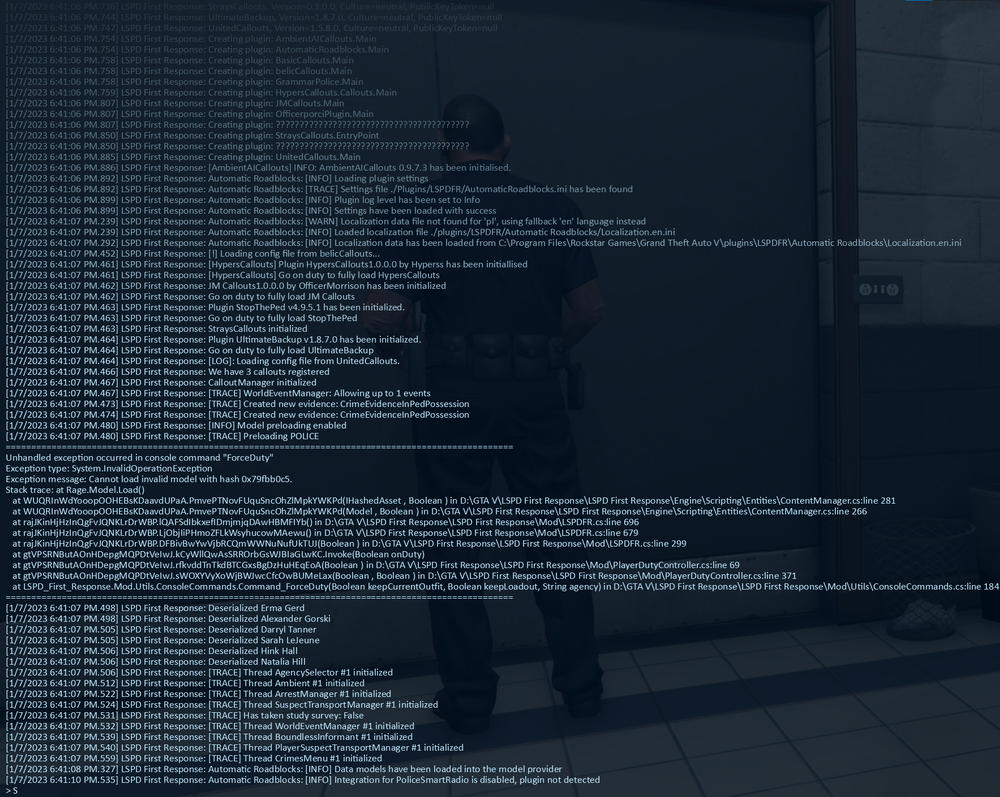
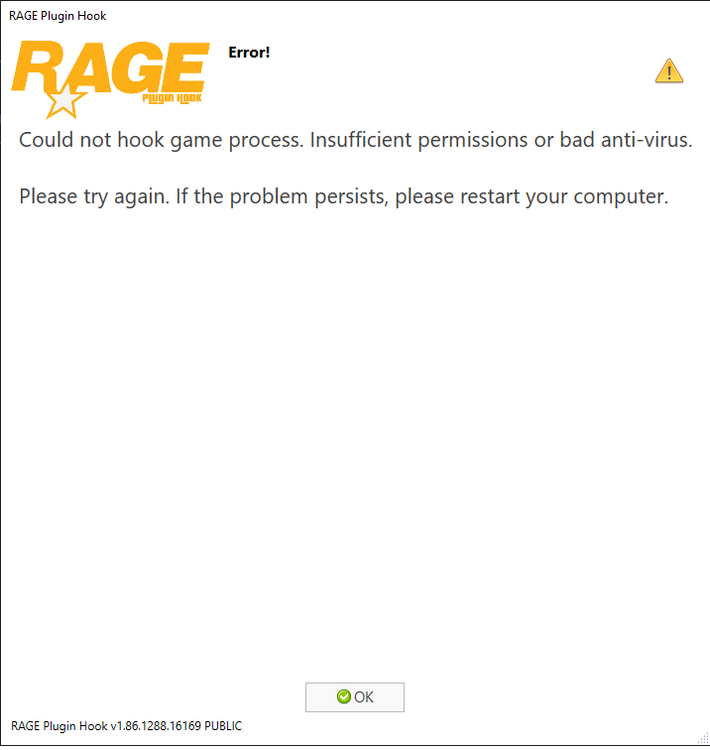
  4. Rage Plugin Hook starts automatically as an administrator, although it should not, then a crash pops up on the loading screen and it is written like in screen number one, of course, after restarting the computer nothing has changed, and the error itself started to appear so suddenly out of nowhere every together as i try to run Rage.
Account

Navigation

Search

Search

Configure browser push notifications

Chrome (Android)
  1. Tap the lock icon next to the address bar.
  2. Tap Permissions → Notifications.
  3. Adjust your preference.
Chrome (Desktop)
  1. Click the padlock icon in the address bar.
  2. Select Site settings.
  3. Find Notifications and adjust your preference.