Skip to content
View in the app

A better way to browse. Learn more.

LCPDFR.com

A full-screen app on your home screen with push notifications, badges and more.

To install this app on iOS and iPadOS
  1. Tap the Share icon in Safari
  2. Scroll the menu and tap Add to Home Screen.
  3. Tap Add in the top-right corner.
To install this app on Android
  1. Tap the 3-dot menu (⋮) in the top-right corner of the browser.
  2. Tap Add to Home screen or Install app.
  3. Confirm by tapping Install.

troycc24

Members
  • Joined

  • Last visited

Files posted by troycc24

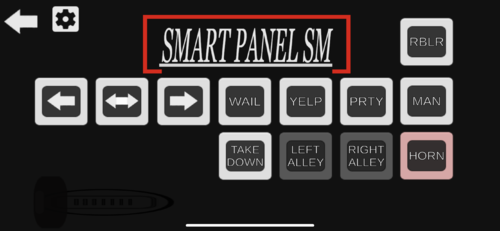
  1. this is a NYPD siren with quick manual that i recorded off of an app on my phone. this is my second siren that i have made
     
    the app on appstore is emergeNYC Sirens and Horns Pro. it was 10.00 USD
     
    siren demo 


    install video https://youtu.be/VZ1nRbOF75Q


    • 655 Downloads
    • 4 Comments
    Updated
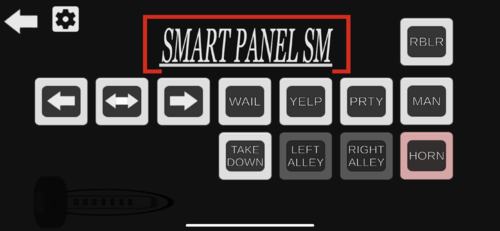
  2. this is a touchmaster siren that i recorded off of an app on my phone. this is my first siren that i have made
     
    the app on appstore is emergeNYC Sirens and Horns Pro. it was 10.00 USD
     
    SIREN DEMO https://www.youtube.com/watch?v=bx69TvpUBw0
    • 1,058 Downloads
    • 7 Comments
    Updated
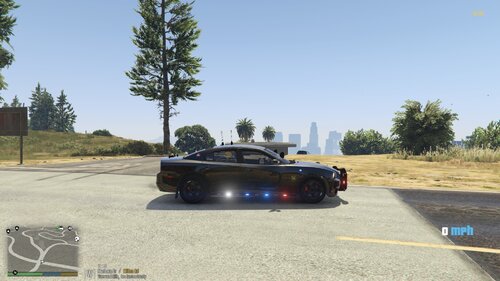
  3. this is my first texture. this is for a charger in the san andreas state trooper legacy pack.
    if there's any problems let me know also if anyone has suggestion let me know.
    all credit goes to Torz. he made the whole pack.
    • 65 Downloads
    • 3 Comments
    Submitted

Account

Navigation

Search

Search

Configure browser push notifications

Chrome (Android)
  1. Tap the lock icon next to the address bar.
  2. Tap Permissions → Notifications.
  3. Adjust your preference.
Chrome (Desktop)
  1. Click the padlock icon in the address bar.
  2. Select Site settings.
  3. Find Notifications and adjust your preference.