


We're performing changes on the site and things may be unstable. We'll remove this notice when we're done. Thanks for your patience.


MSTB Developments
Members
-
Joined
-
Last visited
Everything posted by MSTB Developments
-
 @DivineHustle Correct, that's exactly how it should be. Everyone prefers their settings differently, some like it this way, some that way. That's why we don't necessarily recommend the brightest.
- 64 comments
- 11 reviews
-
@Michael21107 Works normal... just install the brighter lights from MSTB. The VisualV brighter lights will be replaced with our, but the other VisualV files remain.
- 64 comments
- 11 reviews
-
-
@ezo elshnawy We're sorry but we've never seen this kind of problem. Maybe a wrong installation or any problems with other mods installed.
- 64 comments
- 11 reviews
-
-

- 2
-
-
@Benjamiin Yes! @JustATool Hello! You don't need to install "Vehicle.rpf". You can also use the "Visualsettings.dat" file only, but for much better experience, we highly recommend to install "Vehicle.rpf" also. As you can see, it works for 64.000 customers perfectly and without any problems 😉.
- 64 comments
- 11 reviews
-
Hello Newbie, we just replied to your inquiry via MSTB - Helpdesk. Kind regards MSTB Developments
-
-
@steaynrw In den nächsten Tagen für die aktuelle Version und in wenigen Wochen die neue Serie "Visual+"!
- 64 comments
- 11 reviews
-
-
-
@dmitrical Thank you for your message. Please visit the Helpdesk via https://linktr.ee/mstbdev!
- 64 comments
- 11 reviews
-
-
@shoe0 Thanks! Here you can find the cars; https://www.lcpdfr.com/downloads/gta5mods/vehiclemodels/22184-los-santos-police-department-pack-els/
- 64 comments
- 11 reviews
-
-
-
-
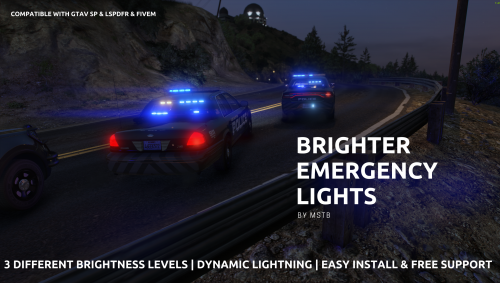
Brighter Emergency Lights by MSTB Developments Are you looking to take the visual experience in Grand Theft Auto V to a whole new level? Look no further than the free mod "Brighter Emergency Lights" by MSTB Developments. This mod elevates the game's visual effects to a whole new level, making the emergency lights in GTA V shine brighter and more impressively than ever before. With Brighter Emergency Lights by MSTB Developments, police and emergency vehicles transform into glowing symbols of power. The enhanced light effects make the streets of Los Santos and Blaine County feel even more realistic, creating an intensified atmosphere during your pursuits or rescue missions. As an additional bonus, MSTB Developments offers 24/7 online support for all mod users. If you have any questions or encounter any issues, the developers are available round the clock to assist you and ensure you get the most out of "Brighter Emergency Lights". FREE SUPPORT & INFORMATION https://linktr.ee/mstbdev DONATE NOW https://www.paypal.com/paypalme/mstbdev INSTALLATION (DRAG & DROP) You need OpenIV (Download via Browser) 1) Start OpenIV 2) Follow path: GTAV\update\update.rpf\common\data 3) Drag and drop the "visualsettings.dat" in ---------------------------------------------- Copyright © 2026 MSTB. All rights reserved. Developed with ♡ by MSTB Developments Designed by MSTB Developments Powered by MSTB Developments
- 64 comments
- 11 reviews
-
-
-

-

- 28
-
-
Hello! I installed EUP (Menu, Basics, SR&LO) today and it's working very well for my character. The only problem is, that the EUP clothes are not working for peds, they are wearing the default staff. I really need help! Thank you very much! Marc.
 Hello! I have a question about EUP in LSPDFR. The clothes are working perfectly for my character, but not for peds. How to make peds wearing EUP clothes? This is my question. I installed the Menu, Basic, Server Rescue and Law Order? Can I please get help...
- 80 comments
- 28 reviews

