
Kiisuu
Members
-
Joined
-
Last visited
Everything posted by Kiisuu
-
 Alright js hit me up on dc kiisuu.2704
 -
hey man if u want to im from germany and could look over the german version and if theres incorrect grammar i could fix that. Just answer me and we could do that
-
 got it now. Turns out my dotnet was incorrect installed. After I reinstalled it it worked. Ty for ur help anyways
 -
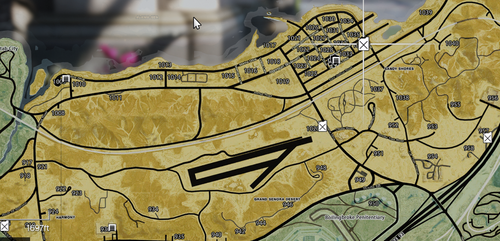
Good map.
-
so i need to install radarzoom normally. Then install ur OIV package and then it should work?
-
I did install it. First I installed Radarzoom DLL only. Thats what the Video said. Then I installed the map OIV. But the minimap stays grey
-
I installed everything exactly how the videos and readme told me to. But my minimap is still just grey. Only when I press Z it shows up for like 2 secs idfk what to do atp.
-
 Changed the meta files like said in Readme but my car keeps flipping in curves.
 -
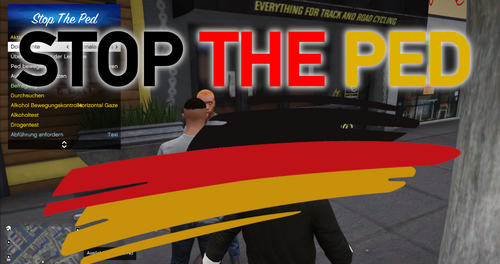 DEUTSCHE STOPTHEPED ÜBERSETZUNG BY KIISUU Nur für unten genannte Bauteile von StopThePed - PedAnswers - TrafficstopQuestions ----------------------------------------------------------------------------------------------------------------------------------- Erforderlich: - neustes LSPDFR - neustes RageNativeUI - StopThePed Plugin von Bejoijo (https://www.bejoijo.com/post/stop-the-ped) ----------------------------------------------------------------------------------------------------------------------------------- Installation: 1. Ordner "Plugins" in das GTA Verzeichnis legen 2. Vorhandene Dateien ersetzen 3. GTA starten Falls Rechtschreibfehler auftauchen bzw ihr welche feststellt, zögert nicht mir zu schreiben oder in die Kommentare zu schreiben. ----------------------------------------------------------------------------------------------------------------------------------- !!!IMMER EIN BACKUP ERSTELLEN!!! ICH BIN NICHT FÜR KORRUPTE SPIELDATEIEN VERANTWORTLICH!!! KONTAKTIERE MICH NICHT WENN DEIN SPIEL WEGEN DIESER DATEI GESTÖRT WIRD!!!
 -
 I dont have one by now. I will make one if I can
 -
Make sure to read the read me file! !!!I AM NOT RESPONSIBLE FOR CORRUPT GAMES/SAVES/FILES. THANK YOU!!! IF YOUR LIGHTS ARE NOT BRIGHT OR SHOWING AS WHITE ONLY, MAKE SURE YOUR SHADER QUALITY AND POST FX ARE AT LEAST ON HIGH!! Please report issues otherwise. Please do not contact me if your game isnt working after the installation, at the point you drag and drop my file into your game you are responsible.
-
Hey I have the problem that everything I say doesnt get a respond I tried "show me 10-8" but I keep getting no responds I tried to reinstall and replace all files but Dispatch doesnt answer. My Mic setting are all good and the log says it recognized everything, but it just doesnt respond. Im trying now since yesterday and the unofficial LSPDFR support couldnt help me either. I don´t know what to do. I wanted to get help at your server but I had to wait over 1h and still got no reply to my problem and I was mad so I wrote "badass support right here" I want to apologize for that but I was just mad grammar didnt work. Now I need a solution or explanation. I dont know what to do is it a file bug or game bug or did I anything wrong. I installed it like the read me files explained so I dont think I installed something wrong. I need help please. Discord: Kiisuu #8763 I´m german btw Thank you in advance