Skip to content
View in the app

A better way to browse. Learn more.

LCPDFR.com

A full-screen app on your home screen with push notifications, badges and more.

To install this app on iOS and iPadOS
  1. Tap the Share icon in Safari
  2. Scroll the menu and tap Add to Home Screen.
  3. Tap Add in the top-right corner.
To install this app on Android
  1. Tap the 3-dot menu (⋮) in the top-right corner of the browser.
  2. Tap Add to Home screen or Install app.
  3. Confirm by tapping Install.

Alkis

Members
  • Joined

  • Last visited

  1. Pour la peinture sa vient simplement de la secone couleur, tu peut la changer ^^
  2. Okay merci je vais fix tous sa au plus vite, pour la peinture si quelqu'un a une idée d'ou peut venir se bug ^^
    • 3,066 downloads
    • Version 1.0
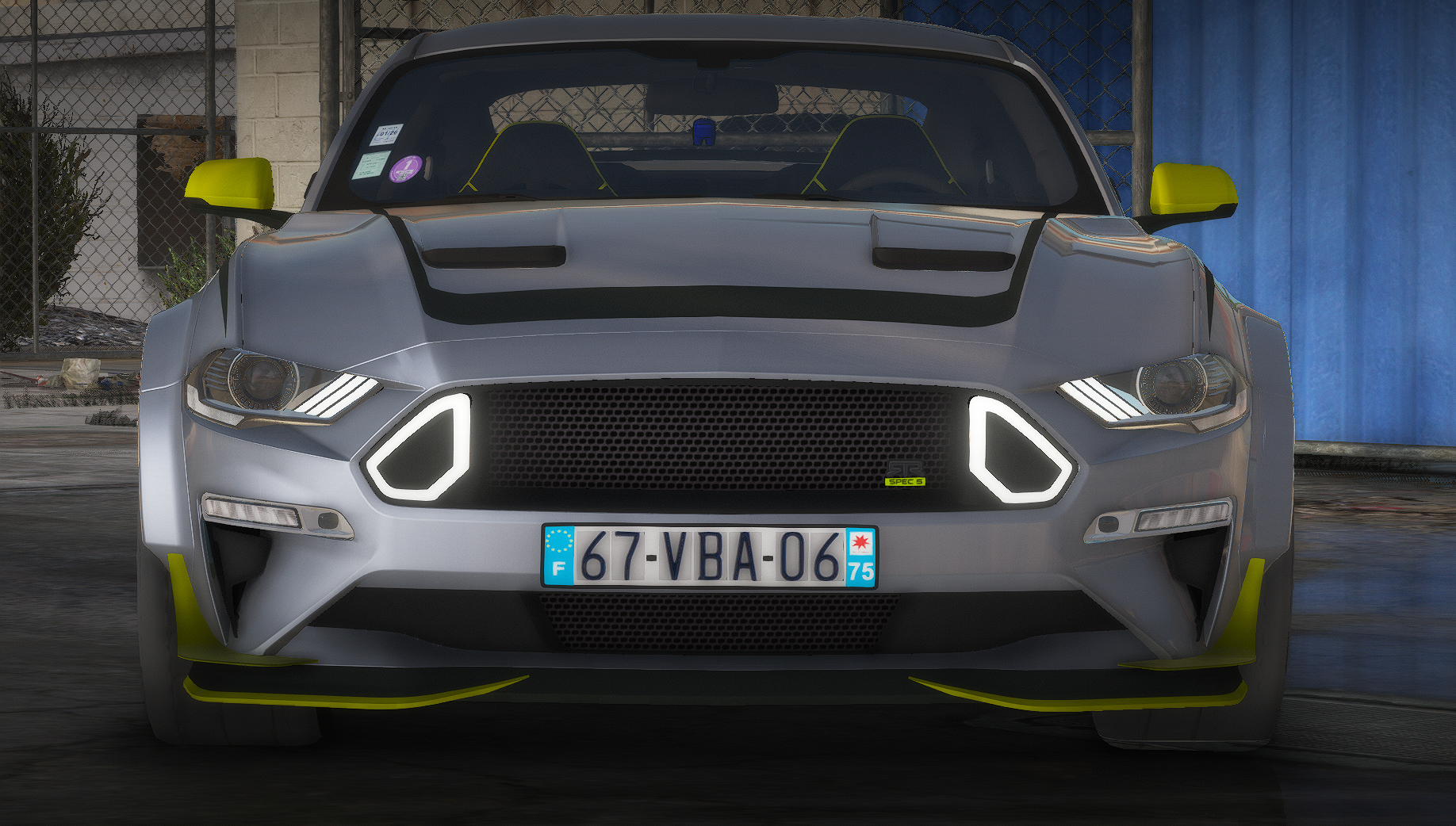
    Hello ! I present to you a Ford Mustang RTR SPEC 5 with an Add-On version for Singleplayer and a FiveM ready version for your servers! This vehicle has several advantages such as: Realistic collision - Breakable glass - HQ Exterior - HQ interrior - HQ engine - HQ boot - Alpha Light - Functional counter - Functional mirror - Handling Vanilla (Zentorno) - Dirt Map - Spoiler Tunning ------------------------------------------------------ The installation instruction is in the file | ------------------------------------------------------ Condition: You can use vehicle on your FiveM servers, all reupload are strictly prohibited under penalty of being reported and then deleted ! -------------------------------------------------- --- Contact : I invite you to join the Team Global Mods discord right here: - https://discord.gg/eBdtfmmp3p You will find the progress of words, help and many other things to discover !
  3. Hello, I am creating this topic because I am asking myself a question: Is it possible to spawn a part of Tunning Custom by default on GTA 5? I have seen modders do it so I think xD yes, but how do I do it? If you know how to do it, or if you have any leads, I'm a taker ^^

Account

Navigation

Search

Search

Configure browser push notifications

Chrome (Android)
  1. Tap the lock icon next to the address bar.
  2. Tap Permissions → Notifications.
  3. Adjust your preference.
Chrome (Desktop)
  1. Click the padlock icon in the address bar.
  2. Select Site settings.
  3. Find Notifications and adjust your preference.