


Mitsos Pappous
Members
-
Joined
-
Last visited
Everything posted by Mitsos Pappous
-
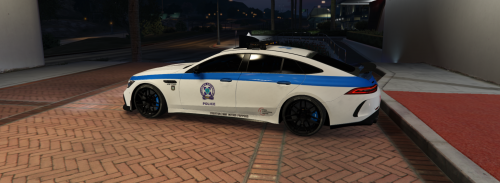 Did you install Emergency Lighting Siren Script , put the gt4pol.xml (included in gt4pol folder) into vcf folder (in Emergency Lighting System folder), put gt4pol.xml in vcf.lua and run on server.cfg. If you have any problem please send me a disord message!
 -
This is add-on!
-
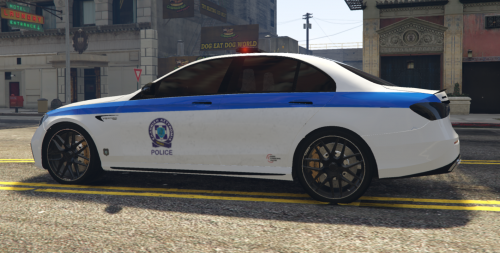 This car is FiveM ready, by starting the filename on server.cfg Requires LUX Vehicle Control working only on FiveM. Has 1 livery for Greek Police. If you want a template please send message on our discord server (link down below)... For more information about our job join on our discord channel: https://discord.gg/sZpaWmbAJW If you want something different please sent us a message!
 -
I upload a new version... This version has the template-livery! Send me if you want, your livery! I like to see and learn new ideas!
-
Αχαχααχαχ ευχαριστώ πολύ! Βγάζει γούστα η ΕΛ.ΑΣ! Είναι όμορφο όμως δεν μπορείς να πεις!
-
I uploaded today a READ_ME file that explains how to install it.
-
Thank you so so much! If you want to go furthermore please rate us by rating this mod! Write a comment below...
-
This car is FiveM ready, by starting the filename on server.cfg Requires Emergency Light Siren Script (ELS) working only on FiveM. Has 2 liveries, one for Los Santos Police and one for Greek Police. For more information about our job join on our discord channel: https://discord.gg/sZpaWmbAJW If you want something different please sent us a message!
-


