


Epsilon Vi
Members
-
Joined
-
Last visited
Everything posted by Epsilon Vi
-
Yes! The Motor City all the way baby! Chicago would be cool too.
-
![2008 Dodge Charger [WIP]](//s3-gallery.int-cdn.lcpdfrusercontent.com/gallery/album_1355/sml_gallery_5927_1355_789595.png) Oh Christmas tree, Oh Christmas tree, thou tree most fair and lovely. Oh Christmas tree, Oh Christmas tree..... Thou tree most fair and lovely.... .................................
Oh Christmas tree, Oh Christmas tree, thou tree most fair and lovely. Oh Christmas tree, Oh Christmas tree..... Thou tree most fair and lovely.... ................................. -
Well I've really enjoyed my time with W7 Ultimate. However I love using my other machine loaded with Ubuntu.
-
Those look pretty nice man!
-
I've never had this problem, but lets get some more information up so that other members might be able to diagnose! Can you post your system specs? OS: CPU: GPU: DRAM: I have tried Google-ing your issue and in return I get people who updated their game and some new features locked in low settings on their computers. If this is your case well, I recommend you Google it too!
-
Oh I really enjoy using this challenger for some fun :o
-
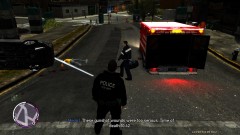 The scene looks pretty interesting, I can only imagine what you had to do to get the car in that position lol. Also, that ambulance.. looks like a black hole of death, I wouldn't get in there!
 -
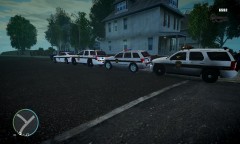 Those look pretty nice, and the jeep makes a great addition to the fleet, I would probably choose to drive that over all the others!
 -
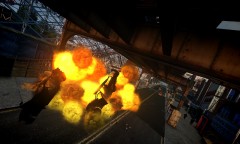 I dig it! Love seeing frozen blasts.

![2008 Dodge Charger [WIP]](http://s3-gallery.int-cdn.lcpdfrusercontent.com/gallery/album_1355/sml_gallery_5927_1355_789595.png)
