


howellp12
Members
-
Joined
-
Last visited
Everything posted by howellp12
-
ok thx for the info will you post the links to them with the texture pack
-
-
nice job are you also making the cars to go with the skins? in other words are you makeing models as well as the skins in a pack?
-
there is a program called xpadder it binds keyboard funcitons to game controllers it might work to resolve your key binding issue or you might have to get a new keyboard entierly
-
what are brand of laptop and operating system are you using
-
hey nickieb if you dont mind me asking when you put the light bar and interior lights in the car did you attach all the extras together or did you leave the light bar extras seperate from the interior edges?
- 20 comments
- 13 reviews
-
-
-
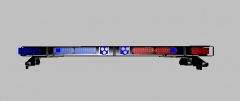 remember that project i messaged you about well i need to know how to make the interior edge light bar with a ta
 -
ya i just modified it to the duo lol @robertb not fully i just remaped and moved parts around to create the duo
-
here you go dude http://www.lcpdfr.com/page/tutorials/index.action/_/vehicle-modification-tutorial/basics-of-adding-materials-importing-models-correct-hierarchy-and-exporting-in-zmodeler-r25
-
-
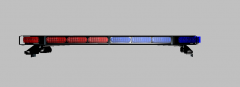
From the album: whelen duo project
ta is off red/blue split -
From the album: whelen duo project
front using red/blue split -
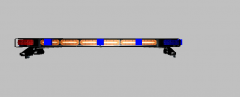
From the album: whelen duo project
back of it with the ta on -
lol same here i just used it to create a new _lightemisive file for a whelen duo
-
i use the scale tool in photoshop to each is his own lol
-
are you using photoshop or paint.net?
-
im just wondering what lighting would people want on a light bar http://www.lcpdfr.com/uploads/monthly_04_2013/post-49566-0-10993400-1364777925.jpg (all red lighting of light bar or all blue ect..)
-
just wondering on what type of lighting colors to use on a particular light bar if you select OTHER then reply with what color of bar please thx
-
so whats the step by step process of it cuz the only tut i know just shows how to map from new els lights im wondering do i delete the lightemisive and start over? or is there another way?
-
thx so much and if i want the ta to be amber will i have to remap cuz in the whelen_liberity texture its just red blue leds no amber at all?
-
thx ill try it quick question tho when i bring in evi's lib its in .z3d format i merge it in the project and i have two parts of the hiericey one labeled lights the other is the light bar and glass what im asking is how do you get them so they show up in the game plus id like the sec to be yellow overlayed on top of the primarys sorry bout the book lol thx for your advice
-
if i can ask how do you? is it a remap or a complete edit altogether
-
@robertb thats the setup im thinking to do on the 2010 suburban project

