Skip to content
View in the app

A better way to browse. Learn more.

LCPDFR.com

A full-screen app on your home screen with push notifications, badges and more.

To install this app on iOS and iPadOS
  1. Tap the Share icon in Safari
  2. Scroll the menu and tap Add to Home Screen.
  3. Tap Add in the top-right corner.
To install this app on Android
  1. Tap the 3-dot menu (⋮) in the top-right corner of the browser.
  2. Tap Add to Home screen or Install app.
  3. Confirm by tapping Install.

MyToasty

Members
  • Joined

  • Last visited

Files posted by MyToasty

  1. This is my soon to be LSPD Mini-Pack 

    Cars:

    -Tahoe
    -Charger
    -Taurus, Explorer
     
    • 111 Downloads
    • 2 Comments
    Updated
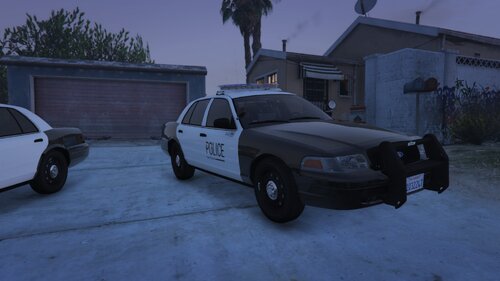
  2. This is my first "real" Texture if you like it maybe i'll do a pack I dunno.
    These textures are not based on any real life department.
    If there are any bugs report them to me.

    Link to the pack:


    Discord: Coming Soon
    • 10 Downloads
    • 2 Comments
    Updated
  3. These are Unmarked textures for Ripples K9 vehicles (Aren't any screenshots cause my game isn't being very kind right now)

    NOTE | This is my first Livery/Texture for LSPDFR And I know it's very easy to do this on your own but I thought I'd do this for the people that don't have the software to do so and Ripples K9 vehicles are pretty sick!
     
    Links to the vehicles: 
     
    • 598 Downloads
    • 2 Comments
    Updated

Account

Navigation

Search

Search

Configure browser push notifications

Chrome (Android)
  1. Tap the lock icon next to the address bar.
  2. Tap Permissions → Notifications.
  3. Adjust your preference.
Chrome (Desktop)
  1. Click the padlock icon in the address bar.
  2. Select Site settings.
  3. Find Notifications and adjust your preference.