


Bertinus22
Members
-
Joined
-
Last visited
Everything posted by Bertinus22
-
I did as you said and you were right on that part, now lspd is not crashing when it get loaded ! The console still doesn't appear still... so when lspd is crashing I need to reload the whole game innit:( At least we get one problem solved !
-
The only mod that I have is a gameconfig. To be sure about it, I renamed the folder as you suggested, but nothing changes. In fact, LSPDFR crashes just after loading. The console still doesn't shows, so I can't force the plugin back. I included the latest log, in case you can find something in it. It is very disturbing, since lspdr didn't crash yesterday, and I don't see what I could have touched. Didn't install mods or files in the game folder, no windows update as I now of or something... RagePluginHook.log
-
It's already turned off :(
-
I'm on RTX 4070 laptop, with latest drivers available
-
Here it is !
-
It was previously in exceptions, but I removed them and added back, and now it is working when I lauch RPH as admin, when the game is already in SP. The problem now is that the console is not showing. My key is F4, but if I press it, the game freeze as if I was in the console, but nothing pop. If I press echap key, I go back to the game as normal. In RPH settings, -nodx is not checked, so I don't know where that could come from. Do you have any ideas ? Thanks !
-
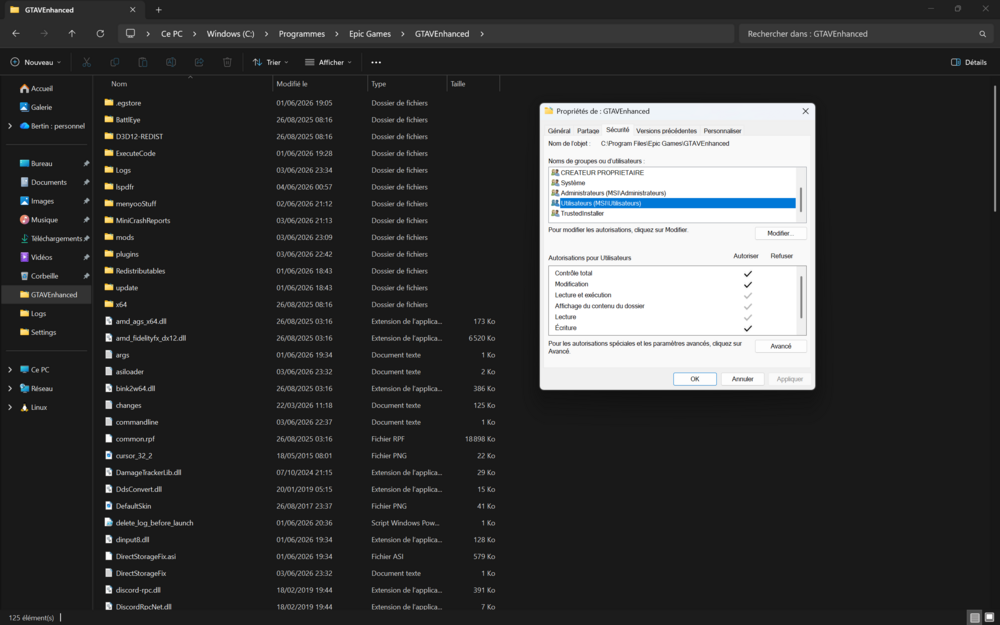
I doesn't look like the problem since It already have every permissions :(
-
Hey everyone, I've been trying to get LSPDFR running on GTA V Enhanced and I'm completely stuck. Every time I launch RPH, it just silently closes and the RPH screen never shows up in game. If I try launching RPH a second time while the game is still open, it either throws a DirectStorage initialization error that crashes the game, or says "slow or insufficient permissions". My setup: GTA V Enhanced 1.0.1013.34 (Epic/Rockstar Launcher) RPH v1.130 (from the latest LSPDFR Enhanced package) LSPDFR latest Enhanced Preview (April 2026) ScriptHookV reinstalled last DirectStorageFix v1.2 Windows 11 build 26200 GTA installed on Samsung MZVL8512HELU-00BTW NVMe SSD The weird part is that DirectStorageFix.log says "DirectStorage not enabled (Not on NVMe drive). Stopping." but I definitely have NVMe drives, PowerShell confirms BusType = NVMe on both. So the fix incorrectly thinks my Samsung isn't NVMe and stops without doing anything. Looking at the crashreport, RPH is crashing because DirectStorage is locking RagePluginHook.log before RPH can write to it, which is exactly what DirectStorageFix is supposed to prevent, but since the fix isn't applying, the crash keeps happening. Things I already tried: Reinstalled ScriptHookV last to make sure xinput1_4.dll is the right one Ran Rockstar Launcher as Administrator : RPH gets further and reaches "Loading Story Mode" but then crashes Added -nDirectStorage to commandline.txt Deleting RagePluginHook.log before launching Looked for a commandline flag to disable DirectStorage : couldn't find one RagePluginHook_01062026_182845.log DirectStorageFix.log RagePluginHook_01062026_183958.log crashreport.txt
