Sasrical
Members
-
Joined
-
Last visited
Everything posted by Sasrical
-
 This is pretty cool! Nice work! :D
 -
Gimp 2.0!!!!!!!! Free alternative :D
-
I up voted everyone who helped :D yay
-
Definitely RCMP and other then that always LCPD
 I would tap it ;) Good job :DAnd of course Microsoft shoots them self in the foot with this idiot: I cant get the embedding to work :/ SorryOMG finally! Lol ever since you showed it to me I have been waiting :D AWESOME WORK! 5/5 and DL! :)
- 10 comments
- 4 reviews
Looking good!! :D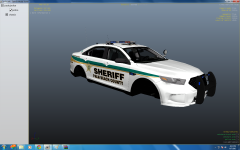 That looks sexy :Dyep now worries. Also make sure you have the full version of ZModeler2. The free version will not work!it is harder then it looks. Here is a video to get you started: http://www.lcpdfr.com/page/tutorials/index.action/_/vehicle-modification-tutorial/video-assembling-an-entire-vehicle-r48RCMP on a normal day has about 40+ in there Teamspeak Server. On a good day its about 60+Does anyone know who the biggest LCPDFR clan is? To my knowledge it is the RCMP Clan. Does anyone have evidence itherwise. I did not make this thread to advertise your clans so please dont turn it into thatI like the idea. Would be very interesting to see :DNice pack XBR410! :D Looking good!!!Burgershot on the Broker/Dukes Expressway! :DThat is pretty scary :/ On Topic: 2013 Taurus!!!I just have to say this is an amazing thread. Really helped me out! Thank you Darthwound!!!! :DThat English!Looking really good! Can't wait to see this come out! Keep up the great work! :DYayyyyyy.