


EsacpeZZ
Members
-
Joined
-
Last visited
-
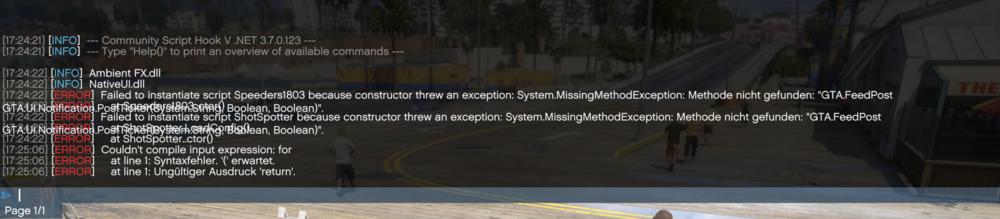
Here is my RagePluginHook.log :) LOGFILE If you see some callout packs or something else what maybe can cause the error i will remove it. I also tested different script mods, but on all is the same error with the "GTA.FeedPost:
-
It depends on which scripts I use. The only ones I've been able to get to work so far are “Enable All Interiors.” With all the others, it shows the error.
-
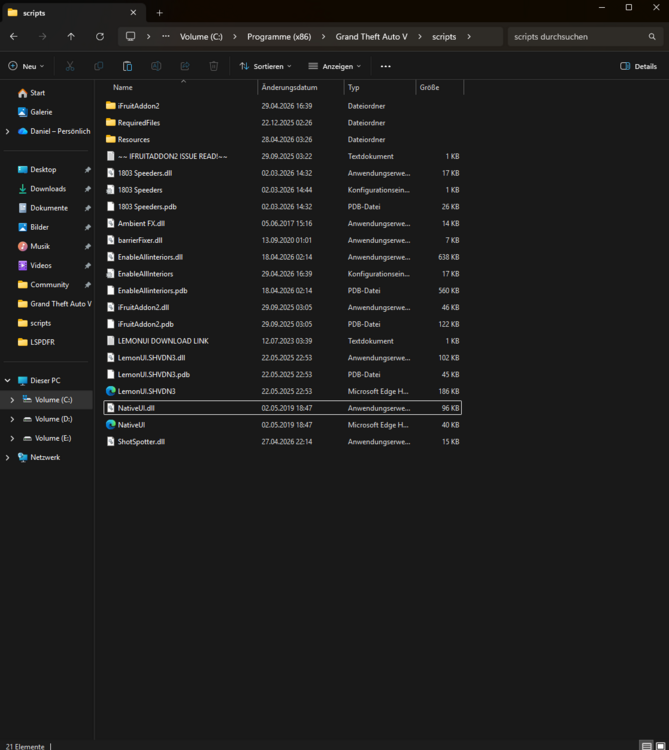
Thanks for your response :) I have removed Real Pursuit AI now but the other scripts(shot spotter, more speeders) shows the same error. This is my scripts folder by the way:
-
Hi, I'm using the latest version of Nightly and Scripthookv, but I keep getting the same error. I've also tried several older versions of Scripthook.NET, but unfortunately without success. Does anyone have any idea how I can fix this error, or which version I should use? Thanks for your help Best regards Screenshot from the LOG: Screenshot and complete Logfile: Pasted content

-
-
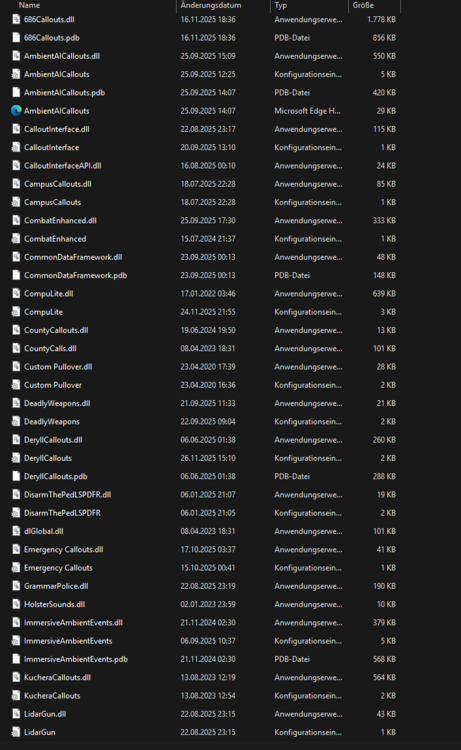
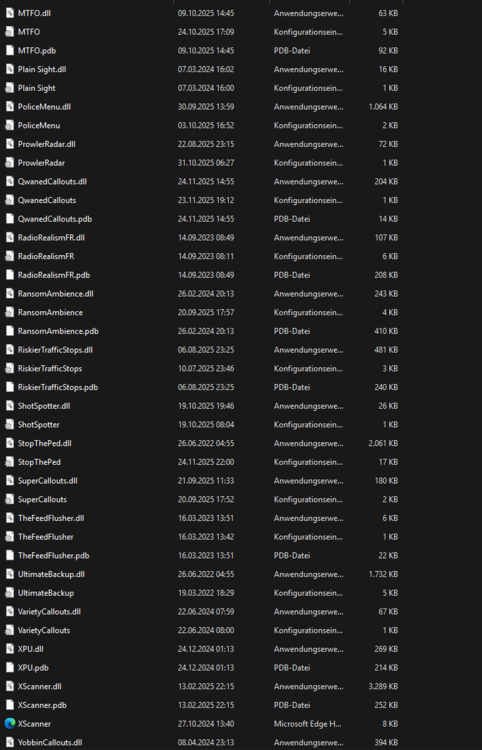
Hi, Quick question: how can i improve my performance in LSPDFR? I dont know what plugins and callout packs are outdatet and cause performance issues? What else can i do to improve my performance? Without forceduty i got like 80-100FPS. When i load forceduty i have 30-40 FPS with my RTX 4070. I made some screenshots from my Plugins, Callouts and Scripts that i have running. Thanks for helping and greetings 🙂
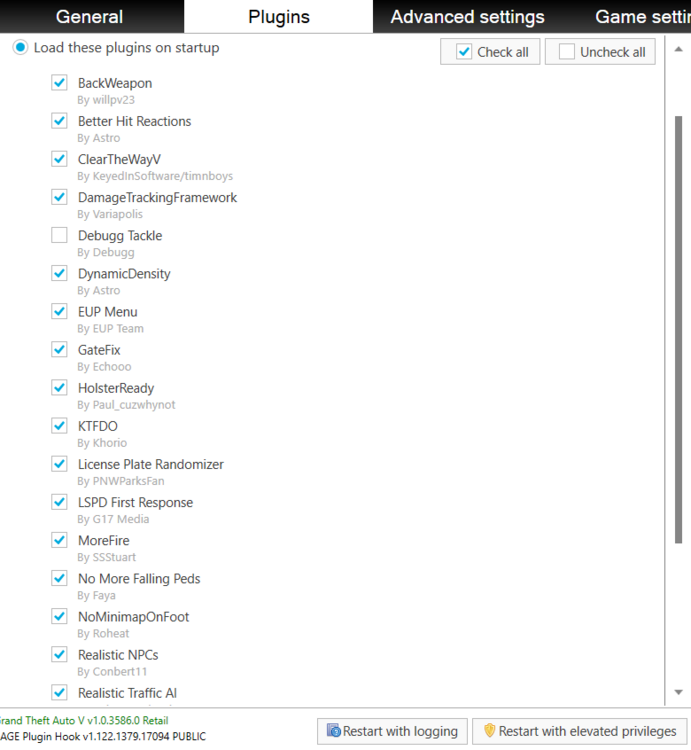
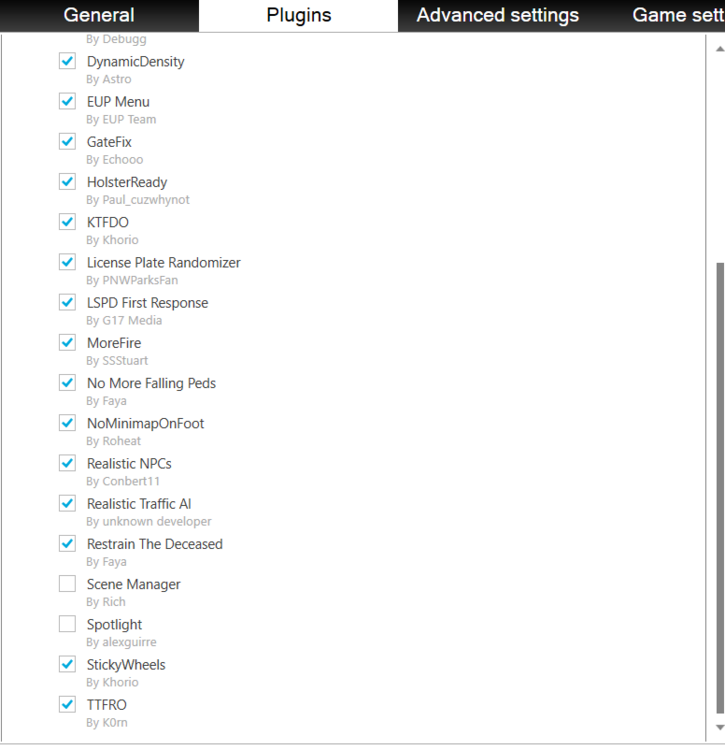
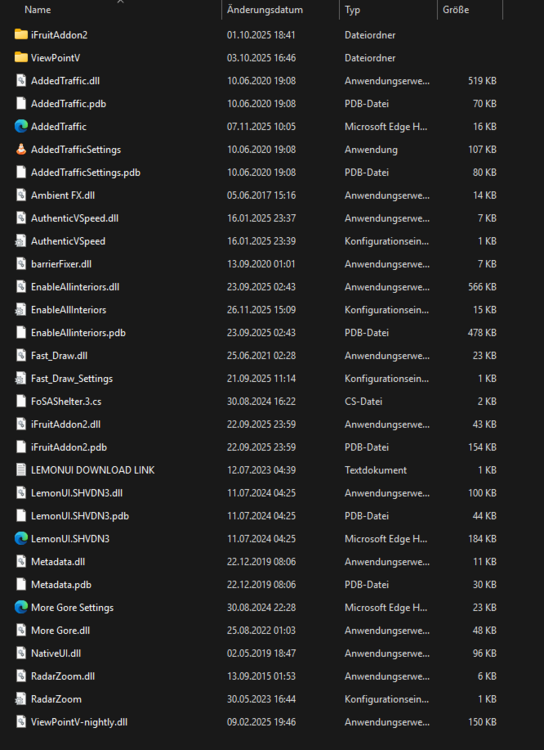
-
And for my character's voice lines? I remember there used to be a mod for that, but I can't find it anymore.
-
Hi guys, Is there a way to make the shouts during arrests or the announcements over the squad's megaphone sound realistic? I mean real commands (like “get down on the ground” or something like that) and not just random stuff. Unfortunately, I haven't found a mod that changes this. greetings
-
Okay danke, Funktioniert das auch für gedownloadete Autos? Ich habe jetzt nur was von den DLC Vehicles gelesen. LG 🙂
-
 EsacpeZZ reacted to a post in a topic:
Wie füge ich selbst gedownloadetet Addon Fahrzeuge im normalen Verkehr ein?
EsacpeZZ reacted to a post in a topic:
Wie füge ich selbst gedownloadetet Addon Fahrzeuge im normalen Verkehr ein?
-
 Hi, First of all, cool plugin, I noticed two things: 1: How can I give orders to the paramedic? When a pedestrian is lying unconscious or dead on the ground and I call the ambulance via the backup menu, they do everything automatically (treat and transport). But I want to give them orders myself, like in the videos. Everything works fine with the tow truck. 2: Since I installed PR, my grammar police commands are no longer correct. For example, when I report that I am in pursuit, it sometimes understands that I am code 4, etc. I took the backup from UB. 3: And what do I do if I want to handcuff someone and it says: use force? Tasers don't work 😄 Thanks and best regards
- 651 comments
- 48 reviews
-
Hi, Wenn ich mir als Beispiel: https://www.gta5-mods.com/vehicles/declasse-brutus-pick-up-edition dieses Auto downloade und das normal als Addon installiere(sodass ich es über den Trainer spawnen kann). Wie füge ich dieses Auto zum normalen GTA5 Traffic hinzu? Ich habe es schon mit dieser Mod(https://www.gta5-mods.com/scripts/dlc-vehicles-spawn-on-traffic) probiert aber irgendwie werde ich daraus nicht schlau. Ich möchte ja nicht alle GTA5 Addon Vehicles von den DLC´s haben, sondern nur die die ich selbst hinzufüge. Eventuell kann mir das jemand kurz Schritt für Schritt erklären was ich machen muss 🙂 LG
-
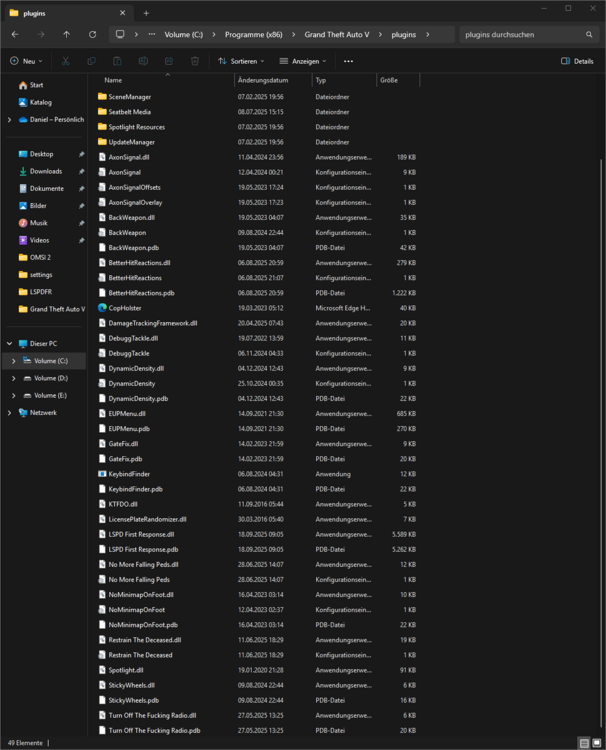
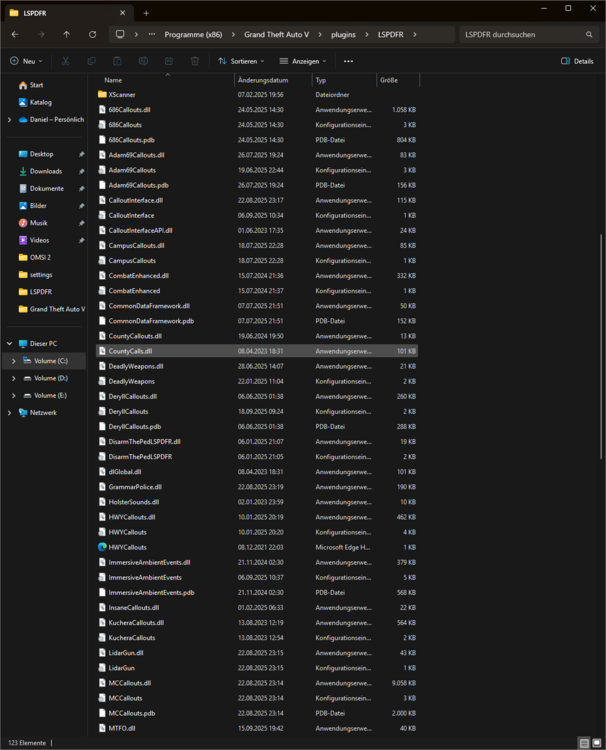
Hi, For some time now, my RPH has been crashing while driving (usually shortly before reaching the job site). I haven't found any error messages in the RPH log so far. Logfile: Here is my plugin and lspdfr folder. There may also be plugins there that are causing the crash. Thanks for Help 🙂
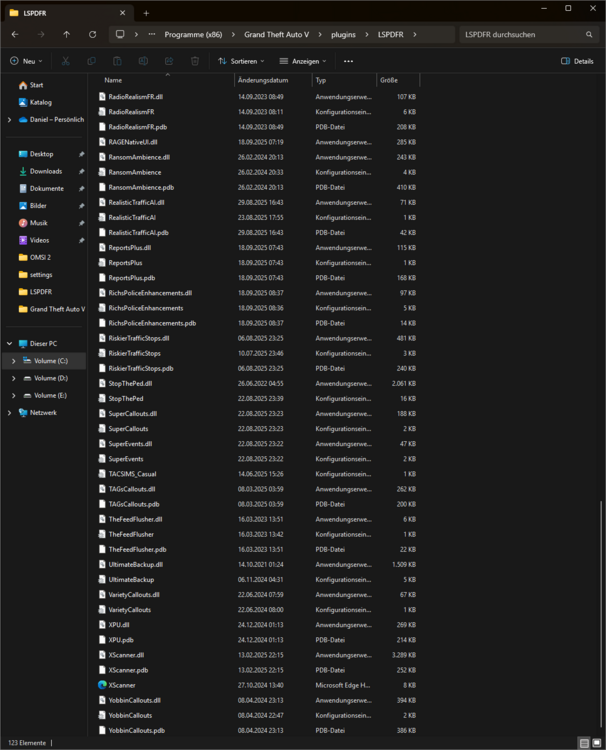
-
Hi, It was really stupid of me and my own mistake 😄 I had muted the volume under XScanner because streams didn't work and I didn't like the normal sound files that were played. I didn't know that Xscanner also controls the volume of Grammar Police. When I set the normal volume of XScanner back to normal, the announcements from the dispatch came back 🙂
-
Hi, I have a very strange problem with Grammar Police. After updating to Windows 11, Grammar Police no longer wants to work with the latest RagenativeUI. When I use the RageUI 1.9.3 I have no sound from the dispatch, so no answers. It does recognize my voice and the message for example available also appears. If I use an old RagenativeUI, e.g. from Grammar Police itself, it works with the audio but for other plugins e.g. Deadly Weapons or Xscanner the RageUI version is just too slow. Does anyone have an idea or solution what I could do? Regards
-
Thank you for your answer, So if I have understood correctly now: I take a vehicle that already exists in the game, as an example the bus if I want to insert it from the Vehicles.meta, copy this section and rename it accordingly in the addon vehicle and paste the section back into the vehicle.meta or? Greetings


