Eden0032
Members
-
Joined
-
Last visited
Everything posted by Eden0032
-
Thank you for that, very helpful. Having now decided which vehicles to install, is there a set of instructions for a novice? Do I need to make a "mods" folder within GTA V and do I need any other apps to install the vehicle?
-
The only way I could get GTA to install was by repurchasing it via different platform (Epic games). And now I've installed LSPDFR and it's working perfectly! Question though - How and where do I download/install the UK police vehicles and outfits?
-
They can't fix it, tried anything and everything! The only thing that works was making a whole new windows user profile and installing/launching the game from there so will just use that one for now. Now to try installing LSPDFR and Rage
-
Still having issues installing the GTA 5 base game - rockstar games tech support looking into it. Have tried all manner of solutions with no luck so far! Can't believe the base game was working fine yesterday and now when reinstalling it won't even install! And this is before I've installed anything from LSPDFR
-
Thanks mate - I think it must be an issue with the game as the reinstall keeps failing. Have now uninstalled Rockstar Games and starting from scratch.
-
I'll take a look, just reinstalling GTA 5 in case it's an issue with the installation of the base game. Will then install LSPDFR and RPH
-
Nope. RPH just says that GTA 5 has crashed and the game for closes meaning I have to close RPH as well.
-
Thanks for your reply. I'm not too sure what you mean by Natural Vision. I'm relatively new to adding LSPDFR to GTA 5. I have just launched the game without running RPH without any issues, and then tried to launch it once the game had loaded with no success unfortunately.
-
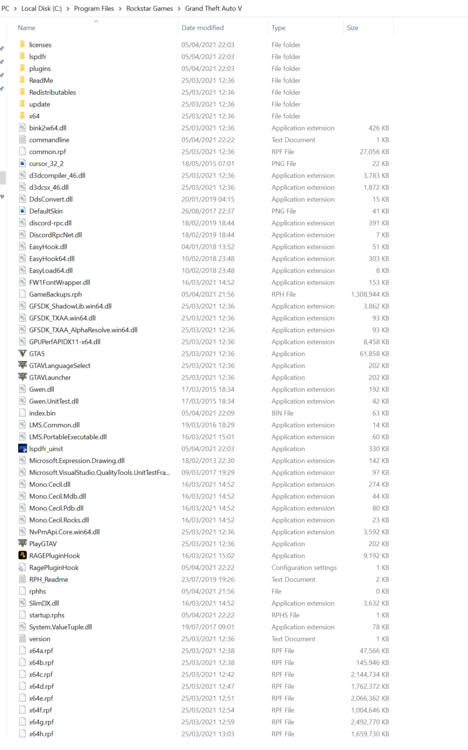
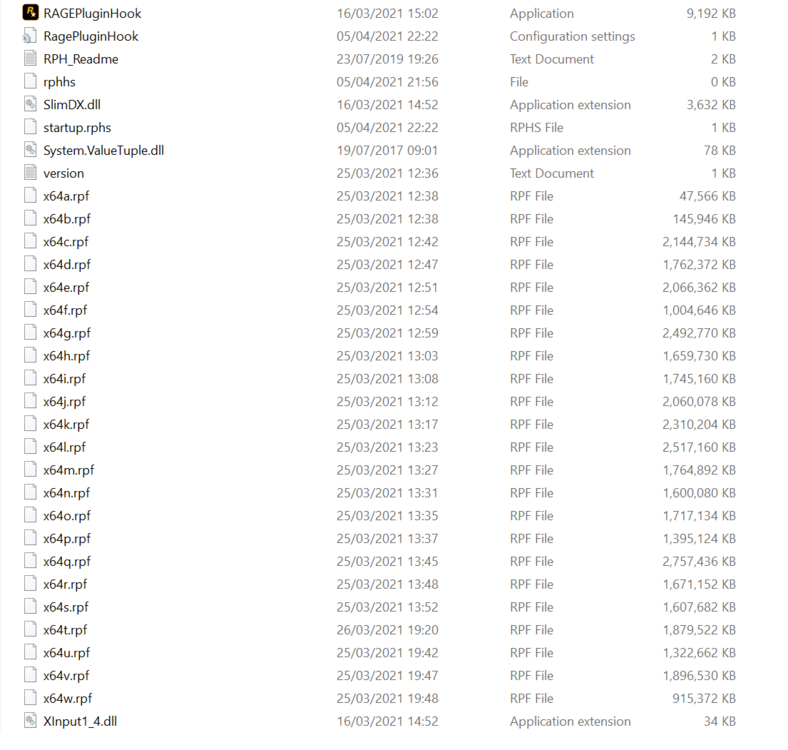
Hello all! I have just installed GTA 5 (direct from Rockstar Games rather than via Epic or Steam). I have also just installed LSPDFR for the first time and followed the instructions for installation. Upon starting the game and launching Rage plugin, the game crashes every time. I have tried uninstalling LSPDFR including rage plugin and then reinstalling, but still get the same issue. I did have Avast installed and the list of known issues suggested this may be the cause. I have uninstalled this and am still having the issue. Does anybody know any solutions? Thanks in advance. Below is the GTA 5 directory having installed GTA 5 and LSPDFR with RPH.