



BreadDesigns
Members
-
Joined
-
Last visited
Everything posted by BreadDesigns
-
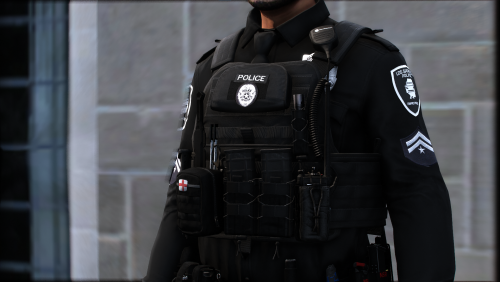 The model is Hanakos and I'm not sure if you're allowed to covert it into fiveM compatible so you might have to ask him
- 6 comments
- 1 review
-
-
*DOWNLOAD THIS PACK AND USE VEST4 AND CHANGE THE TEXTURES WITH THE ONE IN THIS DOWNLOAD IF YOU WOULD LIKE TO USE THE K-9 TEXTUREPLEASE CHANGE THE k9texture.ytd TO task_diff_012_a_uni.ytd*This is the pack used in the screen shots. Make sure to join my Discord! (https://discord.gg/VgJ2CXUxT7) Support me here!: My PayPal LSPD uniforms used in the screenshots
- 6 comments
- 1 review
-
-

-

- 3
-
-
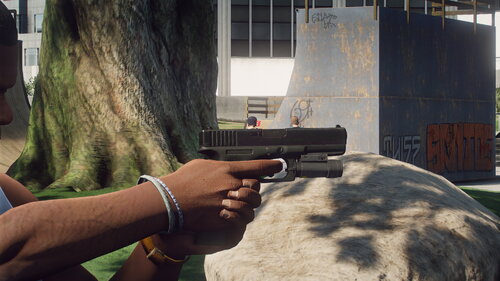 Sorry for the late reply but if you use a trainer such as Menyoo or simple trainer you should be able to find it somewhere in the weapon options
 -
Bruh
-
for anyone wondering i will be uploading a new update version of this soon
-
Yep, still figuring out how to make it actually glow 😂 yours looks great Btw
-
Glock 17 With Night Sights * WORK IN PROGRESS * Version 1.0 of this Glock version with night sights. Some things may not be perfect as this is new please report any issues, there is a installation guide in the download but I will post one here too - join my discord - https://discord.gg/FyqvTQCagg support me here! My PayPal NEEDED TO WORK! this download and https://bit.ly/3kOCpTN Installation guide Glock 17 night sights by @sk1zY --------------------------------------------- WORK IN PROGRESS - This is a modified version of metroidguy's Glock 17 you can find him over at the gta5 mods website or the link You should have these files in this download Glock 17 installation w_pi_combatpistol.ytd w_pi_combatpistol_mag1.ytd w_pi_combatpistol_mag2.ytd and this from the second download - THIS IS NEEDED! w_pi_combatpistol.ydr - You can find this here, https://bit.ly/3kOCpTN Start up openIV and select GTA5 windows edition then navigate to mods > update > x64 > dlcpacks > patchday10ng > dlc.rpf > x64 > models > cdimages > weapons.rpf then simply drag and drop the files that are inside of the Glock 17 folder of this download they should look like this ----------------------------------------------------------- And that's it! Congrats you have have successfully installed your Glock 17! (I hope) If you have any issues please either comment on the lspdfr post or DM me on discord at sk1z#3330 please keep in mind it will take some time for a response so discord would be preferred - enjoy! credits - diab0 d65c05-glock_17update.zip
-
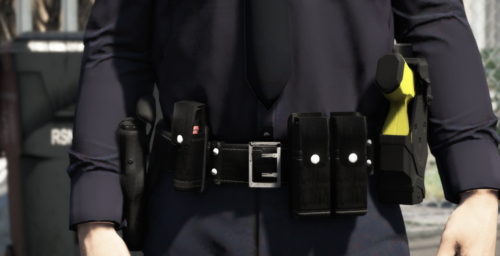 hey i know you have a LAPD belt and there is a green tazer but with this belt maybe add a green tazer version i really like this well done

