
FyreDesigns
Members
-
Joined
-
Last visited
Everything posted by FyreDesigns
-
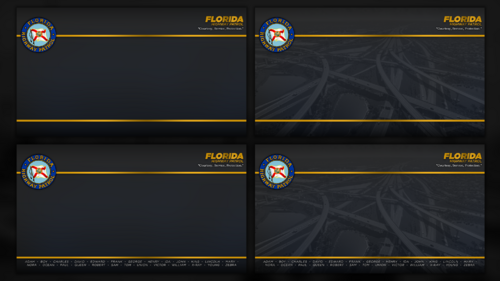 Uploading now ;)
 -
This is designed to be used with the top and bottom bar enabled and in full-screen mode, it's 1920x1080
-
Which ones did you have in mind?
-
 Do your settings look like these? And is the LoadingScreens folder inside of your GTAV Directory?
 -
Could you expand on that? It works fine for me, make sure to enable custom loading screens inside of RPH settings.
-
Here you go! Enjoy! 😄
-
 Right click any of the images of the game, so for example right click the banner on the info page of the game, then set custom artwork, then repeat for all the images Here is a brief tutorial I found: https://www.xda-developers.com/how-to-add-custom-artwork-steam-library/
 -
// FYREDESIGNS - LSPDFR VISUAL OVERHAUL FOR STEAM // Upgrade your Steam library with a custom LSPDFR visual overhaul! If you've added LSPDFR as a non-Steam game, this pack provides high-quality banners designed to seamlessly match the LSPDFR experience, giving your library a polished and immersive look. // Included Assets: ✔ Library Capsule – Main Steam cover art ✔ Library Hero Banner – Large artwork for the Steam details page ✔ Library Product Icon – Small icon for grid view ✔ Library Product Logo – Clean logo overlay ✔ Alternate Library Capsule – Larger image shown when the game is the most recently played // Installation: Download the files and locate your LSPDFR Steam shortcut. Right-click the game in Steam Library → Manage → Set Custom Artwork. Apply the appropriate images to each section for the best visual experience. // Notes: The Alternate Library Capsule is displayed when LSPDFR is the most recently played game in your library. This artwork is designed to match my previous mod: LSPDFR Loading Screens - Reloaded, ensuring a cohesive and immersive look. If Steam does not save the artwork, try restarting Steam and reapplying the images. // Credits: Created by FYREDESIGNS. Do not redistribute without permission. Screenshot by RockyMtnAdam. Enhance your Steam library with a professional, LSPDFR-themed look—download now! 🚔
-
Feel free to send them over, and I’ll create them for you! Since it’s not a simple filter, I’ll be working in Photoshop with multiple layers and adjustments to get the best result. You can reach me on Discord: xfyre_
-
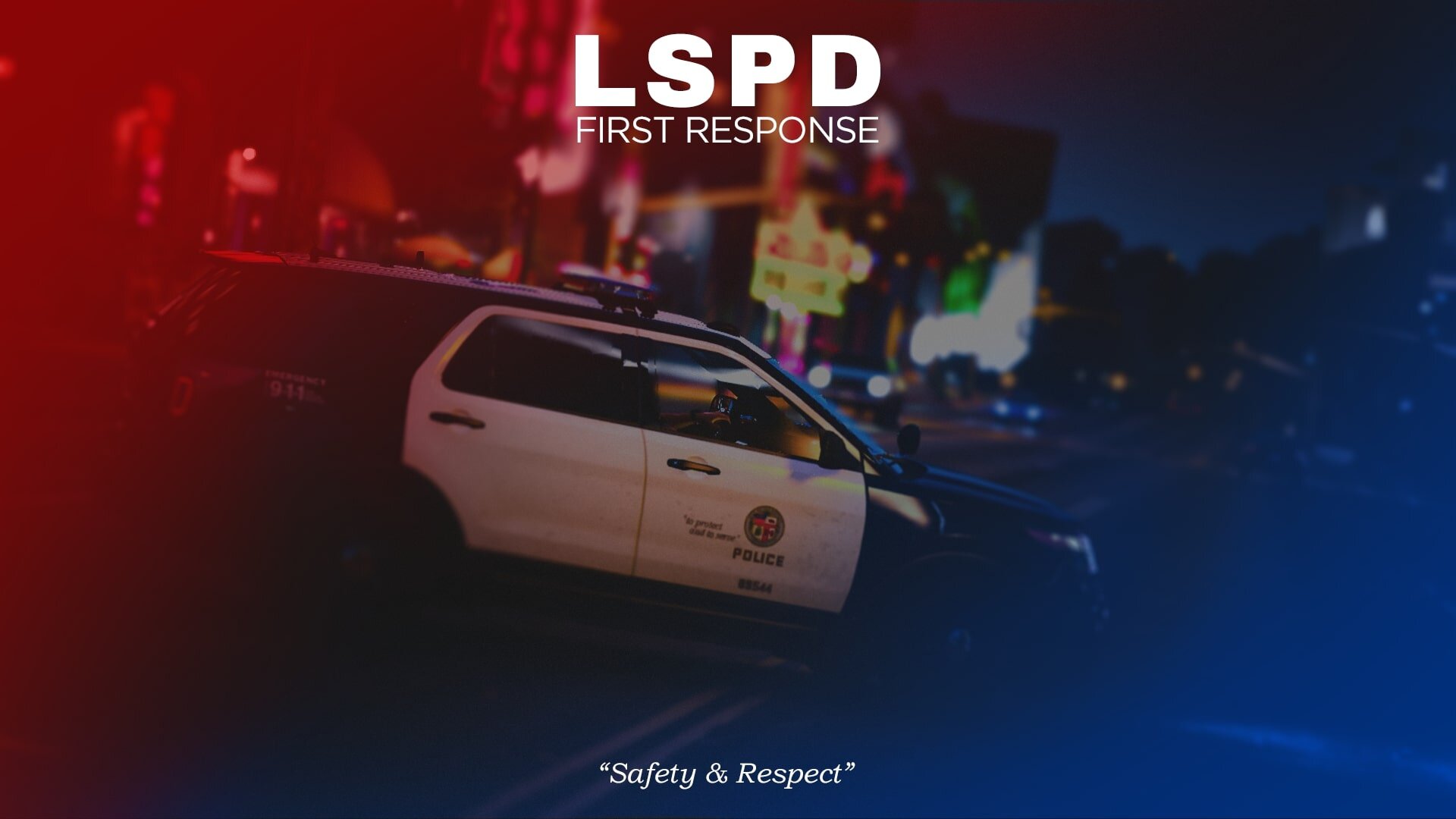
// FYREDESIGNS - LSPDFR LOADING SCREENS RELOADED v2.0 // Revamp your patrol load-ins with v2.0 of LSPDFR Loading Screens Reloaded – a complete visual overhaul now featuring 15 high-quality, lore-friendly loading screens. Designed to enhance immersion and professionalism, each screen reflects real-world policing with cinematic flair. Whether you're rolling with LSPD, LSSD, SAHP, or BCSO, these screens add depth and atmosphere to every shift. // Features: ✔ 15 total screens (7 newly added in v2.0) ✔ Lore-friendly visuals that fit naturally in GTA V ✔ Realistic police scenes captured by the LSPDFR community ✔ Seamless loading screen replacement using RagePluginHook // Requirements: RagePluginHook Enable: “Custom Backgrounds for Loading Screen” Disable: “Disable Custom Loading Screen” // Installation: Drop the "LoadingScreens" folder into your GTA V directory. Open RPH Launcher, apply the settings above. Start the game and enjoy the fresh new loading visuals. // Credits: Created by FYREDESIGNS Screenshots by these talented creators: Ugvar https://www.lcpdfr.com/gallery/image/177497-sahp9/ https://www.lcpdfr.com/gallery/image/177661-grand-theft-auto-v-screenshot-20250202-22311228/?browse=1 https://www.lcpdfr.com/gallery/image/177662-grand-theft-auto-v-screenshot-20250202-22315392/ https://www.lcpdfr.com/gallery/image/177659-on-scene/ hashbrown https://www.lcpdfr.com/gallery/image/177623-gta5-2025-02-03-01-44-23png/?browse=1 https://www.lcpdfr.com/gallery/image/177678-gta5-2025-02-05-21-50-30png/ purplepotatoes14 https://www.lcpdfr.com/gallery/image/97720-nightlife-3/?context=featured https://www.lcpdfr.com/gallery/image/174128-explorer-morning/?context=new https://www.lcpdfr.com/gallery/image/167460-all-of-the-lights/ https://www.lcpdfr.com/gallery/image/167504-on-the-way/ https://www.lcpdfr.com/gallery/image/167505-chiliad-sunrise/?browse=1 danksg https://www.lcpdfr.com/gallery/image/123604-sasp-sunset/?context=featured https://www.lcpdfr.com/gallery/image/123603-sasp-look-up/ 🚔 Version 2.0 – Bigger, cleaner, and built for patrol. Enhance your immersion every time you boot up.
-
// REPORTSPLUS POLICE CAD BACKGROUNDS //Enhance your LSPDFR experience with custom Police CAD backgrounds designed for ReportsPlus! These high-quality backgrounds add immersion to your patrols, featuring sleek and professional designs for multiple San Andreas and real-world law enforcement agencies: ✔ Los Santos Police Department (LSPD) ✔ Los Santos Sheriff's Department (LSSD) ✔ San Andreas Highway Patrol (SAHP) ✔ Blaine County Sheriff's Office (BCSO) ✔ Colorado State Patrol (CSP) Each background is crafted to match the department’s theme, ensuring a clean and immersive interface while managing reports, warrants, and more. Now expanded with the Colorado State Patrol (CSP) Division. // Phonetic Alphabet Integration!Optional phonetic variants are available for all CAD backgrounds, featuring a full law enforcement phonetic alphabet footer for quick reference while on patrol. // Installation Instructions:Open ReportsPlus. Navigate to Settings → Main Settings → Desktop Settings → Desktop Image Chooser. Select your preferred background from the provided images. Ensure “Use Desktop Background” is enabled. 🚔 Upgrade your CAD system and patrol in style!
-
agency.xmlDefaultRegions.xml Hi everyone, I'm currently facing some issues while trying to use the peds and vehicles from the Ultimate Backups' DefaultRegions.xml file. I've added custom uniforms and vehicles for the following departments: LSSD (Los Santos County Sheriff's Department) LSPD (Los Santos Police Department) BCSO (Blaine County Sheriff's Office) SAHP (San Andreas Highway Patrol) These custom additions are for male officers only, as the outfit pack I used did not include female officer outfits. I'm not sure how to proceed from here and would greatly appreciate any assistance or advice on the following: How to correctly implement the custom peds and vehicles in DefaultRegions.xml. Solutions or recommendations for obtaining or creating female officer outfits compatible with my current setup. Any common pitfalls or tips to ensure everything works seamlessly. Thank you in advance for your help! The pack I used for reference:
-
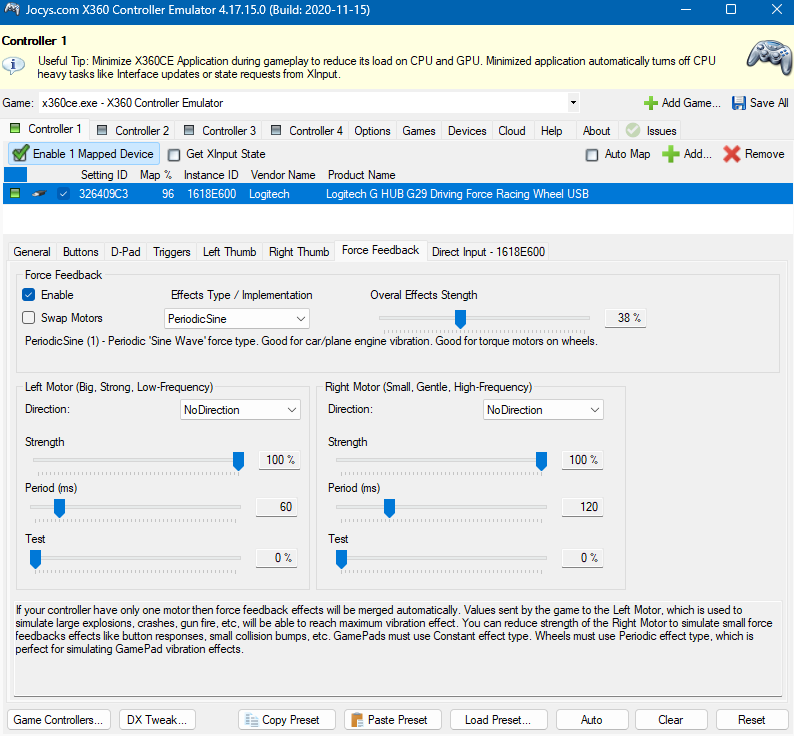
Make sure to launch the XInputTest.exe first, this makes the friction work.
-
I have an explanation here, though I'm unable to offer support with it, this is just what I've read somewhere:
-
I believe so, you might need to look through either software for using 2 controllers at once. Found this on x360ce's website:
-
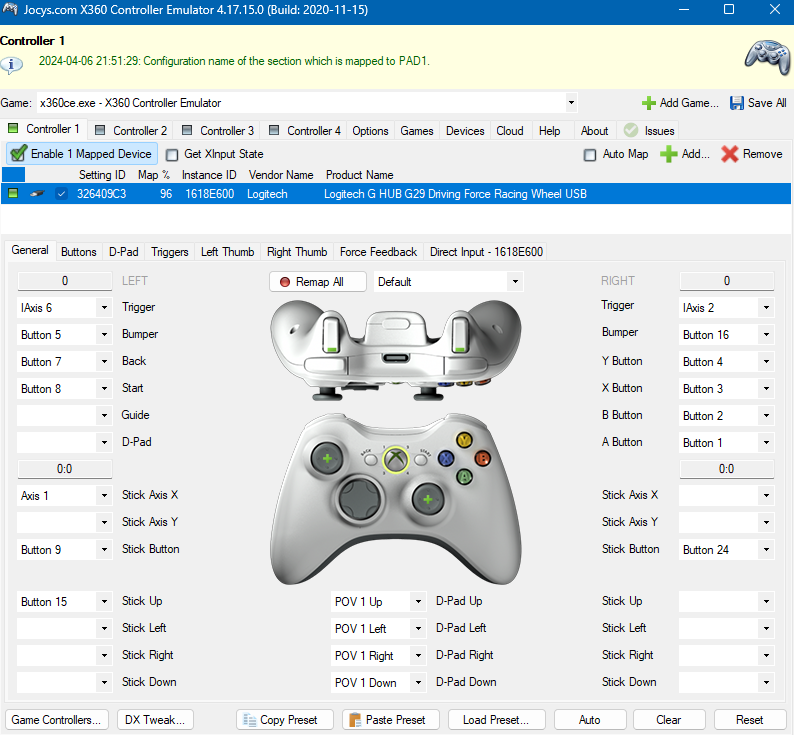
Managed to find an alternative, I combined x360ce with another piece of software from a forum. This way I have wheel support with a centering spring. For anyone looking to use this, launch XInputTest.exe first, then open x360ce I've attached screenshots of my x360ce settings Here is my xbox360cemu.ini:

-
Hey everyone, Hope you're all doing well. I've run into a bit of a snag with my GTA setup and was hoping to get some advice from the community. I've been trying to set up my steering wheel and pedals to work with the Manual Transmission mod in GTA. Problem is, the mod is outdated and only works with older versions of the game. I've tried using emulators like x360ce and JoyToKey, but the force feedback on the wheel just doesn't feel right. Before I go ahead and make any big changes, I wanted to reach out and ask for your thoughts on a couple of things: Compatibility Concerns: Do I really need to uninstall all my current mods to get the Manual Transmission mod working with the older version of GTA? I'm worried about messing things up if I start removing stuff. Why I'm Sticking with this Mod: I'm pretty attached to the Manual Transmission mod because it makes driving with the wheel feel so much more realistic. Any other options out there that can give me the same experience but work with the latest version of GTA? If there's anything specific you need to see or know about my setup to help me out, like screenshots or log files, just give me a shout. I'm happy to share whatever I can to get this sorted. Appreciate any advice or tips you can offer. Thanks a bunch for taking the time to help!
-
 I can definitely try! So unfortunately turning up the volume didn't help much, I'll upload it anyway as it's slightly better but not by much, I think the game limits the audio for some reason.
 -
Hey everyone! I've recently got back into LSPDFR and had this song in my head all week! So I thought I'd turn it into a loading screen music mod, I extended the song using AI in case you are stuck there a while. Hope you all enjoy! Here's a preview of where the audio is from: Installation: Using OpenIV go to- GTA V/mods/x64/audio/sfx/PROLOGUE.rpf Drop "td_loading_music.awc" into PROLOGUE.rpf OpenIV Download https://www.gta5-mods.com/tools/openiv Thanks for downloading, now get on duty cutie!
-
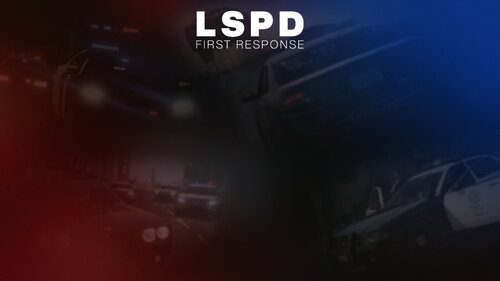 ⚠️ IMPORTANT: UPDATED VERSION AVAILABLE This release is no longer maintained. A newer version with improvements and fixes is available. Please download the latest version here: I wanted a Custom Background and I couldn't find anything like this so I made my own and decided to share. //Requirements: Requires RagePluginHook! https://ragepluginhook.net/ //Installation: 1. Drop the "LoadingScreens" folder in your GTA V Directory. 2. Make sure "Enable Custom Backgrounds for Loading Screen" is enabled in the RPH launcher. 3. Make sure "Disable Custom Loading Screen" is disabled in the RPH launcher as you want the loading screen to work. //Changelog: 1.0.1 Added 5 more backgrounds! LSPDFR Themed Loading screen. Created by me from images from google. Logo also by me.
 -
Also it is a clean install, lspdfr works without any other mods, it's only happening since installing them. I just cant figure out which mod(s) is causing the issue.
-
Hello! When loading up lspdfr my game crashes. It happens when it goes to the screen which says, "Loading LSPDFR" and the spinning icon. Here is my Rage Log: https://pastebin.com/qVX1MJpQ Many thanks!