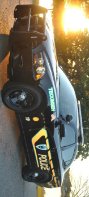
So when gta5 updated on the 16th I did what I normally do I removed the script hook .dll file and placed it on my desktop after I updated game and ragehook that way I can still play just without my trainer or els. But I put it back and updated Scripthookv when I have it set up where no plugins run until I get in game and hit load all. Normal if I get fps drop it's after I load plugin but after update as soon as I get into the game my fps is around 25 when I load plugins that drops to 10 to 15 and is unplayable. However after I restart game and computer after any update it normally picks up but not this update, I have a very good computer laptop with two graphic cards including a nvidia geforce card and file hard drive. I still have the same mods I always have with only one that is known to cause an fps drop and that is arrest manager I only have two cars mods I use the ohp 2016 never had an issue with and the chevy silverado 2021 unmarked, And computer plus and enhanced native trainer, a radar mod and of course lspdfr but that's it I did notice when the mods loaded it said that lspd .dll file was out of date but I just updated it I updated rage hook script hook and lspdfr enhanced native trainer and els iam at a loss is anyone else having issues I am an officer from Oklahoma and after getting covid on duty and blood clots that caused a pulmonary embolism and killed me for a minute and a half I haven't been able to work I'm stuck at home bored out of my skull and this is the one thing that entertains me so if anyone has any advice please feel free to email me.