


RedBane01
Members
-
Joined
-
Last visited
Everything posted by RedBane01
-
I've updated drivers, changed the threshold number to 60000 and made sure gta works normally. But it will always crashRPH crash report.txt when on the loading screen
-
Could anyone please suggest anyway I could fix this weird texture glitch on the uniform?
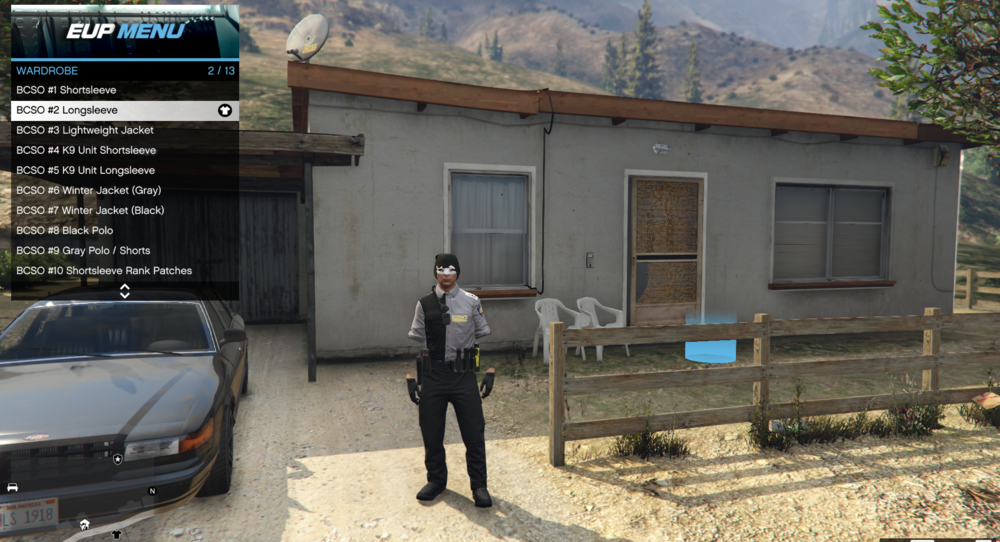
-
I managed to update windows and the .net says it's already installed, but when lspdfr loads it says it's been blocked because it caused the game to freeze. What should I do?RagePluginHook.log
-
Thank you for the help, I'll update windows then.
-
When I try to download the the .NET framework it says the version is not supported on my operating system. I'm using windows 10 home 64 bit.
-
Attached is the log, thank you for the help. RagePluginHook.log
-
When I use the command 'ReloadAllPlugins' it crashes LSPDFR (if the plugins are pre-loaded it does not work as well). If I load GTA5 then start RHP it crashes the game. Any help would be appreciated.
