


jenglish
Members
-
Joined
-
Last visited
Everything posted by jenglish
-
I know this is old but I want to help anyone else that comes along looking for this. The actual bloom of the lights comes from the timecycle files in update/update.rpf/common/data/timecycle. The files you need to edit are all the weather files so for example w_clear.xml or w_rain.xml. In these files you need to find the "<postfx_intensity_bloom>" lines. There are two in each file. One is about a third of the way down and the other is near the bottom. I can't remember what either line does but you need to change both. Edit all the numbers on each line to desired values. I personally prefer to use 0.1000 for all my ones but depending on your visualsettings, I recommend between 0.0500 and 0.2000. I have an example of my one so you can see and copy/paste if you want: <postfx_intensity_bloom> 0.1000 0.1000 0.1000 0.1000 0.1000 0.1000 0.1000 0.1000 0.1000 0.1000 0.1000 0.1000 0.1000</postfx_intensity_bloom> You can however edit it according to the time of day. You can see just above the postfx section a set of numbers representing the time of day each value is associated with. Again, I personally prefer to just have it all the same. So you need to edit both these lines in every weather timecycle file you want to. I did them all but you can do whichever ones you want. Leave the timecycle_mods.xml files alone unless you also want to edit the bloom for in tunnels etc but be careful. Also it should be obvious. If you want more bloom increase the number, if you want less, decrease it. If you want to test and edit while in-game I strongly recommend getting the VSReloader mod. It works great. You can edit your visualsettings and timecycle files while in-game, then press F10 and it reloads in your edits so it's way easier to get the right visuals for the game without having to constantly reload the game which takes forever. Hope that helps people.
-
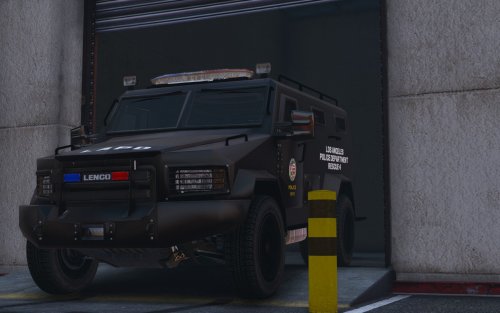 https://www.youtube.com/watch?v=jGqDMZBGjTs&t=1631s just after 7:50 but I mean it's only a little annoyance but yeah.
- 39 comments
- 7 reviews
-
I've encountered it and I watched a video couple days ago on youtube from Bay Area Buggs when he stole the Bearcat from the police. You can see him drive past a car when in mirror park that he clearly doesn't hit on his screen but it does. There is 100% something that sticks out further than the wheels that has physical mass.
- 39 comments
- 7 reviews
-
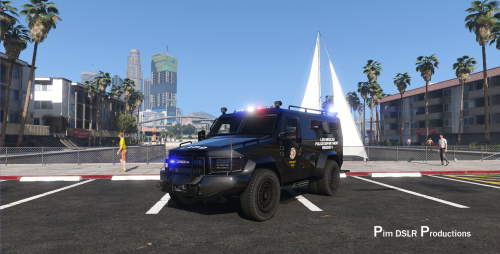 Did you actually make the model? Cause there is something invisible on the vehicles right side that sticks out. You can tell this as you drive past any vehicle you constantly clip the car even though visually you made no contact with it. Some sort of artifact I'm guessing from the modelling process that got left. Would be great to get it removed by whoever made it if it were you.
- 67 comments
- 11 reviews
-
Did you actually make the model? Cause there is something invisible on the vehicles right side that sticks out. You can tell this as you drive past any vehicle you constantly clip the car even though visually you made no contact with it. Some sort of artifact I'm guessing from the modelling process that got left. Would be great to get it removed by whoever made it if it were you.
- 39 comments
- 7 reviews
-
 Heres a tip for people that don't want another mod (sorry creator). Simply tap f (or whatever your enter/exit button is including controller) FOUR times. Yes tap f FOUR times, no less at least and your character will get out leaving the door open. Simple as that no mod needed.
- 57 comments
- 33 reviews
-
-

- 1
-
-
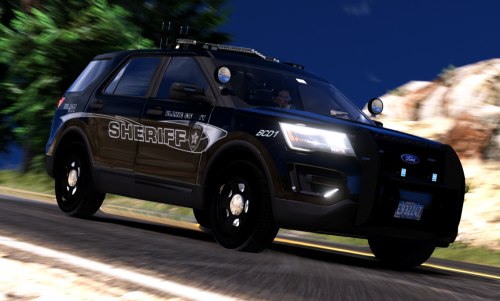 Love the pack. I've got the handling issue for the sheriff2 but I will test ones to suit it just like I did for other vehicles I put in the policeold (that was a pain). My main issue I'm having with the SUV(sheriff2) is when a door panel comes off when I crash bad or something a duplicate sort of "shell" of the entire vehicle spawns instead of the door just falling off. I don't get how that even happens but it is. Any idea on fixing that? I've tried googling it but I can't find anything and don't really know the words to even search for it lol. Thanks.
- 50 comments
- 27 reviews
